Back in September 2025 I released Singapore Buses with a feature that I thought would have little-to-no usage, an App Clip. It wasn’t an easy feature to implement. In addition to the in-app code, there’s the work on Cloudflare:
The clips.singaporebuses.app subdomain is powered by Cloudflare Workers. It serves an AASA, some basic content, and a favicon, but is otherwise there to enable redirects to the app or the App Clip.
Notwithstanding, I’m glad to say the App Clip has met my expectations — since September it’s been used a grand total of zero times.
I’m interested to see how (or if) it affects download statistics.
I’ll be removing the App Clip in the next release.
Every month or so I update Singapore Buses with the latest data from the Land Transport Authority. And every month the *What’s New *section on the App Store usually says something along the lines of:
Updated database and routes.
What does that actually mean? Well, starting with 2026.3, which is Waiting for Review, I’ve decided to include the month-to-month differences in the *What’s New *section. For this release, that means:
New Stops (1)
Code
Description
Road
74951
Blk 962A
Tampines St 96
Location Changes (7)
Code
Description
Distance
14521
Village Hotel
320m
28221
Opp Intl Business Pk
53m
28239
Jurong Town Hall Int
48m
28301
Blk 131
21m
43081
Opp St. Joseph’s Ch (Bt Timah)
112m
59069
Opp Blk 757
74m
67759
Compassvale Int
13m
Name Changes (4)
Code
Old Name
New Name
47749
W’lands Health Campus
W’lands Hosp
52241
Blk 105
Bef Caldecott Stn/SAVH
65091
BLK 301A
Blk 301A
67759
COMPASSVALE INT
Compassvale Int
Service Changes (20)
Code
Description
Added
Removed
74949
Blk 961A
18M
74959
Blk 969C
18M
74961
Blk 966
18M
74969
Opp Blk 966
18M
75341
Opp The Clearwater Condo
18M
75349
The Clearwater Condo
18M
84201
Bedok Resvr Stn Exit A
18M
84209
Bedok Resvr Stn Exit B
18M
84221
Blk 109
18M
84229
Blk 111
18M
84251
Blk 99
18M
84259
Blk 88
18M
84261
St. Anthony’s Cano Sch
18M
84269
Blk 95
18M
84271
Aft Bedok Ind Pk E
18M
84279
Aft Bedok Nth St 5
18M
84521
Blk 506
18M
84529
Blk 109
18M
84591
SBST Bedok Nth Depot
18M
84599
Opp SBST Bedok Nth Depot
18M
The biggest surprise to me was the number of bus stops moving around and how far they move. I mean *Village Hotel *is almost half a kilometre away from where it was before — that’d be a shock in the morning if it was where you started your commute.
[Update 09 Nov 2025: there’s new API in iOS 26.2 that allows you to hide the tabViewBottomAccessory. See the bottom of this post for more.]
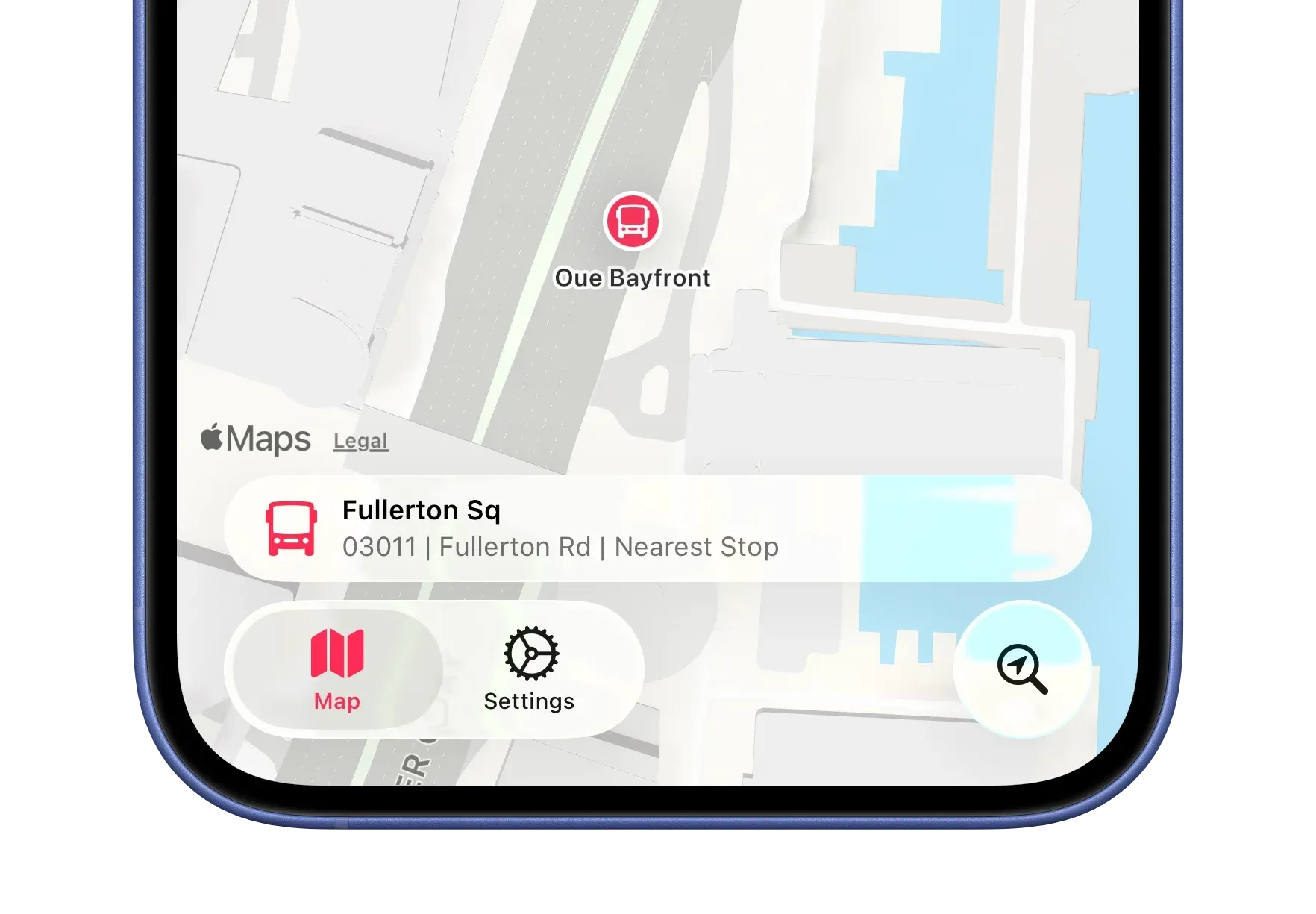
In Singapore Buses on iOS 26, I was able to hide the tabViewBottomAccessory based on various criteria—for example, if location tracking was enabled.
.tabViewBottomAccessory {
if locationTracker.isAuthorised {
HStack {
// Nearby bus stop
}
} else {
EmptyView()
}
}
Now, however, it displays the accessory with no content. I haven’t found a workaround yet, so for now I’m showing the tabViewBottomAccessory across all views. This isn’t ideal—the accessory isn’t relevant on the Settings view, for instance.
If this is Apple’s intended behaviour for the accessory, it’s far from ideal.
Update 09 Nov 2025:
There’s an update to the tabViewBottomAccessory modifier API in iOS 26.2 that lets you hide the tabViewBottomAccessory when it’s not needed:
Problematically, this only works with iOS 26.2. As I don’t intend to move away from iOS 26.0 as the minimum requirement for *Singapore Buses *for several months, I will apply this API using an if #unavailable(iOS 26.1) check. Users on iOS 26.0 - 26.1 will see the accessory on all views. 😞
Singapore Buses v2026 is out now. It’s been a challengingdevelopmentcycle, to say the least, and I’m glad it’s over. The Design Diaries series covers the major Liquid Glass updates. This post looks at some of the other technical changes that have been made in the v2026 update.
GRDB
Singapore Buses, has always, always, always—way back to 2018 when it was SG Transit—used Core Data. Even when SwiftUI came along, followed by SwiftData, it stuck with Core Data. Not any more. It’s now using GRDB.
Each app version is seeded with an updated SQLite database containing the latest bus stops, routes, and services. This database is created using a separate app on the Mac. Long-term, the aim is to move away from having to release new app versions with an up-to-date database and instead move to an over-the-air model that refreshes the database in the background. The move to GRDB should smooth the path.
Map Performance
The database is now loaded into memory instead of being read from disk. As a result, panning the map and determining what bus stops to show (or hide) is now instantaneous instead of requiring a small pause and the end of the pan gesture. It’s a simple call site:
.onMapCameraChange(frequency: .continuous) { context in
model.showStops = context.camera.distance <9500// hide stops when above 9,500m
Task {
await model.updateVisibleBusStops(context.rect)
}
}
App Clip
Singapore Buses now contains an App Clip with arrival estimate UI.
When users share estimated arrival times from the main app, text is generated with the current arrival times along with a URL: https://clips.singaporebuses.app?... That URL has the following query parameters:
Parameter
Usage
Example
c
Bus Stop Code
08138
n
Bus Stop Name
Concorde Hotel S'pore
r
Road Name
Orchard Rd
s
Service No
174
lat
Latitude
1.3004785730821
lon
Longitude
103.841847006076
e
Expiry
1757767987
v
HMAC Validation
signature
The parameters c, n, and r are used to populate the UI in the App Clip, while lat and lon are used to determine if a Look Around view can be displayed. s in conjunction with c are used to query the LTA API for the latest estimates. e is the time the App Clip expires, and v is a signature that is validated to make sure the URL is genuine.
If the recipient has Singapore Buses installed, tapping the link opens the app and presents arrivals for that bus stop. Otherwise, an App Clip launches with the same bus arrival UI as the main app and updates arrival estimates every 15 seconds for 10 minutes…then invites the user to download the app from the App Store.
The **clips**.singaporebuses.app subdomain is powered by Cloudflare Workers. It serves an AASA, some basic content, and a favicon, but is otherwise is there to enable redirects to the app or the App Clip.
This is the first time I’ve implemented an App Clip. I’m interested to see how (or if) it affects download statistics.
iPad Support
Given that iPadOS is, in my opinion, the star of the *26 *series of OS updates, it only made sense to extend Singapore Buses to the iPad. It now has a native layout with some iPad specific niceties, like keyboard shortcuts and a full-screen route views.
(I’ve never seen anyone actually use an iPad at a bus stop in Singapore. With that in mind, Singapore Buses will be on Apple Watch in the future.)
LandTransportKit
Lastly, all interaction with the Land Transport API is now handled with LandTransportKit.
I’ve open sourced this package—it’s free for anyone to use!
Overall, the Arrivals view has seen very little in the way of change.
The Favourite and Arrival Notification buttons have a slightly different tinting behaviour when selected, while the Live Activity bolt button now presents a popover menu to the user. Tips, via TipKit, have also been added to explain what these buttons do when selected.
0:00
/0:02
Tips via TipKit
Routes
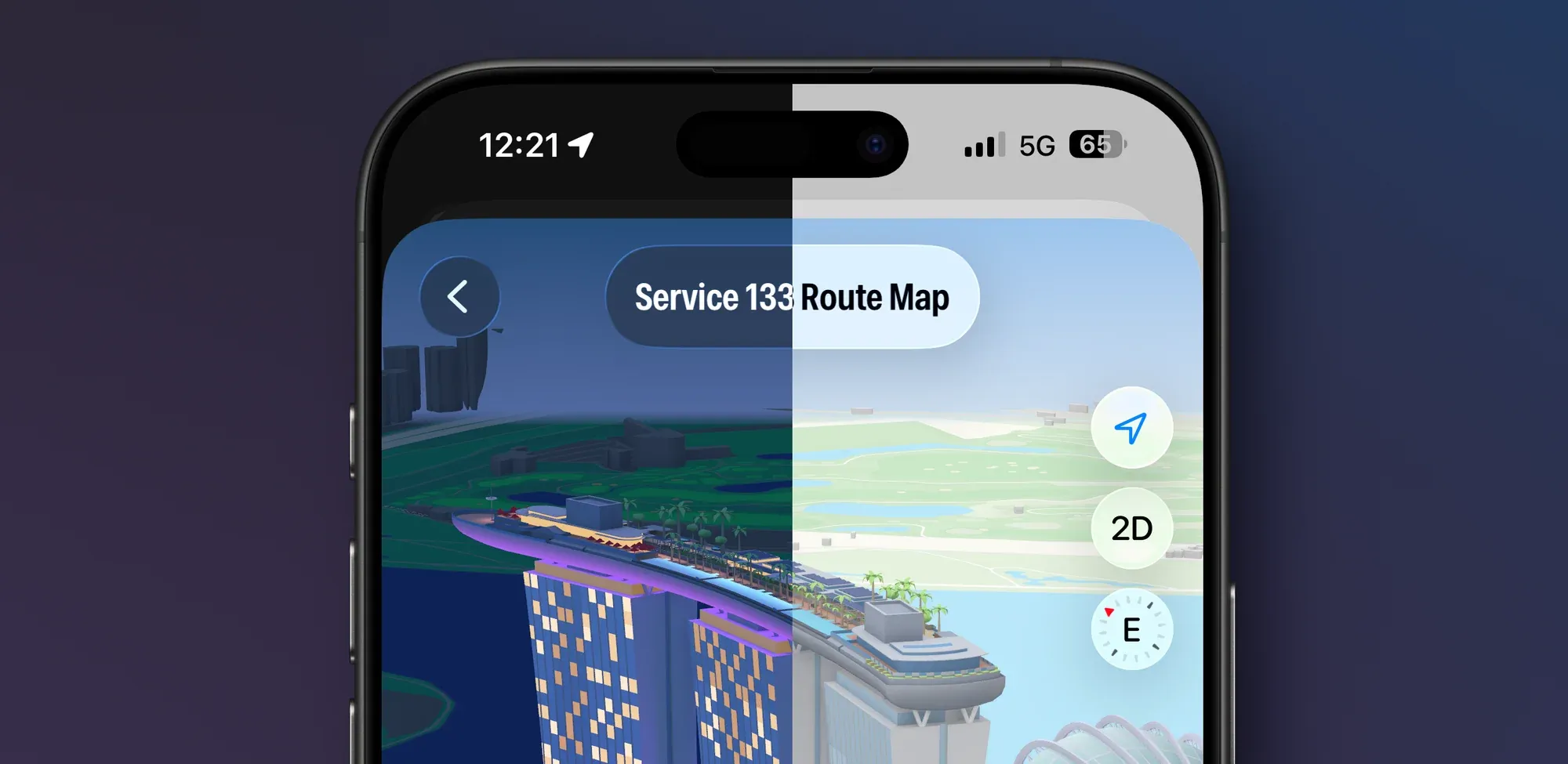
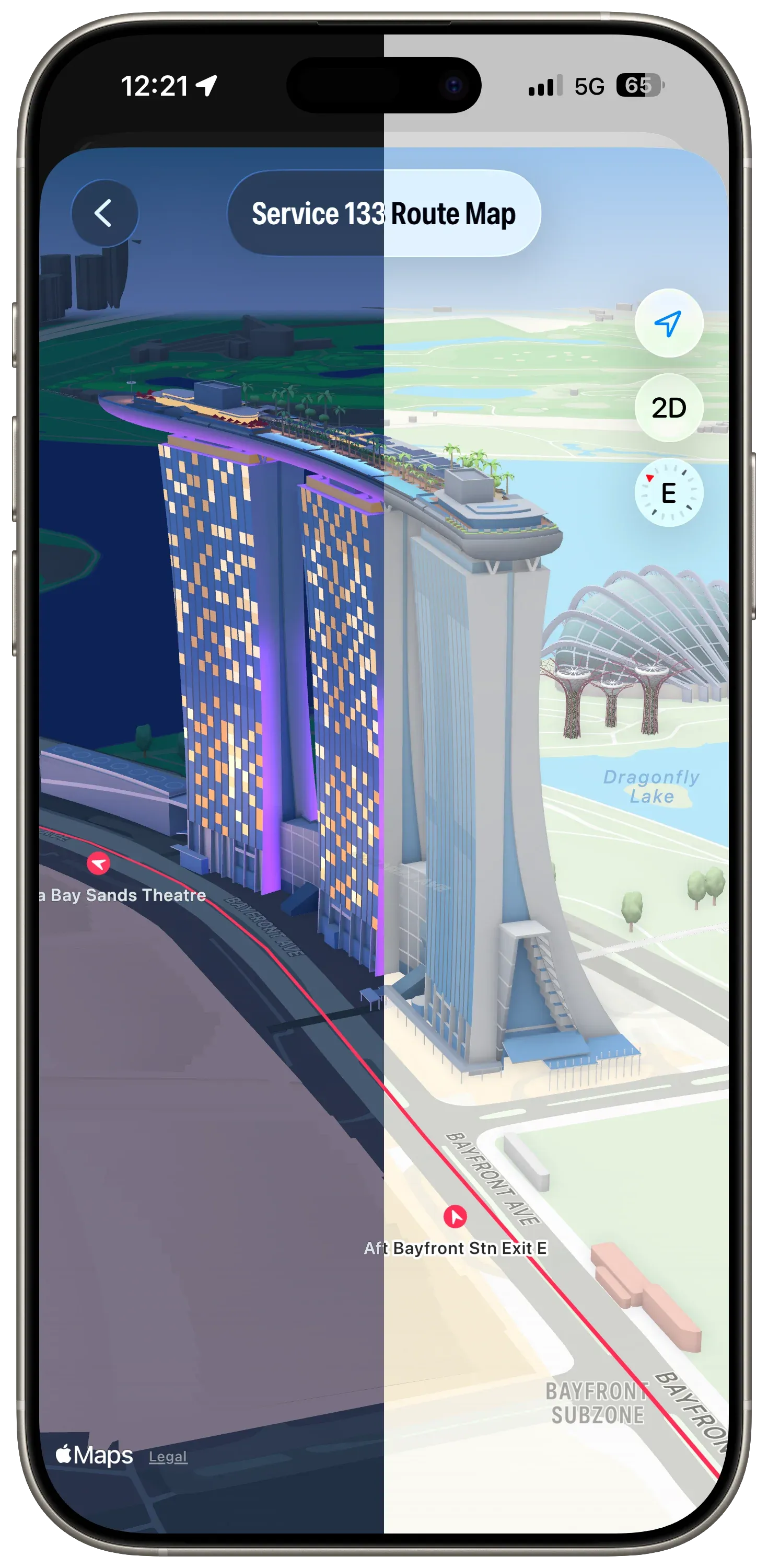
The Routes view maintains consistency with previous releases. However, the Route Map has been given some additional flexibility—ability to view in 3D, panning, rotating and zooming—so that it can take advantage of the Apple Maps ‘Detailed City Experience’. It’s also using glassified titles.
Routes at Marina Bay Sands. Dark mode, light mode.
When the map is rotated, the bus stop annotations rotate in real time so they always point to the next stop on the route.
Advertising
I was playing with different ad placement and styles just before this Mastodon post was made. In the Singapore Buses’ App Store build ads can appear in a few places—at the top of, between, or at the bottom of List sections, or at the bottom of the map.
In the Liquid Glass update, I’ve settled on ads having a consistent placement in the bottom safe area—across Arrivals, Search, and the Route Map. And, staying on brand, they’ve also been Liquid Glassed.
0:00
/0:07
Liquid Glass Advertising on top of the Map
Settings
Settings has some new features: more theme colours, a new acknowledgment view, and a new explainer view for Arrivals. However, there’s nothing new that’s specific to Liquid Glass (thankfully).
What’s Next?
As the work on this update comes to a close, my attention is now on the App Store. New App Store videos, screenshots, app description, and release notes. In addition to all the Liquid Glass changes, there’s a host of other changes that have been made as well. For example, GRDB has replaced Core Data…and the app now runs natively on the iPad. 🤯
On my Map tab I was using a tabViewBottomAccessory to show the nearest bus stop to the user—to give them an easy way to tap and show arrival information. However, the accessory was available across all tabs where it made no sense (like Settings). Trying to hide the accessory (using EmptyView) when the selected tab wasn’t the map worked, but navigating back to the map caused the map to stop extending into the safe area, resulting in a lovely white bar along the top.
Luckily, this bug has been fixed in the recent betas so I’ve revisited my original design and the outcomes are positive.
Tab Bar Bottom Accessory Visibility
From a usability perspective, it only makes sense to display the accessory when two conditions are met:
The map tab is displayed; and,
The user has given permission to track location
The simplified code below shows how this is achieved when tracking the tab bar selection:
One of the main concerns with Liquid Glass is legibility. This is even more a of concern when using a tab bar bottom accessory as there is now text where there wasn’t any in my previous toolbar-based design.
To keep things legible, Singapore Buses uses a muted map style. This provides a reasonable balance: the glass effect remains fun to look at without becoming a distraction, even when the map is busy with content.
0:00
/0:08
The ‘Detailed City Experience’ is so, well, detailed!
Assuming the tab bar doesn’t undergo some wild design changes between now and the iOS 26 release candidate, my intention is to ship the next version of Singapore Buses with a tab bar.
The next (and final) article in this series will look at the remaining views: Arrivals, Routes, and Settings. I’ll post that closer to release.
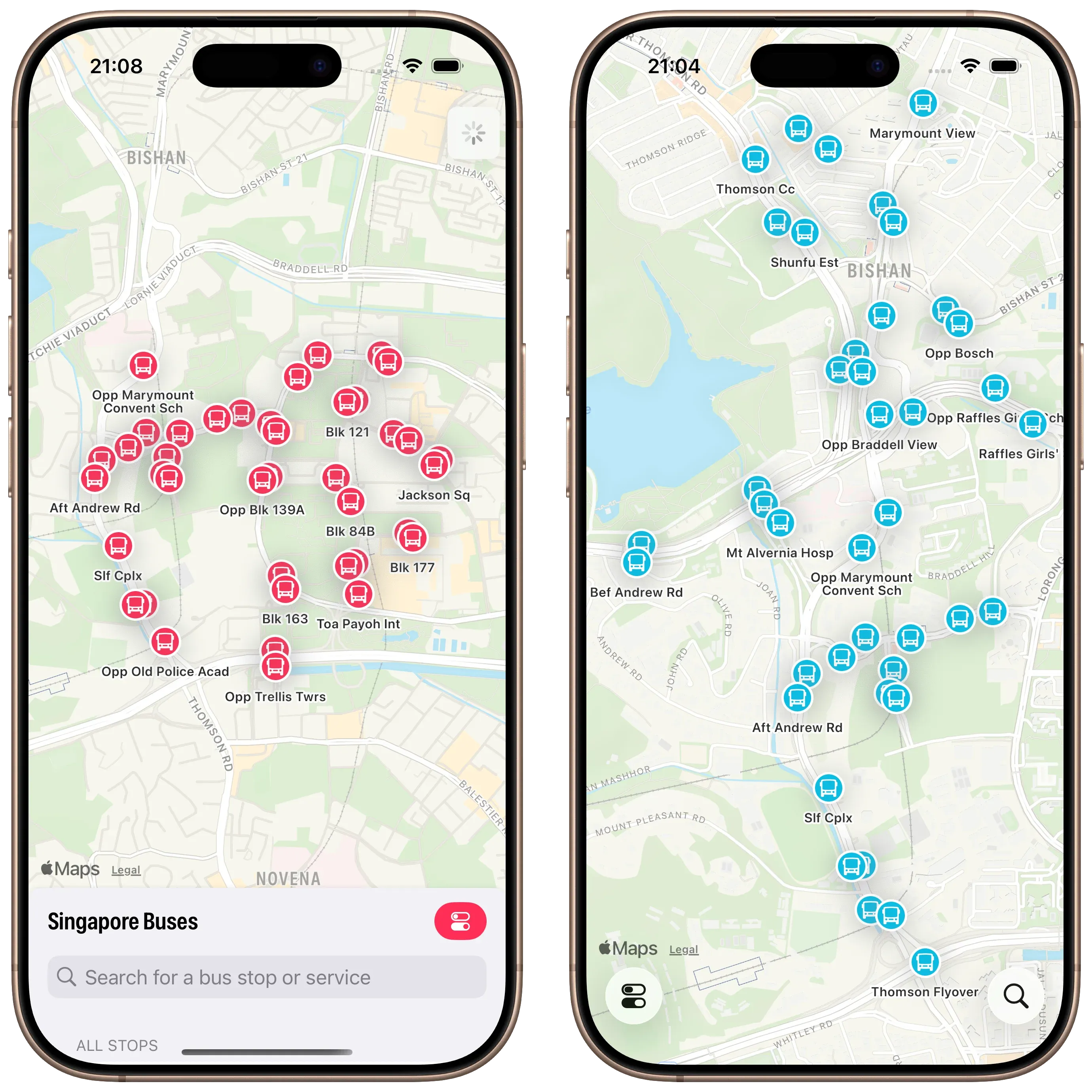
In the current version of Singapore Buses the *Search *view obscures between 10% to 95% of the map, depending on its detent. In addition to showing search results, the *Search *view also shows nearest bus stops, favourite bus stops, and provides access to the app’s settings.
For the upgrade to Liquid Glass, I’m adopting a toolbar to address these issues.
Before and after
There are a few advantages to this approach.
First, there are more bus stops on the map *and *they update in real-time as you pan around the map1.
Second, although it’s not immediately apparent from the screenshot, the current version of Singapore Buses shows a janky animation when the Search view is moved to the medium detent—the map awkwardly re-centres itself during the transition. This is no longer a problem.
Third, *Search *only deals with bus stop search and favourites. *Settings *now lives on its own. It’s no longer sheet-on-top-of-sheet.
Modernising Search
*Search *itself has been cleaned up.
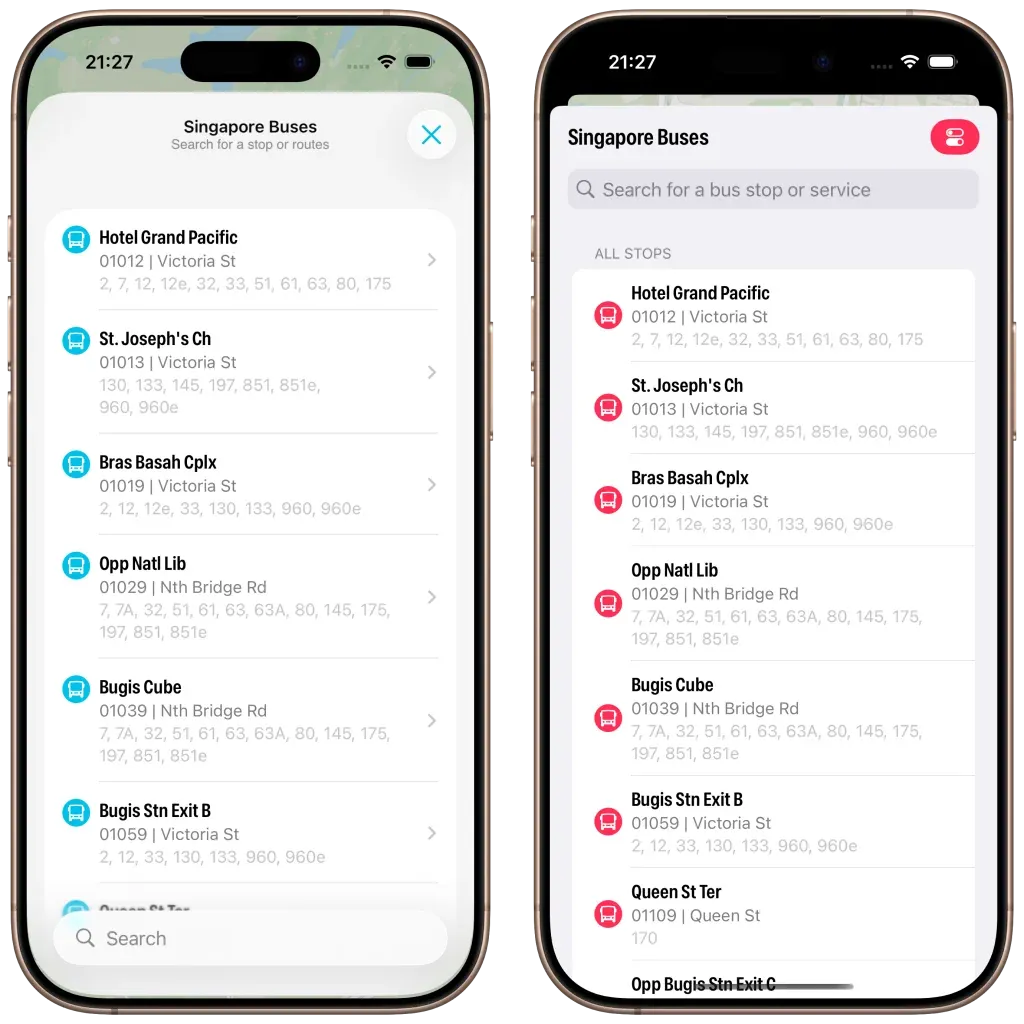
Modern vs Legacy
The search bar now appears at the bottom, the background is now using materials (ultra thin in light mode; ultra thick in dark mode). I’ve also changed the bus stop icon to align to the top and I’ve adopted navigation bar subtitles.
However, what really strikes me about the above screenshot is how much *less *content is available due to the larger cell margins. In iOS 26 you can see six bus stops vs. seven bus stops (plus the name of the eighth) on iOS 18. It’s not a complaint, I do prefer the look of iOS 26.
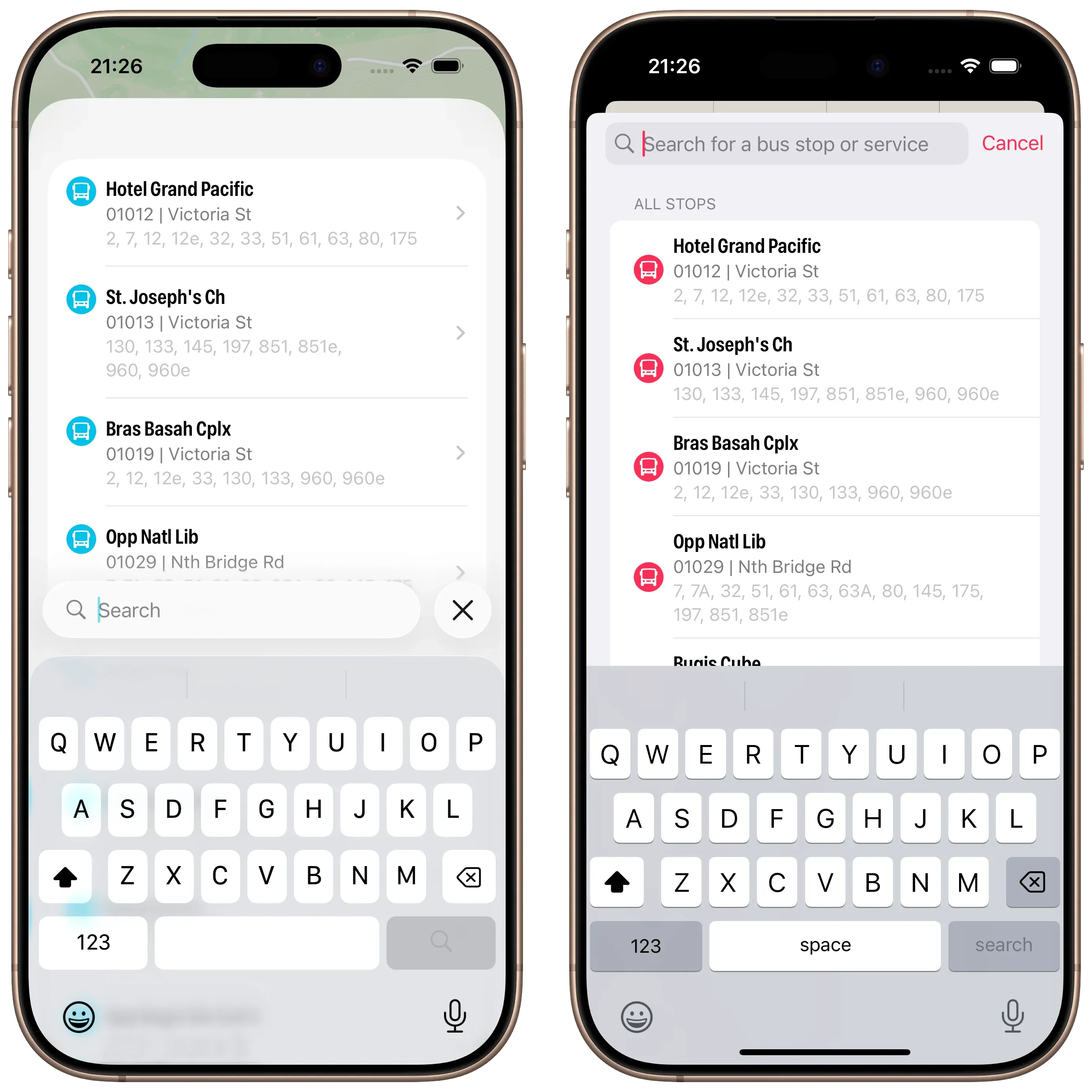
Search with Active Keyboard
Lastly, a look at Search with the keyboard activated. No changes here made by me, but I do prefer the look of the translucent keyboard with the search bar sitting on top.
Abandoning Tab Bars
When I started writing this article last week I was well on my way to adopting a Tab Bar and not a Toolbar. After a few days of testing I was pulling my hair out:
On my Map tab I was using a tabViewBottomAccessory to show the nearest bus stop to the user—to give them an easy way to tap and show arrival information. However, the accessory was available across all tabs where it made no sense (like Settings). Trying to hide the accessory (using EmptyView) when the selected tab wasn’t the map worked, but navigating back to the map caused the map to stop extending into the safe area, resulting in a lovely white bar along the top.2
Then there was the *Search *tab. It had a search bar that was fighting for space with other tabs, the tab bar accessory, and moving around based on scrolling actions. (Yes, you can control that to an extent, but is any of this tab bar behaviour a good idea in motion?)
So, the trusty toolbar has won out. Next up: redesigning *Settings *and Arrivals.
Redesigning the Arrivals view and Settings coming up next.
In the live version of Singapore Buses bus stops only appear once you’ve stopped panning. ↩
Singapore Buses 2025.6.1 is now available in the App Store. There are no user facing changes in this release, but here’s a rundown of what has changed:
Uses a new version of the Singapore Buses API (which paves the way for a much larger update later in the year)1
Removes Google Firebase
Reduced the download size by approximately 3MB
If you enjoy using Singapore Buses, try the premium features available with Singapore Buses+2.
The server-side app is now written in Python and uses the FastAPI framework. ↩
Live Activities, app themes, and advert removal. ↩
Like other developers, I’ve spent a few weeks with Apple’s new Liquid Glass design language. In some areas, I think it’s tremendous: the macOS dock, iOS folders, text selection hover effects on iOS, and the new sidebars are standout elements. In other areas, it’s middling: toolbars and tab bars that don’t update quite in *real-time *as advertised leave the UI looking out-of-sync with the underlying content. And, the final bucket, where it’s rubbish: clear glass icons.
My working assumption is that the rough areas will be smoothed out over the next few months.
So, on to the plans:
Singapore Buses
Singapore Buses is currently on v2025.5. There may be a few summer updates to keep the bus stops and routes current.
Singapore Buses v2026:
Will target iOS 26
Will have Liquid Glass UI (I am experimenting with toolbars, tab bars, and more…)
Will have new server-side code (written in Python)
Will, tentatively, drop Core Data (which has been the biggest source of crashes)
NetNewsWire
Refresh the macOS and iOS UI.
No new features (except the NetNewsWire About panel on macOS)
Untitled Flag Quiz
A long time ago, in a coding language far far away (Objective-C), I wrote an app to teach my nephews about world flags
Said nephews are now adults, but I’ve been asked to bring back the app
Thing is, I don’t have the source code from that original app
Thus, build from scratch or build from prompts? Let’s see
It’s the last day of 2024! I launched this version of Singapore Buses in September 2023, so 2024 is the first full year of statistics I have available. The data below is captured through Firebase and App Store Connect.
Number of sessions: 133,000
Geolocation Alerts (to tell a user when they’ve arrived): 1,600
Live Activities: 627
Crashes: 48 (though 0 since October)
End of Year Ratings:
4.6 ★★★★★ | 266 ratings (Singapore App Store)
4.9 ★★★★★ | 34 ratings (Malaysia App Store)
4.8 ★★★★★ | 11 ratings (US App Store)
4.7 ★★★★★ | 10 ratings (UK App Store)
4.9 ★★★★★ | 7 ratings (India App Store)
4.3 ★★★★☆ | 6 ratings (Thai App Store)
4.0 ★★★★☆ | 4 ratings (Australia App Store)
4.8 ★★★★★ | 4 ratings (Japan App Store)
The Live Activity count is not as high as I would have hoped, but it is gated behind a (very small) in-app subscription so it is perhaps not surprising. The majority of the 48 crashes were caused by a daft programming error (i.e., my error) where I was trying to update the UI from a background thread. I haven’t seen a crash report since I fixed it in October.
Ratings-wise, I’m happy. (The overall 4★ rating from Australia is broken down to three 5★ ratings plus one 1★ rating, with no written review. I’m ignoring it.)
I’m happiest with the number of sessions. At 133,000 for the year, it averages at over 2,500 sessions-per-week.
On to the money:
Ad Revenue: S$167
App Store Revenue: S$77.00 (after Apple’s cut)
Server: (S$27.16)
Apple Developer: (S$134)
**SWEET PROFIT: **S$82.84
App development truly is a high-margin, high-profit, gold-rush business.
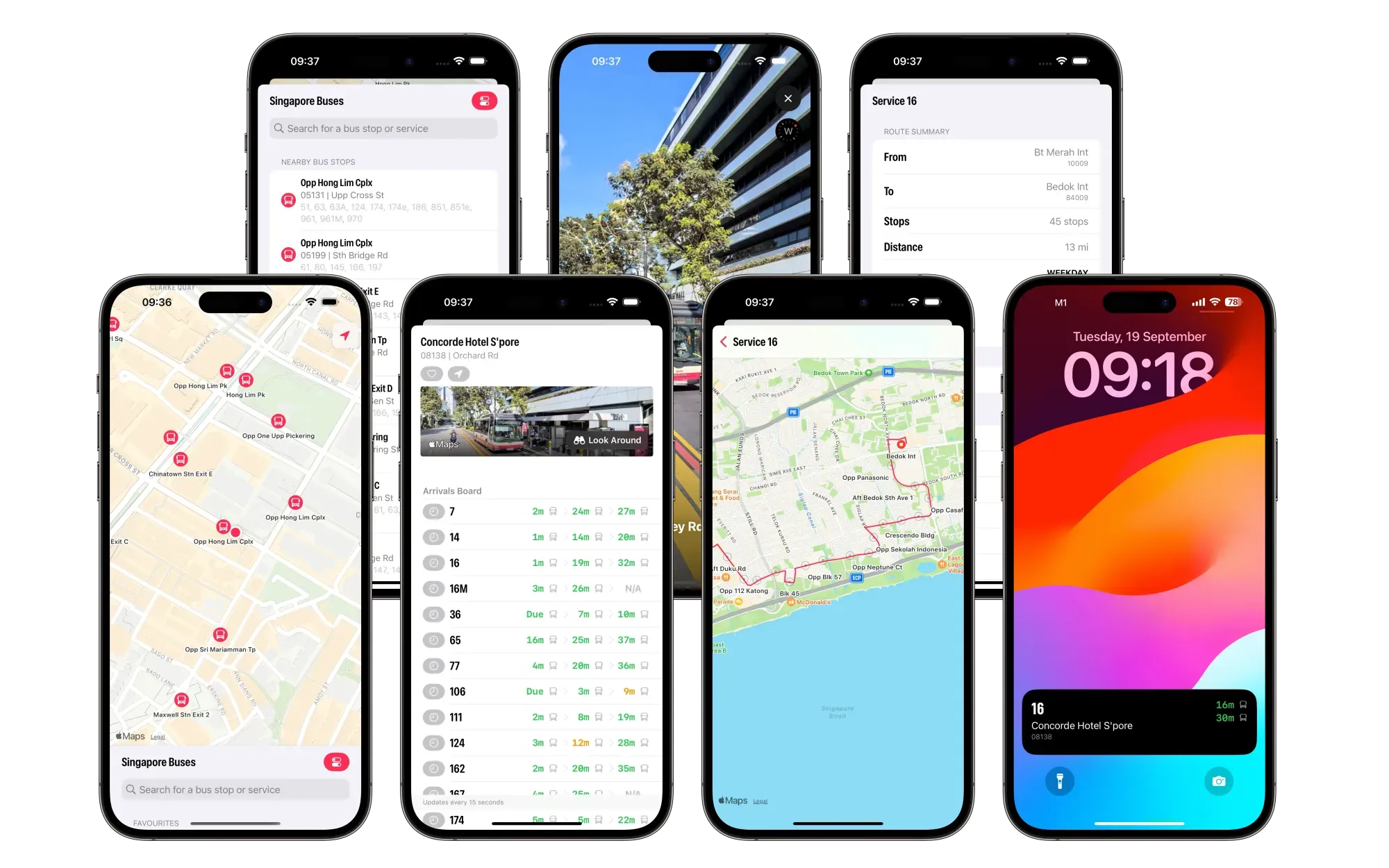
Singapore Buses now supports Look Around (where available) so you can see the surrounding area of a bus stop.
Singapore Buses+, a new subscription offering, allows you to remove ads and enables support for Live Activities.
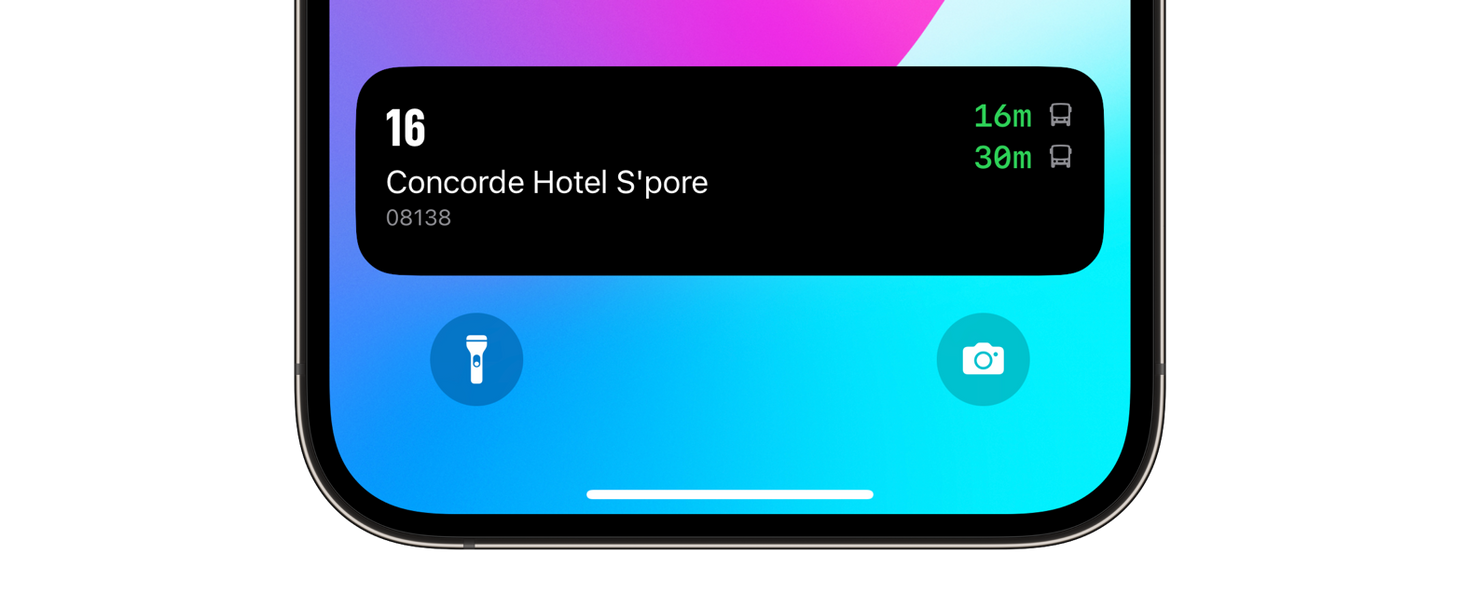
Live Activities—next-generation arrival tracking—allows you to track up to five upcoming arrivals from your Lock Screen and, where available, from the Dynamic Island. This removes the need to open the app to get refreshed timings. Each arrival is tracked for 15 minutes.
Live Activities
What’s Changed?
The Arrivals view has been redesigned to show all upcoming arrivals on a single screen without selecting a bus service on a carousel.
The Arrivals view now supports Look Around (where available), so you can see the surrounding area of a bus stop.
The Search view no longer takes up a minimum of half the screen 😃!
Bus Route Search has been redesigned and shows Inbound, Outbound, and Loops.
The Bus Routes view has been redesigned and shows more data, e.g., route distance and stop count.
Bus routes accurately follow roads.
Improved support for dynamic text sizes throughout.
Siri integration has been removed in this release.

 Routes at Marina Bay Sands. Dark mode, light mode.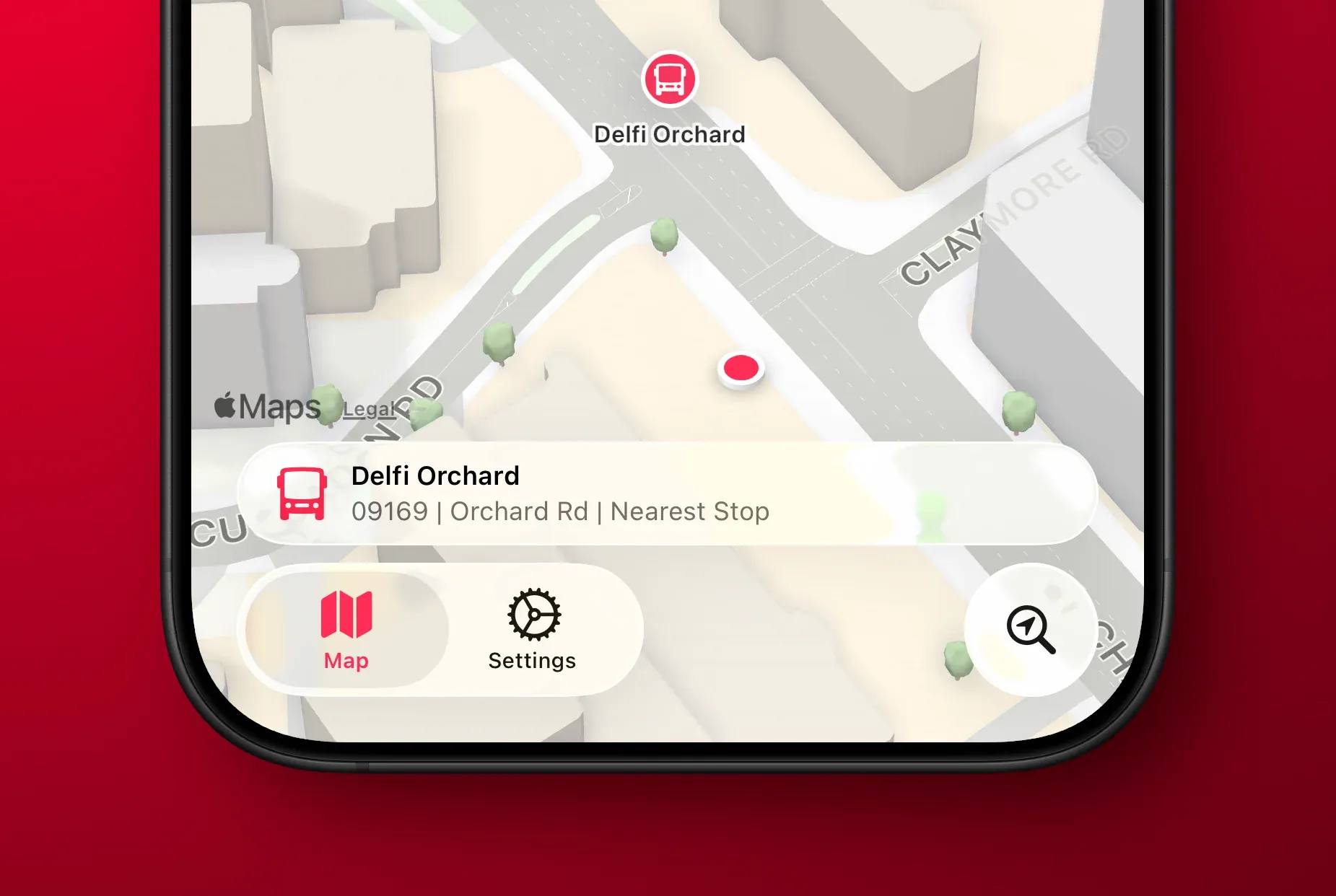
 Modern vs Legacy
 Search with Active Keyboard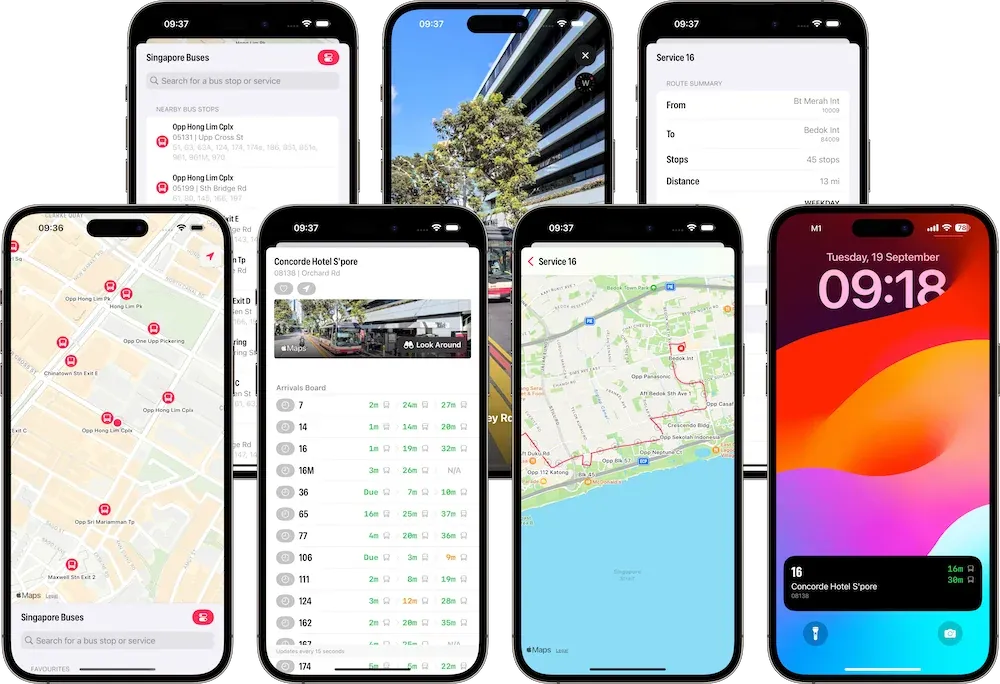
 Live Activities