Filtered Feeds

I’ve separated the content available across the RSS, Atom, and JSON feeds on the site. You can find them all on the About page, and I’ve listed them below:

The new feeds are a bit bare right now as I’ve moved this blog from platform to platform so many times, and lost content along the way. I must stop doing that.

'You Can Absolutely Have an RSS Dependent Website in 2026'

Mat Duggan

At one point I did have a Subscribe button up, and enough people clicked it that the cost of actually sending those emails started to resemble a real bill. Sending thousands of emails when you have no ads, no sponsors, and no monetization strategy beyond “I guess people will just… read it?” doesn’t make a lot of financial sense.

But the bigger reason — the one I actually care about — is that I didn’t want a database full of email addresses sitting under my control if I could possibly avoid it.

The people who use RSS really use RSS. They’re not trend-chasers. They’re the type who still have a working bookmark toolbar. They are, in the best possible sense, your people.

I had the same strategy of no ads, no sponsors, and no monetisation when I was using Ghost (Pro) and, yes, that resembled a real bill of US$348 a year (because I had to have a custom theme). That fee also covered membership management, database security, and email distribution, so it wasn’t just hosting and a CMS.

When I switched to Astro, I dropped my free membership, membership-only pages, and newsletter, effectively going RSS only. And Atom. And JSON feed. It can be done.

RSS just isn’t as easy to explain as email is to people that are new to the format.

Introducing Gobbler

One of my side projects, Gobbler, made it out of the oven just over a week ago. It’s a web-based RSS reader that offers a Google Reader-compatible API and even more functionality via a REST API to third-party clients.

Gobbler builds on the traditional RSS reader functionality (Feeds, Feed-level management, and Starred articles) with:

  • Lists, for organising articles
  • Annotations, for highlighting text within articles
  • Markdown export, for saving and viewing articles in other applications
  • Newsletter support
  • Custom typography 1

Gobbler has a 14-day free trial and then it’s just $5/month. If you use NetNewsWire, Current, or Reeder (Classic), Gobbler already works! If not, you can use Gobbler in your browser or as an installable Web app on your device.


  1. I spent a long time selecting which font to use for the sans serif. In the end it was a tie between Die Grotesk and Geograph, both from Klim, and Geograph won.

The BBC's RSS Feed

Due to the incorrect way the BBC’s RSS 2.0 feed handles guids, RSS readers are repeatedly left displaying duplicate articles.

Let’s have a look at why this happens with a sample article from their feed:

<item>
    <title>
        <![CDATA[
            'We fell off the face of the earth': Dad-daughter duo who took on 7,500 miles for TV
        ]]>
    </title>
    <description>
        <![CDATA[
            Molly Clifford and her father are part of this year's line up for the BBC's Race Across the World.
        ]]>
    </description>
    <link>
        https://www.bbc.com/news/articles/c9951jrr18no?at_medium=RSS&at_campaign=rss
    </link>
    <guid isPermaLink="false">https://www.bbc.com/news/articles/c9951jrr18no#3</guid>
    <pubDate>Fri, 03 Apr 2026 05:19:07 GMT</pubDate>
    <media:thumbnail width="240" height="135" url="https://ichef.bbci.co.uk/ace/standard/240/cpsprodpb/bb22/live/0bdf4fa0-2db9-11f1-934f-036468834728.jpg"/>
</item>

Specifically, let’s focus on the guid:

<guid isPermaLink="false">https://www.bbc.com/news/articles/c9951jrr18no#3</guid>

What I’ve seen the BBC doing is incrementing the suffix after the # and, as per the RSS 2.0 specification below, RSS readers tend to treat each incremented guid as a new entry:

guid stands for globally unique identifier. It’s a string that uniquely identifies the item. When present, an aggregator may choose to use this string to determine if an item is new.

The above article has been fetched by Gobbler twice and the title had changed between fetches:

guidtitlecontent hash
https://www.bbc.com/news/articles/c9951jrr18no#2’We fell off the face of the earth’: Dad and daughter raced across world but had to keep it secreta8159e96
https://www.bbc.com/news/articles/c9951jrr18no#3’We fell off the face of the earth’: Dad-daughter duo who took on 7,500 miles for TV17cbc6b7

Strictly speaking, the RSS 2.0 specification doesn’t prohibit a guid from changing. Additionally, there are no update semantics available (e.g., an updatedDate element) in the 2.0 specification. So, in this scenario with a change of title, an incremented guid is almost justifiable.

However, this isn’t always the case. Let’s look at a different example in the Gobbler database:

guidtitlecontent hash
https://www.bbc.com/news/articles/cyv1q9gz39do#0How English-only condolences undid one of Canada’s top CEOs8845f9d6
https://www.bbc.com/news/articles/cyv1q9gz39do#1How English-only condolences undid one of Canada’s top CEOs8845f9d6
https://www.bbc.com/news/articles/cyv1q9gz39do#3How English-only condolences undid one of Canada’s top CEOs8845f9d6

Gobbler has fetched this article three times. The article hasn’t changed at all: same title, same content, and same published date 1, all validated by the content_hash. This is simply not justifiable. There is no reason to change the guid if the article hasn’t changed.

What could the BBC do differently?

First, don’t change the guid when the article content hasn’t changed. Just don’t.

Second, if the article has been updated, use <atom:updated> in the <item>. The feed declares the Atom namespace and already uses it:

<atom:link href="https://feeds.bbci.co.uk/news/uk/rss.xml" rel="self" type="application/rss+xml"/>

Lastly, and this is a bit of a stretch goal, put the full content of each article in the feed instead of a summary.


  1. I couldn’t fit everything in the table.

PC Gamer Recommends RSS Readers in a 37MB Article That Just Keeps Downloading

There’s not much worth quoting in this PC Gamer article but I do want to draw your attention to three things.

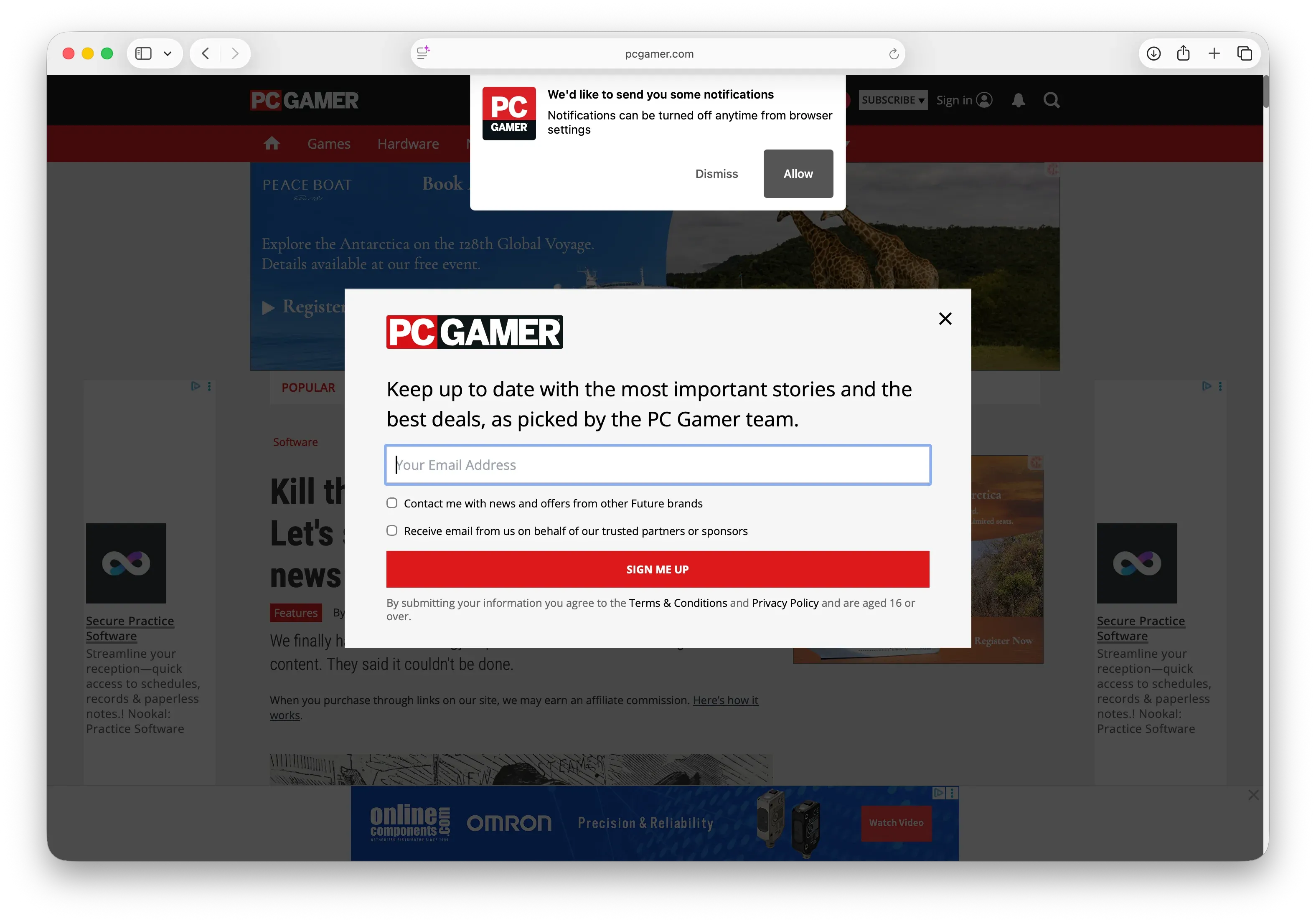
First, what you see when you navigate to the page: a notification popup, a newsletter popup that obscures the article, and a dimmed background with at least five visible ads.

Welcome Mat
Welcome Mat

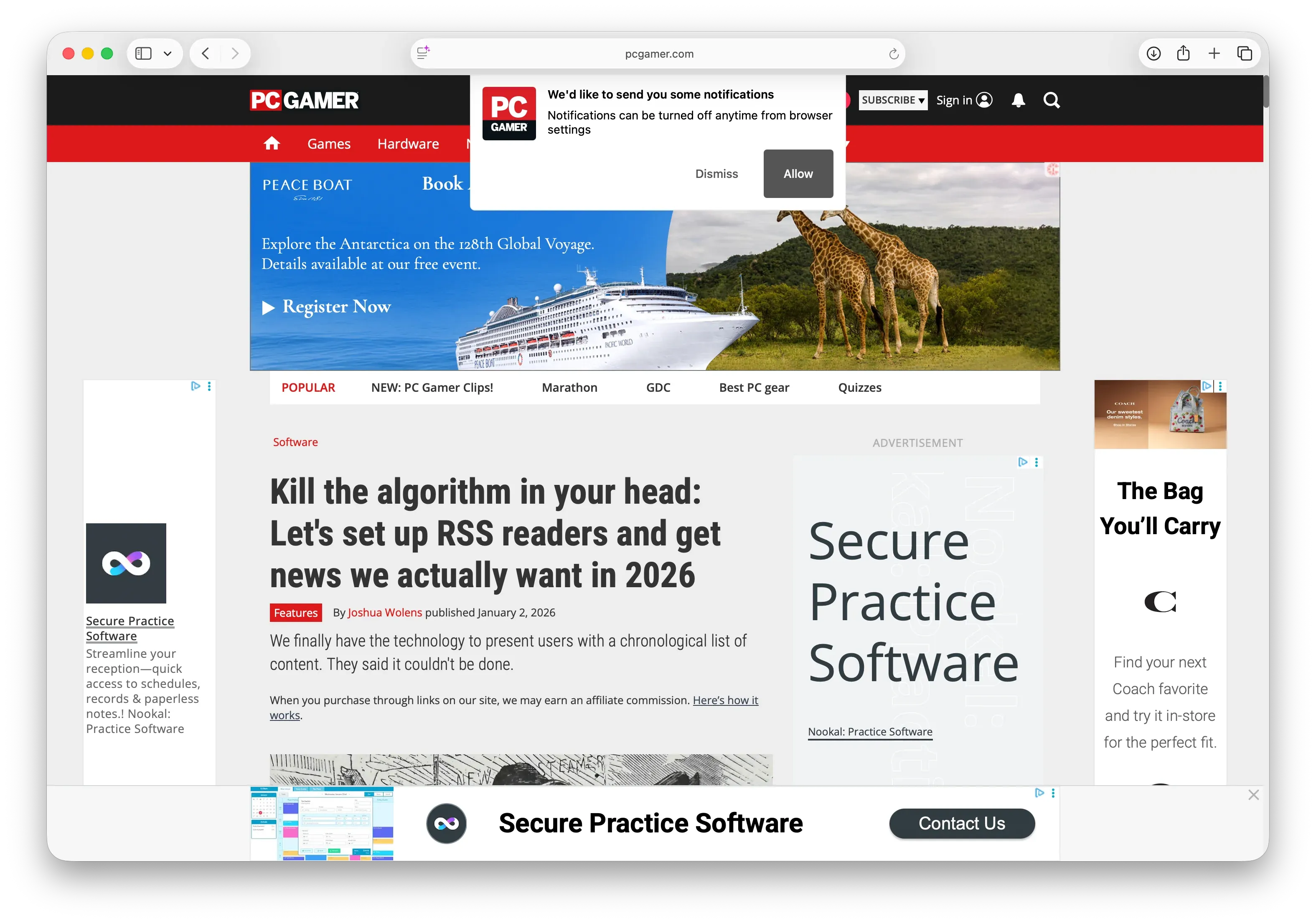
Second, once you get passed the welcome mat: yes, five ads, a title and a subtitle.

A bit of article
A bit of article

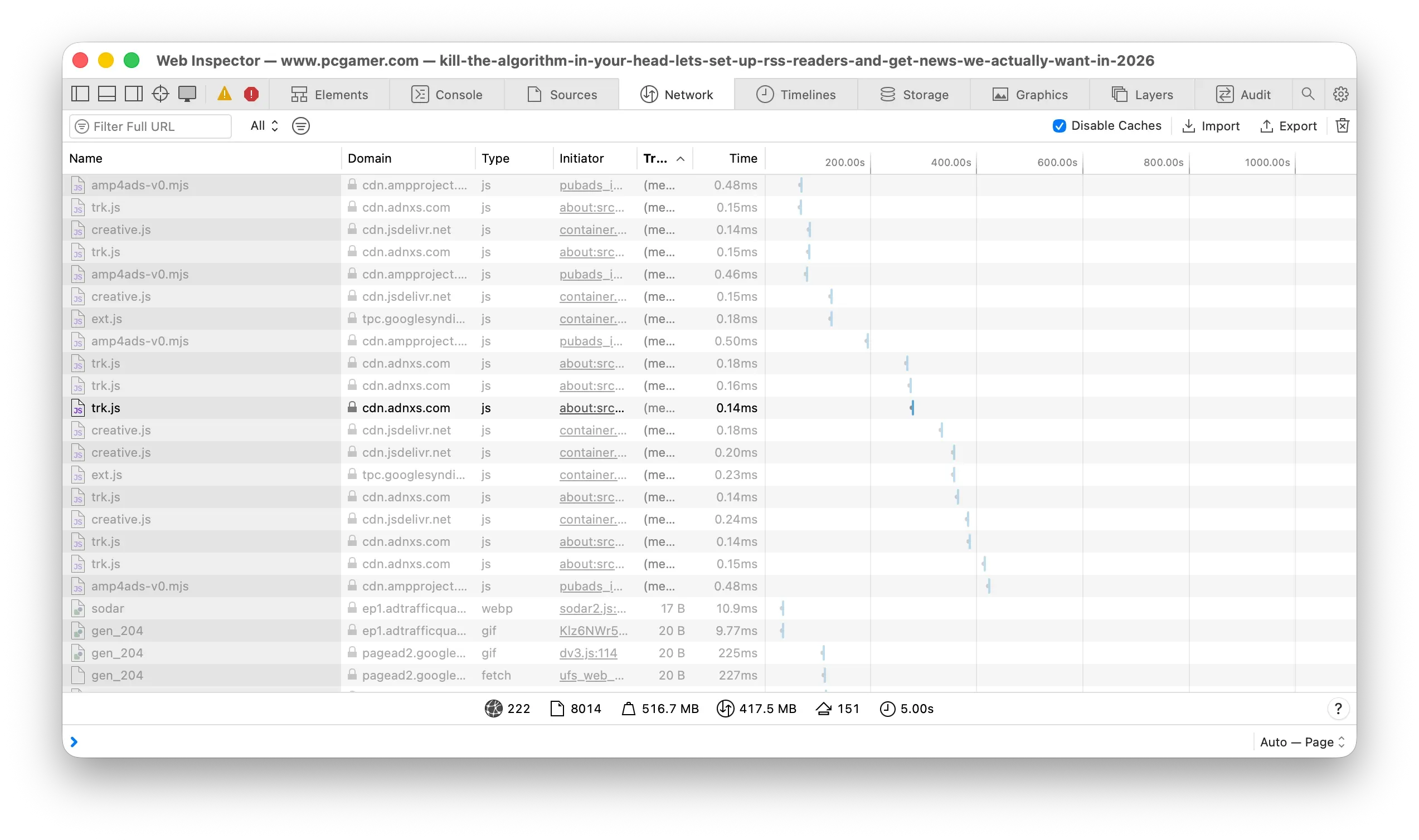
Third, this is a whopping 37MB webpage on initial load. But that’s not the worst part. In the five minutes since I started writing this post the website has downloaded almost half a gigabyte of new ads.

Bandwidth bonanza
Bandwidth bonanza

We’re lucky to have so many good RSS readers that cut through this nonsense. 1


  1. NetNewsWire, Unread, Current, and Reeder, to name a few.

Making RSS Discoverable is Hard

Let’s talk about the BBC.

The BBC surface a bunch of RSS feeds if you know where to look. However, in an RSS reader if you try to follow bbc.co.uk or bbc.com, you’ll invariably get a “No Feed Found” error (or equivalent). Why? Because the BBC don’t surface these feeds under the hood in the <head> element of the HTML, which is what they should do. It’s at this point where RSS becomes difficult and where users drop out.

In these scenarios, my idea was to use Gobbler’s knowledge of feeds available on those domains. If someone put bbc.co.uk into the address bar, Gobbler would surface http://newsrss.bbc.co.uk/rss/newsonline_uk_edition/business/rss.xml (BBC News UK) if it knew an RSS feed existed.

Easy to code, easy to implement, and adds immediate value for discoverability. So, why have I pulled it?

Respecting private feeds.

I subscribe to publications where I receive a unique, private RSS link, that contains articles that I’ve paid for. Imagine a scenario where Gobbler surfaced that URL? It would completely undermine said publication’s business model.

I still think there is merit in the feature. I just need to find a way to not surface the wrong URLs.