Enabling screen recording requires the installation of third party software. These instruction are for the Mac. Proceed at your own risk.
Here’s what you’ll need:
A Mac (Apple Silicon or Intel will do)
The OpenMTP application
A USB-C cable
First, install OpenMTP. This can be done in two ways:
Download and install the appropriate Apple Silicon or Intel version of OpenMTP from the website; or,
If you have brew installed, run brew install openmtp --cask which will download the application and install it for you.
Second, connect your Wahoo ELEMNT ACE to your Mac by following these instructions:
Connect one end of the USB-C cable to an available USB-C port on your Mac and the other end into the USB-C port on your ACE. Turn the ACE on (if it is off).
**Third, **open the OpenMTP app from Applications.
On the right-hand side you’ll see the folders currently available on your ACE.
Your only task is to create a new folder called capture.
**Lastly, **disconnect the ACE from the Mac, reboot the ACE. At the bottom of the *Device Settings *page on the ACE you’ll have a new Screen Recording tool.
To extract recordings from the ACE, connect the ACE to the Mac, open up the capture folder in OpenMTP, and then drag the recording from the right-side to the appropriate folder on your Mac on the left-side of the app.
⚠️ This review reflects the features and fixes introduced in the ELEMNT WG29-300745 firmware, released on 19 December 2024.
My Garmin Edge 530 was a temperamental device. On more than one occasion it would freeze, reboot, and lose portions of a ride. Garmin rarely updated maps. And, for one reason or another, Edge devices have a user interface that is largely inscrutable.
For those reasons, I switched to a Wahoo ELEMNT ROAM v2. Despite having fewer features than the Edge, it excelled in its core functioanlity. Maps, navigation, and both the software and physical user interfaces were (and remain) superior to the Edge series in every way.
The challenge for the ACE is to best the ROAM. In some ways it does; but it others it comes up short.
ELEMNT ACE Setup, Wahoo App
Inside the rather spartan ELEMNT ACE box is the ELEMNT ACE, a USB-C cable, a mount with various fittings, a tether, and a selection of important manuals.
When turning on the ACE you’re greeted with the same 16-bit character that you see on the ROAM followed by a higher quality bike loading animation. You’re then invited to scan a QR-code and complete the setup process with the Wahoo app (not the ELEMNT app, which is being retired).
While setup was relatively smooth, I have had several ongoing connectivity issues with the Wahoo app (see Software Issues).
By moving device management from the ELEMENT app to the Wahoo app, Wahoo X*—your all-in-one membership for personalised, immersive workouts designed to make you a more complete athlete*—gets a more prominent push. You’ll see a raft of Wahoo X related workouts under your Recent Activities on the app. It’s not obstructive, but it’s not entirely welcome either, particularly for users who have been using the ELEMNT app exclusively.
ELEMNT ACE Hardware
Device Size, Materials
Physically, there’s no getting around the fact that the ELEMNT ACE is a big unit.
Device
Size
Weight
ELEMNT ACE
4.9 x 2.8 x 0.8in
208g
ELEMNT ROAM
3.56 x 2.34 x 0.8in
94g
ELEMNT BOLT
3.05 x 1.86 x 0.84in
68g
Edge 1050
4.7 x 2.4 x 0.6in
161g
Edge 840
3.4 x 2.3 x 0.8in
84.8g
Edge 540
3.4 x 2.3 x 0.8in
80.3g
The size of the device will pose a problem for current mounts.
You need at least 2.6in between the centre of your mount and the handlebars to allow for a clean rotation. I’m using the large (pre-ACE) variant of this Framesandgear mount and it has just less than the 2.6in clearance required. Luckily, the ACE has a rubberised edge that lets it rotate into place with a bit of force.
Mounts need to be able cope with the weight of the ACE and any other devices you have mounted. This hasn’t been a factor in my rides as the mount is aluminium and can cope with both the ACE and a BOOKMAN Volume 1500 front light.
Touchscreen, Physical Buttons
The new screen is a significant improvement over the ROAM. It’s brighter, clearer thanks to the higher resolution, more colourful as a result of the expanded colour range, and, while it’s a touch screen, it’s not smartphone quality in terms of responsiveness. Swiping left and right works as you’d expect but it’s slower to respond to those gestures than a modern phone. That said, swiping left to go back a page instead of having to cycle through all configured pages is a frustration-busting win.
There is welcome consistency in the ACE’s physical button layout as it is the same configuration available on the ROAM—we want things to be better, but we don’t them to be different. Brooking no argument, physical buttons are a necessity in rainy weather.
Strangely, while Wahoo has slimmed the bezels on the sides and the top—there are no LEDs on the ACE—the bezel between the bottom of the screen and the bottom button array is huge. I assume there’s a good reason for its existence because it’s really quite ugly.
Battery Life
Wahoo advertises the ACE’s battery life as lasting up to 30 hours under optimal conditions*. *That claim is only achievable if you use the 5-second backlight timeout mode. On early morning rides, when it’s dark and the display needs constant backlighting, that mode is unusable as the screen is unreadable when the backlight is off.
I have been using the stock *Auto *setting—to my eyes, I haven’t seen the backlight turn off or go below 100% brightness—and after several two-hour rides the battery is consistently in 85-88% range (only slightly less if screen recording is active). Assuming a linear depletion all the way to 0%…that’s ~17 hours.
Enabling Screen Recording
If you want to enable screen recording on your ELEMNT ACE, see this post for instructions.
Is 17 hours OK for a bike computer? I think so. Only on very rare occasions would you be in the saddle for that amount of time.
The Mount
The aluminium mount provided is of high quality. I’ve attached it to my city bike and it performs well with no discernible shakes, creaks, or anything else that would cause concern.
ELEMNT ACE Software
Wind Dynamics
The ACE comes with a wind sensor that is designed to measure headwind and tailwind. The theory (courtesy of Wahoo):
When coupled with bike speed (‘regular’ speed) data, the ACE can estimate the approximate speed impact of wind conditions (headwind, tailwind, or drafting benefit) and present a Wind zone –
**AirBoost **(Heavy (dark green) / Light (light green))
When bike speed is aided by a tailwind or reduced air resistance from drafting behind another cyclist
Bike speed is > Air speed
**Neutral Air **(blue)
When there is little to no headwind, tailwind, or draft benefit
Bike speed is = Air speed
AirDrag (Heavy (red) / Light (orange))
When bike speed is hindered by a headwind
Bike speed is < Air speed
In practice, it works broadly as advertised. Leading at the front of a pack, or when you’re on your own, you’ll generally see Neutral Air or *AirDrag (unless you have a tailwind); *whereas if you tuck in behind you’ll generally see *AirBoost. *If you tuck in behind, and there’s still a strong headwind, you’ll now have the *AirDrag *data to prove it. (If you’ve been out on a fast ride and most of the data is AirBoost then that indicates strategic thinking and laziness.)
Though the Wind Dynamics data is included in .fit files, no third-party I am aware of (e.g., Strava, intervals.icu) is using it. For the moment, beyond seeing the benefits of being closer to the rider in front of you via the ACE or the Wahoo app, there’s not much more you can do with this data right now. (I have rolled my own clunky solution to get Wind Dynamics data from Wahoo to Strava.)
Workout Pages
Workout pages are, broadly speaking, a huge improvement over the ROAM. Data fields are crystal clear thanks to the larger, higher resolution screen. (Tip: if you’ve configured 11 data fields and you’re wondering why you’re seeing less than that on screen, use the physical up and down buttons on the side of the device to display more or fewer fields.)
Similar to the ROAM and the BOLT, workout pages continue to be to configured via your smartphone. I don’t understand why this needs to be the case: the ACE has a touchscreen bigger than the original iPhone, why do I need a second device to configure it?
Connectivity Dashboard
The new Connectivity Dashboard is a solid step-up from previous models. Each connected device has its own logo and you connect to a new device by tapping the + button.
Maps
As you’d expect, maps look much better on the ACE than they do on the ROAM or the BOLT. They have a higher resolution, a wider range of colours, smoother animations, and support pinch-to-zoom and panning via the touch screen. Map layers can also be added or removed: Points of Interest, Custom Waypoints, Street Names, Wind, Summit Segments, and Strava Live Segments.
The ELEMNT ACE has 64GB of storage and, by default, all maps are installed, leaving around 6GB of free storage.
Sounds, Alerts, and the Bell
As I have a Garmin Varia radar as my rear light, there’s usually competition for what audio the device should be playing: traffic alerts or navigation alerts, or both at the same time. If you leave the settings at their default, then the *audio mix *when you’re out on a ride is similar to that of the ROAM. However, the ACE comes with some new features not heard before in a Wahoo device: voice-based turn-by-turn directions and a bell.
The voice-based turn-by-turn directions are good if there’s no headwind. It really doesn’t take much for the voice audio to become inaudible when you’re travelling at speed. (I’ve gone back to using tone-based navigation alerts.)
The best feature is the bell. Double-tap (almost) any of the data screens and the bell will sound. It’s useful when you’re on slower rides, on pavements with pedestrians, or you’re overtaking someone and want to give them a cheeky ring. You cannot double-tap the map to ring the bell.
Strava Live Segments
Strava Live Segments, added in 19th December firmware update, work as you’d expect. As you approach a segment, the ACE will automatically move to the Live Segment page and/or keep you updated on segment progress on other pages, dependent on your configuration.
If you’ve somehow got time to focus on it, there’s a nice animation along the bottom of the screen with your current position, your current PR, and the current overall best time.
Strava Live Segments | Wahoo ELEMNT ACE Beat my own PR…miles behind the best time.
GPS Acquisition
I’ve always found Wahoo devices glacially slow when acquiring a GPS-lock. Unfortunately, the ACE does nothing to rectify this. Starting a ride from the same position on three different days, the lock time in comparison to other computers is abysmal:
Device
GPS-Lock Time
ELEMNT ACE
33 – 45s
ELEMNT ROAM v2
19 – 22s
Edge 530
8 – 12s
I’m sure this can be improved through firmware updates. Crucially, GPS accuracy is excellent (though the below screenshot is also applicable to the ROAM).
Screenshot of ELEMNT ACE GPS trace.
Software Issues
It’s not quite death-by-a-thousand-cuts, but there are issues.
Setting up data fields via the Wahoo app is either close to instantaneous or requires you to make several changes before they are synchronised and the ACE displays them.
I wanted to update my data fields when I was out on a ride, but the Wahoo app demanded that the ACE was connected to WiFi to check for updates before it would do anything.
Sometimes the Wahoo app will upload workouts to Wahoo Cloud when WiFi isn’t available, other times it won’t and you need to connect to WiFi before it will sync. On one occasion, an error message appeared stating: “sync failed, please contact support”.
Wahoo Live Track is inexplicably missing in action. It should be considered a universal embarrassment for a flagship device to launch with fewer safety features than its predecessor.
While you cannot filter routes, you can search for them using the on-screen keyboard. Unfortunately, the keyboard has a habit of dismissing itself while you’re typing.
On one ride, the Connectivity Dashboard wouldn’t dismiss.
The Shimano Force Vector page *still *has no dark mode.
Final Thoughts
While others will baulk at the size of the ACE, the only problem I have with the hardware is the bottom bezel. I would have gladly sacrificed a bit of battery life for a longer screen and a slimmed bezel. Everything else: increased screen real estate, resolution, and colours are all welcome improvements over the ROAM, and a solid response to the Edge 1040/1050.
Software-wise, there are simply too many issues for a device that costs €599. The silver lining is that software issues can be fixed and Wahoo does have a track record of keeping their devices updated.
Lastly, Wind Dynamics, worth it? *Not yet. *On-device, it needs to do more than it currently does; while off-device, the data needs to be utilised in more places than it currently is (Wahoo only right now).
If you want a ROAM with a bigger and better screen, I’d wait a few months to let the software in the ACE stabilise before making up your mind. Whether Wind Dynamics develops into a must-have feature is anyone’s guess.
It’s the last day of 2024! I launched this version of Singapore Buses in September 2023, so 2024 is the first full year of statistics I have available. The data below is captured through Firebase and App Store Connect.
Number of sessions: 133,000
Geolocation Alerts (to tell a user when they’ve arrived): 1,600
Live Activities: 627
Crashes: 48 (though 0 since October)
End of Year Ratings:
4.6 ★★★★★ | 266 ratings (Singapore App Store)
4.9 ★★★★★ | 34 ratings (Malaysia App Store)
4.8 ★★★★★ | 11 ratings (US App Store)
4.7 ★★★★★ | 10 ratings (UK App Store)
4.9 ★★★★★ | 7 ratings (India App Store)
4.3 ★★★★☆ | 6 ratings (Thai App Store)
4.0 ★★★★☆ | 4 ratings (Australia App Store)
4.8 ★★★★★ | 4 ratings (Japan App Store)
The Live Activity count is not as high as I would have hoped, but it is gated behind a (very small) in-app subscription so it is perhaps not surprising. The majority of the 48 crashes were caused by a daft programming error (i.e., my error) where I was trying to update the UI from a background thread. I haven’t seen a crash report since I fixed it in October.
Ratings-wise, I’m happy. (The overall 4★ rating from Australia is broken down to three 5★ ratings plus one 1★ rating, with no written review. I’m ignoring it.)
I’m happiest with the number of sessions. At 133,000 for the year, it averages at over 2,500 sessions-per-week.
On to the money:
Ad Revenue: S$167
App Store Revenue: S$77.00 (after Apple’s cut)
Server: (S$27.16)
Apple Developer: (S$134)
**SWEET PROFIT: **S$82.84
App development truly is a high-margin, high-profit, gold-rush business.
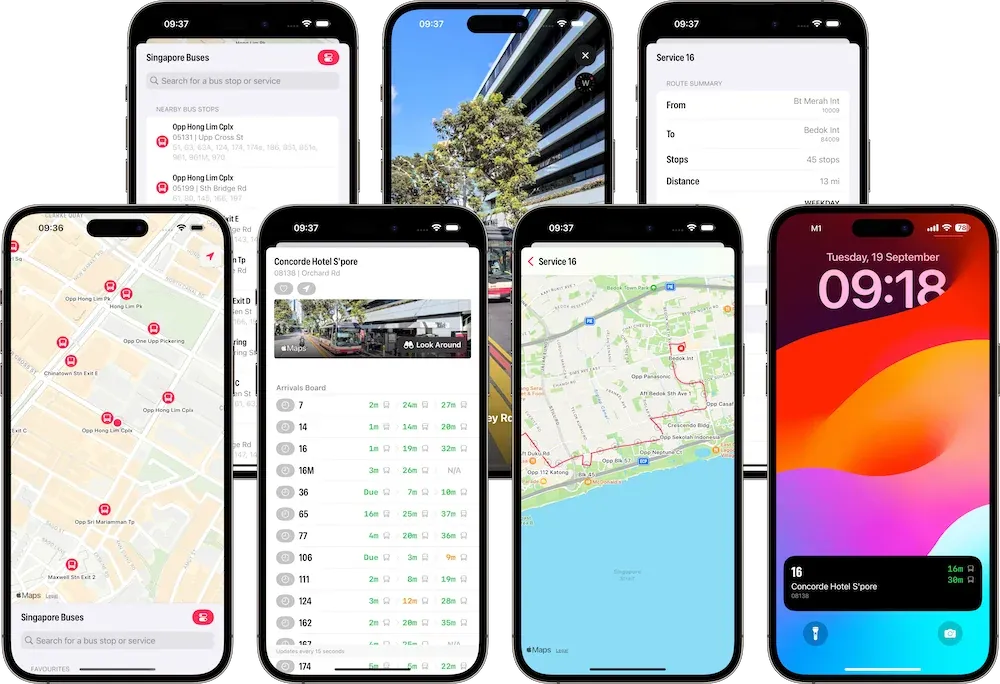
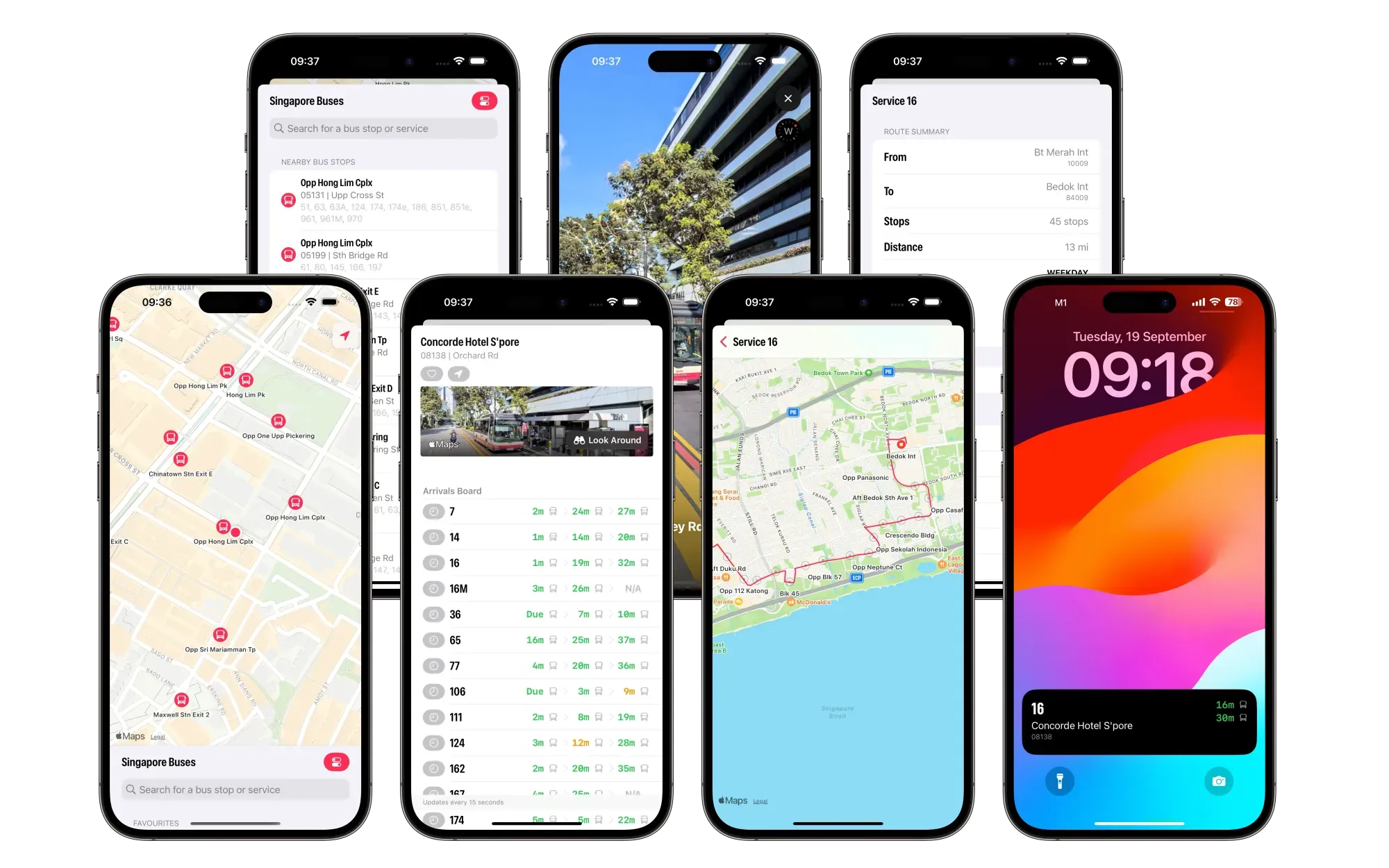
Singapore Buses now supports Look Around (where available) so you can see the surrounding area of a bus stop.
Singapore Buses+, a new subscription offering, allows you to remove ads and enables support for Live Activities.
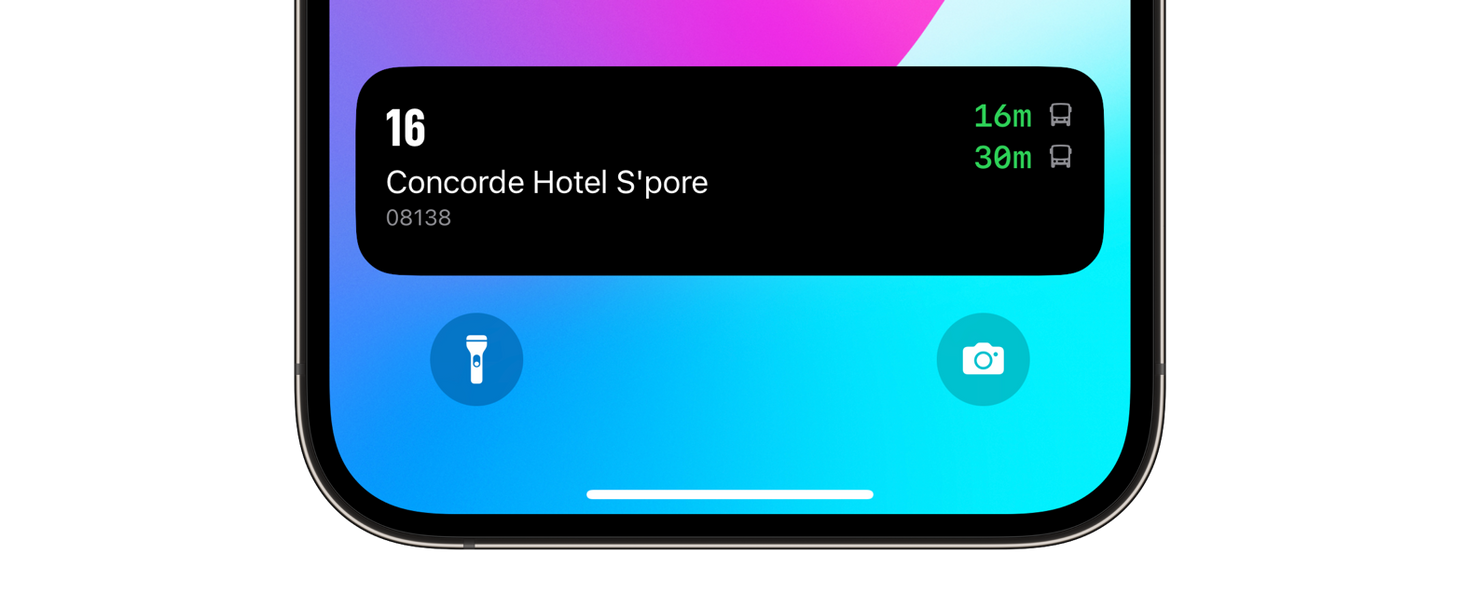
Live Activities—next-generation arrival tracking—allows you to track up to five upcoming arrivals from your Lock Screen and, where available, from the Dynamic Island. This removes the need to open the app to get refreshed timings. Each arrival is tracked for 15 minutes.
Live Activities
What’s Changed?
The Arrivals view has been redesigned to show all upcoming arrivals on a single screen without selecting a bus service on a carousel.
The Arrivals view now supports Look Around (where available), so you can see the surrounding area of a bus stop.
The Search view no longer takes up a minimum of half the screen 😃!
Bus Route Search has been redesigned and shows Inbound, Outbound, and Loops.
The Bus Routes view has been redesigned and shows more data, e.g., route distance and stop count.
Bus routes accurately follow roads.
Improved support for dynamic text sizes throughout.
Siri integration has been removed in this release.
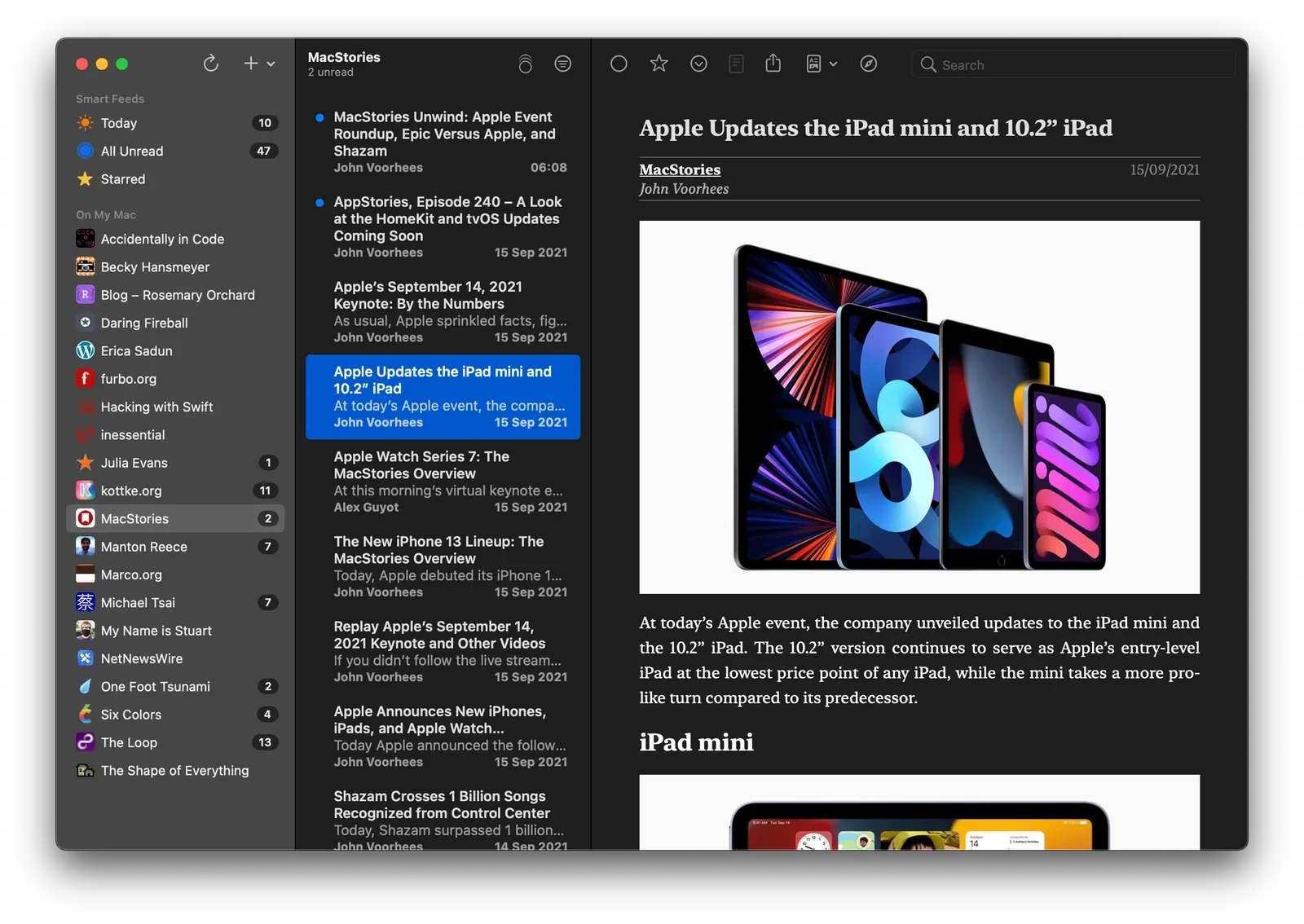
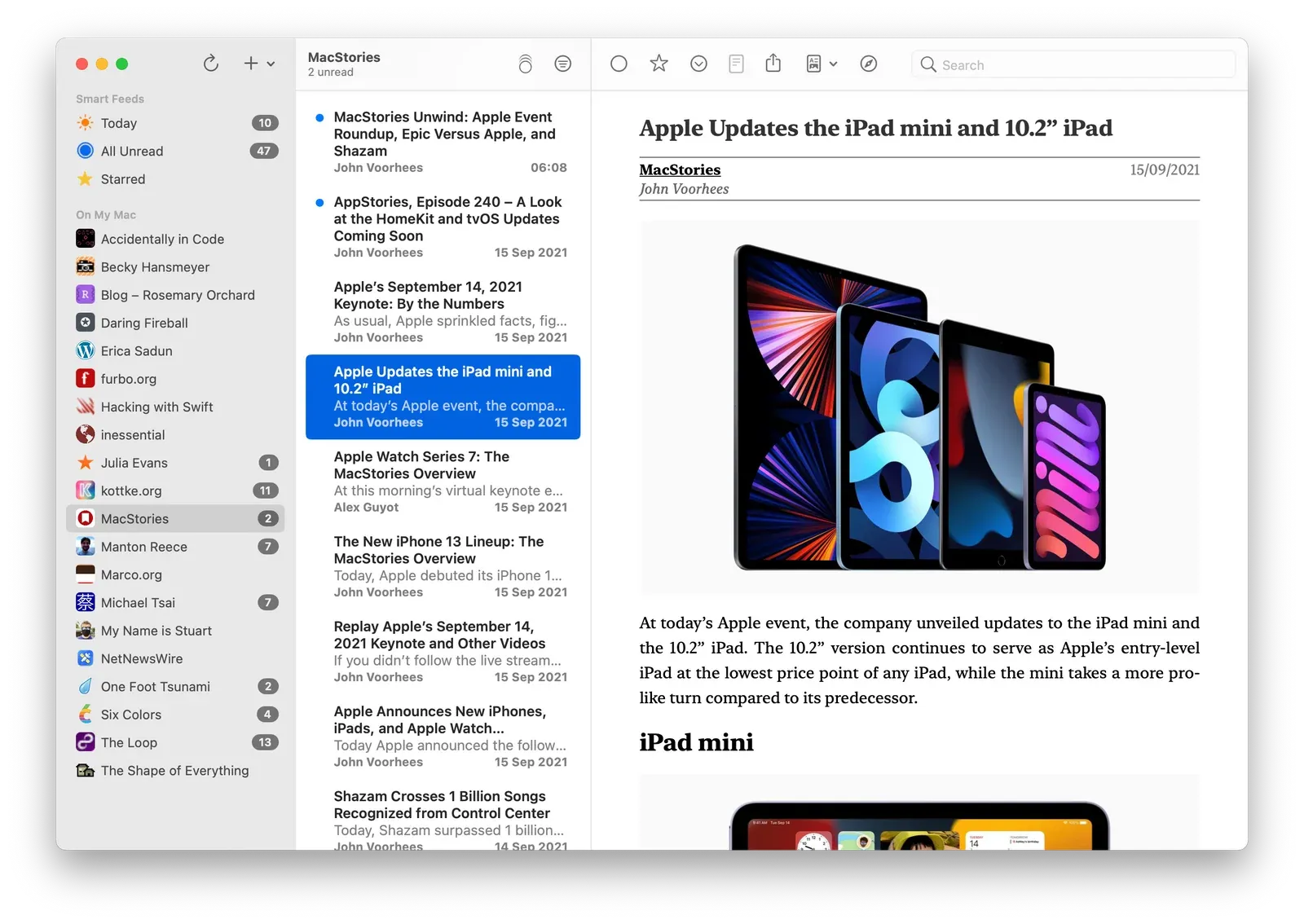
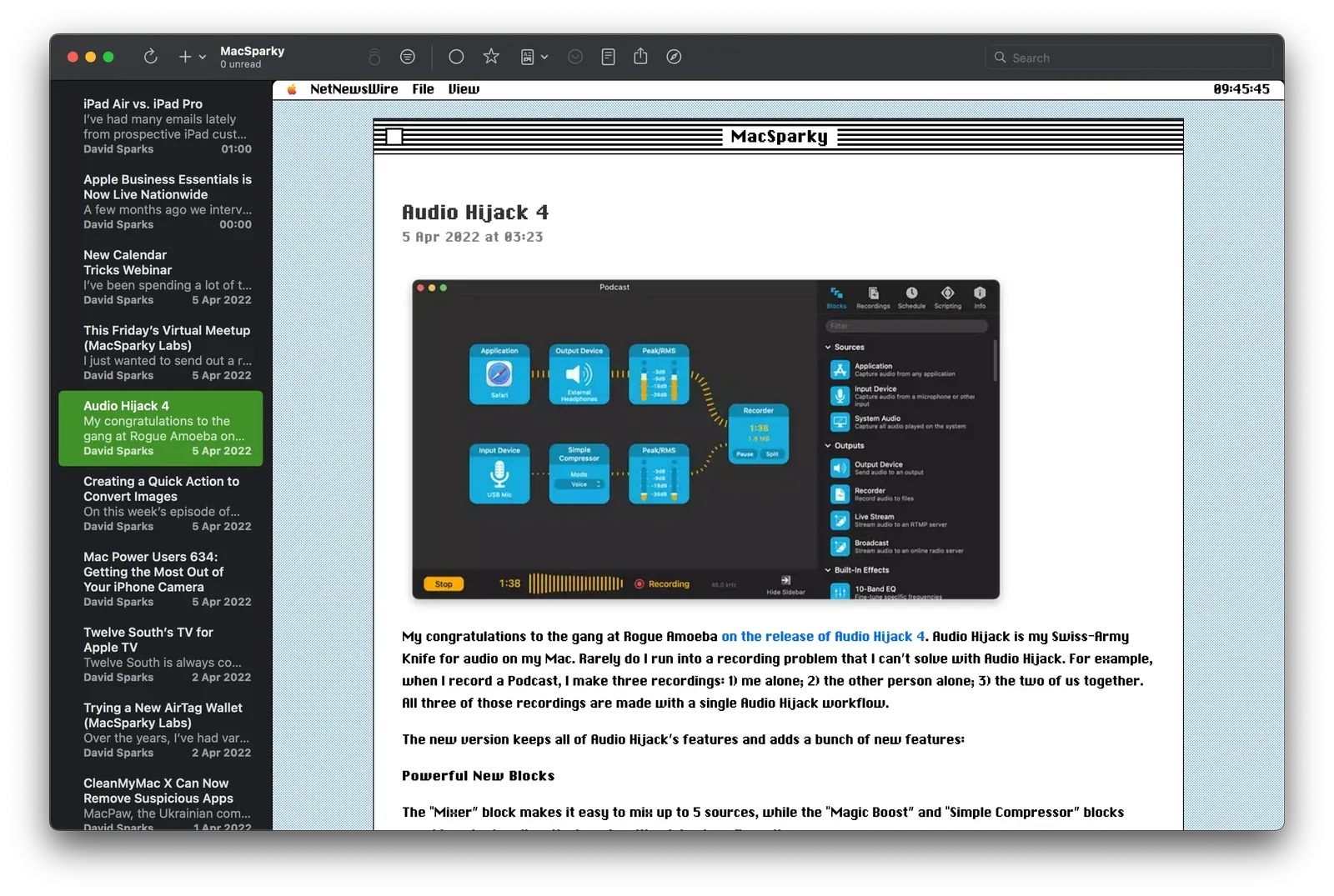
NetNewsWire 6.1 is out now on macOS, and custom themes are the tentpole feature. Yes, custom themes, for your RSS reader. It’s not just changing the tint colour or the font, custom themes change the entire reading experience. It sounds nuts. It is nuts. It is also great fun.
From version 6.1, NetNewsWire will recognise .nnwtheme theme packages and install them automatically.
Two of my themes—Promenade and NewsFax—are included in the 6.1 release.
I also have a few others available for download for members:
Prior to iOS 16, UISheetPresentationController only supported two detents: medium and large. With iOS 16, we can now create our own detent with a custom height.
The World’s Favourite Open Source RSS ReaderTM has been updated to version 6.0 on iPhone and iPad. I don’t often write about releases, but this one is significant and it’s been almost a year in the making.
The headline features of this release are iCloud syncing, Twitter and Reddit integrations, home screen widgets, and support for a host of new syncing services.
iCloud Syncing
iCloud syncing is a game-changing feature if you want to sync your feeds across your Apple devices and don’t want to use a third-party syncing service to do so.
You can enable iCloud syncing in the app by going to Settings > Add Account > iCloud. Once enabled, you can either drag feeds from your existing local account or third-party service to iCloud or add feeds directly using Add Feed and selecting the iCloud account.
From there, it behaves like a local account with one small difference: it will sync your feed subscriptions, read and starred statuses across your Apple devices. It’s a really cool feature.
A few words to the wise, though. First, if you’re going to do a large migration of feeds into iCloud, it does take time. Apple has strict requirements on the amount of data that can be synced and will, on occasion, apply some throttling. (Be patient!) Second, like local accounts, you may miss some articles if they come and go before the app has completed a refresh.
Additional Third-Party Sync Services
In addition to local syncing, iCloud, Feedbin, and Feedly, 6.0 expands the available syncing services with five new providers: BazQux, Inoreader, NewsBlur, The Old Reader, and FreshRSS. If you use any of these services, now is a great time to jump on board.
Twitter and Reddit Integrations
Tweets and Reddit posts in an RSS reader? If you’re using a local or iCloud account, this is now possible. You can enable Twitter or Reddit via the app’s Settings menu under Add Extension.
Once you’ve signed in, you get additional options in the “+” menu to add Twitter or Reddit feeds:
Reddit
Twitter
Home
Home
Popular
Mentions
All
Screen Name
Subreddit
Search
I use the Twitter Search option the most. For example, to follow the #NetNewsWire hashtag.
Home Screen Widgets
There are three variations of home screen widgets that follow your Smart Feeds: a Today widget, an Unread widget, and a Starred widget. They come in medium and large sizes. Tapping on articles will take you straight to the article while tapping anywhere else will open the app.
We’ve not included the widgets on macOS. If you’d like them there, please raise an issue on GitHub.
If You Want to Help Out
NetNewsWire is free, open-source, and built by volunteers around the world. If you want to get involved—and very likely learn a thing or two—head over to Slack. Brent has built a fantastic community, you’ll be made to feel welcome!
Before iOS 14, the default email app on iOS was Mail. Of course, you could have had other email apps installed, but they’d never be the app used by the system when tapping on an email address. You’d always end up in Mail.
This made things easy for developers. If you wanted give users the ability to send emails from within your app, you’d use MFMailComposeViewController. Implementation was easy:
if MFMailComposeViewController.canSendMail() {
let mailController =MFMailComposeViewController(rootViewController: self)
As a developer, I want to respect the user’s choice of email app, whether it’s Mail, Edison, Gmail, Outlook, or Hey. To do that, I can’t use MFMailComposeViewController. Instead, I have to add mailto to the LSApplicationQueriesSchemes key in Info.plist and then, when the user wants to send an email, use this code:
if UIApplication.shared.canOpenURL(url) {
UIApplication.shared.open(url, options: [.universalLinksOnly :false]) { (success) in
// Handle success/failure
}
}
Unlike MFMailComposeViewController, this approach sends the user to their choice of email app and, at the same time, closes the source app. It’s not ideal.
A feature request for iOS 15: default mail apps should have their own MFMailComposeViewController equivalent.

 Live Activities