Ghost 6.0 Ships

Ghost 6.0 Ships

From the Ghost blog:

  • Ghost publications are now connected with an open network. People can discover, follow, like and reply to your posts across Bluesky, Flipboard, Threads, Mastodon, WordPress, Ghost, and any other social web platform. Distribution is now built-in.
  • We’re introducing a native analytics suite for Ghost, giving you detailed insights into how your content performs across web traffic, newsletters, and member subscriptions – all in real-time, all from the same place you publish everyday.

I am sorely tempted to return to Ghost for these two features and the anti-faff nature of the platform versus (for example) WordPress. What’s keeping me on WordPress is the ability to customise RSS feeds and include a JSON feed. While I was able to do this in the past with Ghost, my customisations that enabled it were removed every time I updated to the latest Ghost version.

The Betas 4 Are Out

The Betas 4 Are Out

Juli Clover, MacRumors:

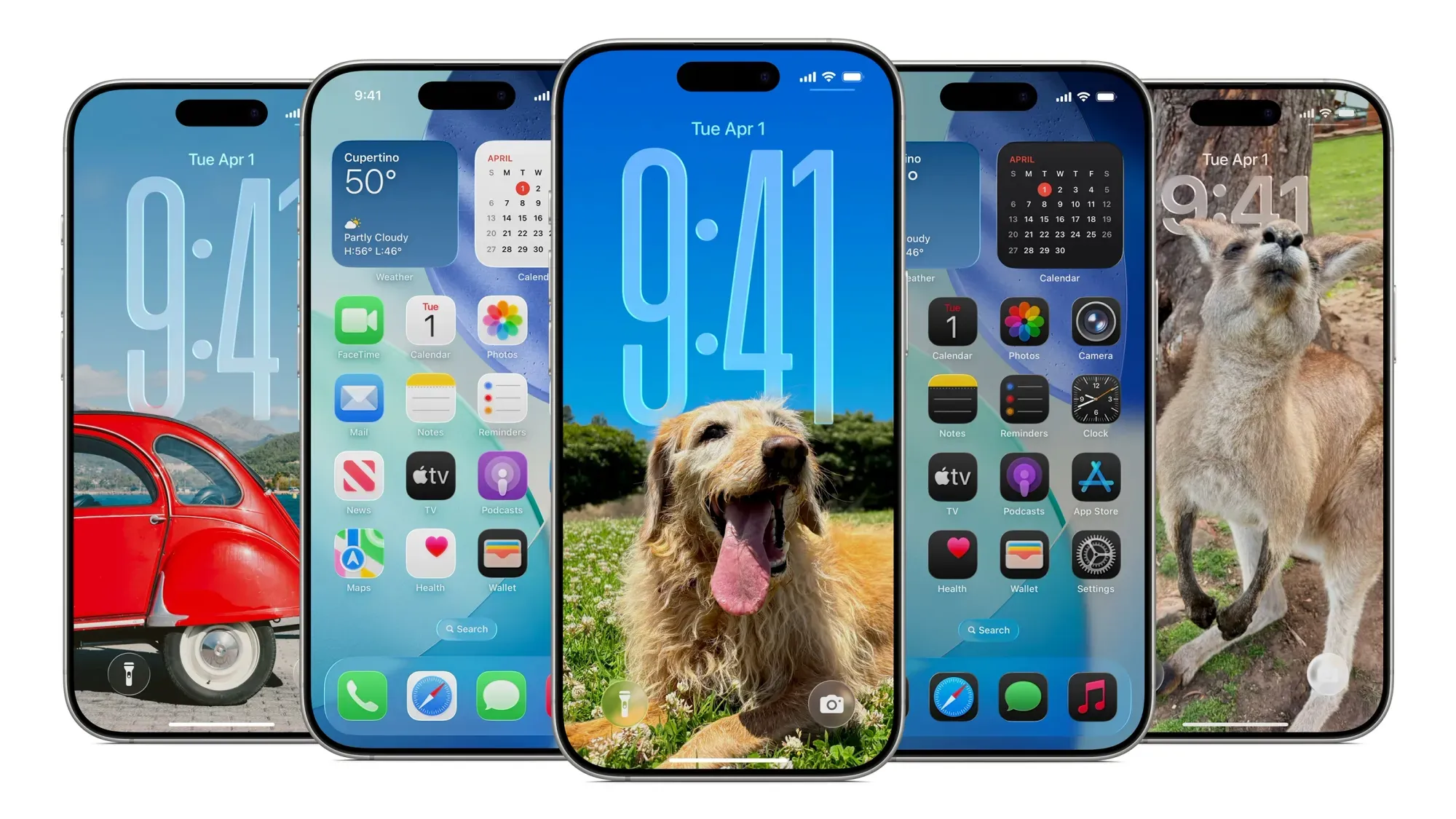
Apple today provided developers with the fourth betas of iOS 26 and iPadOS 26 for testing purposes, with the updates coming two weeks after Apple seeded the third betas.

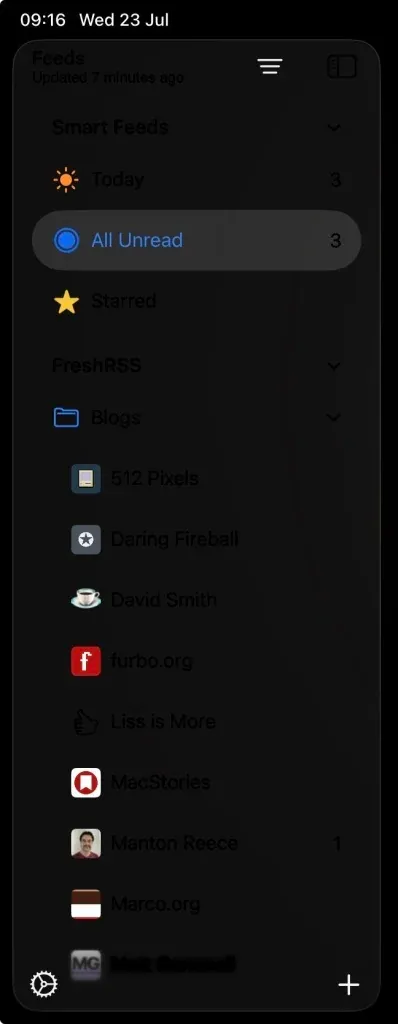
I am still left with two bugs on iPad that I can’t get to the bottom of.

Sidebar

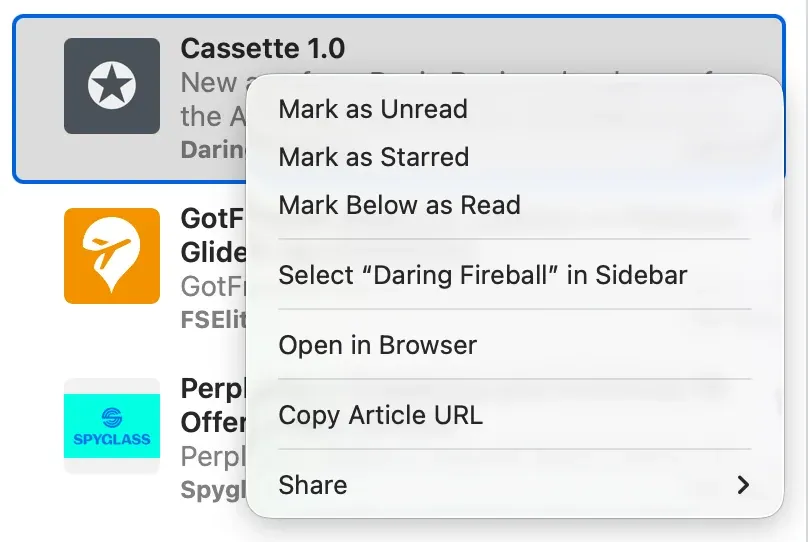
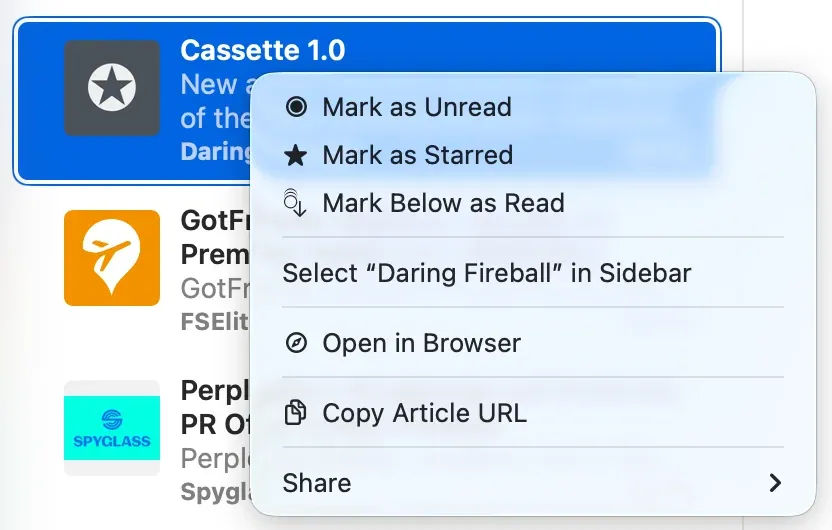
The first, above, is a sidebar that doesn’t react to light and dark mode changes, always leaving text looking black. (I’ve registered for trait changes to try and force it to white, but it doesn’t make a difference.)

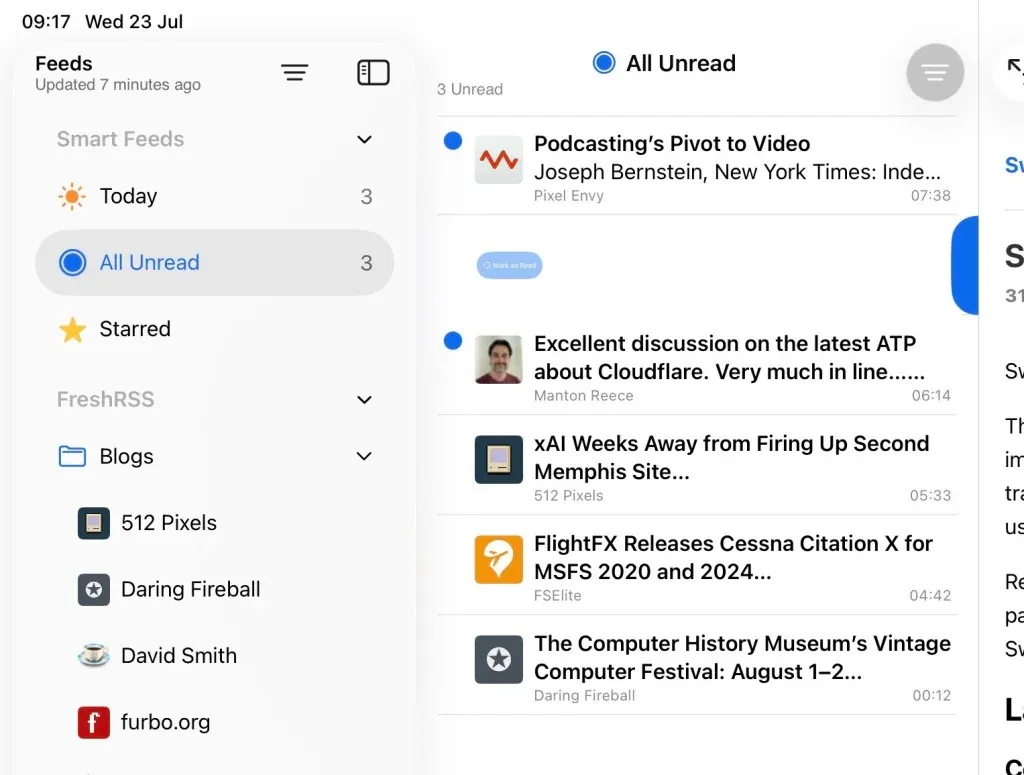
Swipe Action

The second issue is leading swipe actions where the content of the cell is offset by the size of the sidebar (but only when the sidebar is visible).

iOS 26 Beta 3 Bugs

iOS 26 Beta 3 Bugs

I’m working through feature updates for both Singapore Buses and NetNewsWire and I’m hitting a few persistent bugs I can’t seem to workaround.

  • Text in cells doesn’t adapt to dark mode appearance changes: label.textColor = .label is ineffective. (UIKit)
  • Navigation title and navigation subtitle text doesn’t adapt to dark mode appearance changes (same as above). (UIKit)

Secondary View Controller (in a 3 column layout):

  • Unable to stop a table or collection view cell’s selected background from extending under the sidebar. Countless hours have been wasted on this: UIScrollEdgeEffect, UIBackgroundExtensionView, hacking away at a cell’s contentView frame with a chisel (followed by hammer smashing into my MacBook). (UIKit)

Sheets

  • Navigation bar title text in a presented .sheet doesn’t adapt to dark mode appearance changes. (SwiftUI)

Financial Broadsheet for NetNewsWire

Financial Broadsheet for NetNewsWire

Financial Broadsheet modifies Broadsheet and gives it the look-and-feel of a financial publication.

Sign up to see more and add to NetNewsWire.

The remainder of this post was originally for members only.

I’ve made some small tweaks to my existing Broadsheet theme which results in a familiar, financial flavour.

Dark mode (left), Light mode (right)

Add to NetNewsWire

WPFail2Ban

WPFail2Ban

Mind blown 🤯. I’ve only returned to using WordPress for a few days but *WPFail2Ban *is already proving its worth. Just a sample of the logs I’ve been seeing over the last few hours:

Blocked username authentication attempt for admin2 from <ip_address>
Blocked username authentication attempt for maria from <ip_address>
Blocked username authentication attempt for wordpress from <ip_address>
Blocked user enumeration attempt from <ip_address>

It’s possible these authentication attempts were happening while I was using Ghost but I just wasn’t aware of them. Nevertheless, it’s a timely reminder to secure your WordPress site. (I’ve blocked user enumeration, username login, and XMP-RPC, while enabling Passkey-based login.)

Adopting Liquid Glass, Part I (Singapore Buses)

Adopting Liquid Glass, Part I (Singapore Buses)

Adopting Toolbars

In the current version of Singapore Buses the *Search *view obscures between 10% to 95% of the map, depending on its detent. In addition to showing search results, the *Search *view also shows nearest bus stops, favourite bus stops, and provides access to the app’s settings.

For the upgrade to Liquid Glass, I’m adopting a toolbar to address these issues.

Screenshots showing Singapore Buses UI. Before and after

There are a few advantages to this approach.

First, there are more bus stops on the map *and *they update in real-time as you pan around the map1.

Second, although it’s not immediately apparent from the screenshot, the current version of Singapore Buses shows a janky animation when the Search view is moved to the medium detent—the map awkwardly re-centres itself during the transition. This is no longer a problem.

Third, *Search *only deals with bus stop search and favourites. *Settings *now lives on its own. It’s no longer sheet-on-top-of-sheet.

*Search *itself has been cleaned up.

Screenshot of Singapore Buses search. Modern vs Legacy

The search bar now appears at the bottom, the background is now using materials (ultra thin in light mode; ultra thick in dark mode). I’ve also changed the bus stop icon to align to the top and I’ve adopted navigation bar subtitles.

However, what really strikes me about the above screenshot is how much *less *content is available due to the larger cell margins. In iOS 26 you can see six bus stops vs. seven bus stops (plus the name of the eighth) on iOS 18. It’s not a complaint, I do prefer the look of iOS 26.

Screenshot of Singapore Buses Search with keyboard enabled. Search with Active Keyboard

Lastly, a look at Search with the keyboard activated. No changes here made by me, but I do prefer the look of the translucent keyboard with the search bar sitting on top.

Abandoning Tab Bars

When I started writing this article last week I was well on my way to adopting a Tab Bar and not a Toolbar. After a few days of testing I was pulling my hair out:

  • On my Map tab I was using a tabViewBottomAccessory to show the nearest bus stop to the user—to give them an easy way to tap and show arrival information. However, the accessory was available across all tabs where it made no sense (like Settings). Trying to hide the accessory (using EmptyView) when the selected tab wasn’t the map worked, but navigating back to the map caused the map to stop extending into the safe area, resulting in a lovely white bar along the top.2
  • Then there was the *Search *tab. It had a search bar that was fighting for space with other tabs, the tab bar accessory, and moving around based on scrolling actions. (Yes, you can control that to an extent, but is any of this tab bar behaviour a good idea in motion?)

So, the trusty toolbar has won out. Next up: redesigning *Settings *and Arrivals.

Redesigning the Arrivals view and Settings coming up next.


  1. In the live version of Singapore Buses bus stops only appear once you’ve stopped panning.

  2. FB18767040

The Curious Case of Missing Mastodon Verification

The Curious Case of Missing Mastodon Verification

Verifying yourself on Mastodon is quite simple: just add the following to the <head> tag of your website:

<link rel="me" href="https://mastodon.instance/@username"/>

Then, add your website to your Mastodon profile, and you should be good to go.

That wasn’t the case for me.

I added the above link to the header—nothing. I added it to the footer—still nothing. I even tried adding the <a rel="me"...>version as a navigation link in both the top and bottom menus. No luck.

I left it overnight. Still no change.

Then I thought: If I’ve added my website to my Mastodon profile, I should at least see a Mastodon user-agent in the Apache logs. So, I re-added the website to my profile and checked again. Nothing.

Huzzah! A clue.

A quick check in Cloudflare revealed the issue: I had enabled Bot Fight Mode. I disabled it, checked the Apache logs again, and immediately saw Mastodon requests:

[10/Jul/2025:14:22:51 +0000] "GET /wp-json/activitypub/1.0/actors/0/followers HTTP/1.1" 200 4251 "-" "Mastodon/4.4.1 (http.rb/5.3.1; +https://indieweb.social/)"

Shortly after that, my website was verified.

So, I Switched (Back) To WordPress

So, I Switched (Back) To WordPress

After around six years dabbling with Ghost and static site builders I’ve migrated back to WordPress.

First impressions of the wp-admin panel were “meh”. It’s not really changed in the last few years and it’s really not as nice as Ghost’s admin panel. It does the job, though.

The Gutenberg editor, however, is amazing. It’s such a massive improvement—at least from memory—over the old WYSWYG editor.

To get things just so, I’ve had to install a few plugins:

  • Yoast SEO

  • Advanced Custom Fields

  • I’ve created an external_url field so that I can use it in the JSON feed 1.

  • JSON Feed (by Manton Reece and Daniel Jalkut)

  • Code Block Pro

  • Secure Passkeys

  • Various plugins to add Fediverse tags to the <head> element

  • ActivityPub

To get footnotes to render correctly in RSS readers—i.e., appear as pop-ups—I’ve added the below code to functions.php:

function clean_gutenberg_footnotes_for_rss($content) {
    if (!is_feed()) return $content;

    $refIndex = 1;
    $uuidToIndex = [];

    // Step 1: Replace <sup> references with numbered links and track mapping
    $content = preg_replace_callback(
        '/<sup data-fn="([^"]+)" class="fn">\s*<a[^>]*>(\d+)<\/a>\s*<\/sup>/i',
        function ($matches) use (&$uuidToIndex, &$refIndex) {
            $uuid = $matches[1];
            if (!isset($uuidToIndex[$uuid])) {
                $uuidToIndex[$uuid] = $refIndex++;
            }
            $n = $uuidToIndex[$uuid];
            return "<sup id=\"fnr-{$uuid}\"><a href=\"#fn-{$uuid}\">{$n}</a></sup>";
        },
        $content
    );

    // Step 2: Rewrite footnote section and replace ↩ links
    $content = preg_replace_callback(
        '/<ol class="wp-block-footnotes">(.*?)<\/ol>/is',
        function ($matches) use (&$uuidToIndex) {
            $footnotes = $matches[1];

            preg_match_all('/<li id="([^"]+)">(.*?)<\/li>/is', $footnotes, $liMatches, PREG_SET_ORDER);

            $output = '<div class="footnotes"><ol>';

            foreach ($liMatches as $li) {
                $id = $li[1];
                $rawText = $li[2];
                $n = $uuidToIndex[$id] ?? '?';

                // Replace ↩ <a> link with formatted Unicode arrow link
                $fixedText = preg_replace(
                    '/<a[^>]+href="#' . preg_quote($id, '/') . '-link"[^>]*>.*?<\/a>/is',
                    '<a href="#fnr-' . $id . '" class="footnoteBackLink" title="Jump back to footnote ' . $n . ' in the text.">↩︎</a>',
                    $rawText
                );

                $output .= '<li id="fn-' . esc_attr($id) . '"><p>' . trim($fixedText) . '</p></li>';
            }

            $output .= '</ol></div>';
            return $output;
        },
        $content
    );

    return $content;
}
add_filter('the_content', 'clean_gutenberg_footnotes_for_rss');

  1. I’ll add it to the RSS xml feed soon.

Singapore Buses 2025.6.1

Singapore Buses 2025.6.1

Singapore Buses 2025.6.1 is now available in the App Store. There are no user facing changes in this release, but here’s a rundown of what has changed:

  • Uses a new version of the Singapore Buses API (which paves the way for a much larger update later in the year)1
  • Removes Google Firebase
  • Reduced the download size by approximately 3MB

If you enjoy using Singapore Buses, try the premium features available with Singapore Buses+2.


  1. The server-side app is now written in Python and uses the FastAPI framework.

  2. Live Activities, app themes, and advert removal.