Adopting Liquid Glass, Part V (Singapore Buses, Finishing Touches)

Adopting Liquid Glass, Part V (Singapore Buses, Finishing Touches)

Maps, Search, toolbars and tab bars were covered in Adopting Liquid Glass, Part I (Singapore Buses) and Adopting Liquid Glass, Part IV (Singapore Buses, Revisiting the Tab Bar). Arrivals, Routes, Advertising, and Settings are the last four areas that have seen some tweaks.

Arrivals

Overall, the Arrivals view has seen very little in the way of change.

The Favourite and Arrival Notification buttons have a slightly different tinting behaviour when selected, while the Live Activity bolt button now presents a popover menu to the user. Tips, via TipKit, have also been added to explain what these buttons do when selected.

0:00
/0:02

Tips via TipKit

Routes

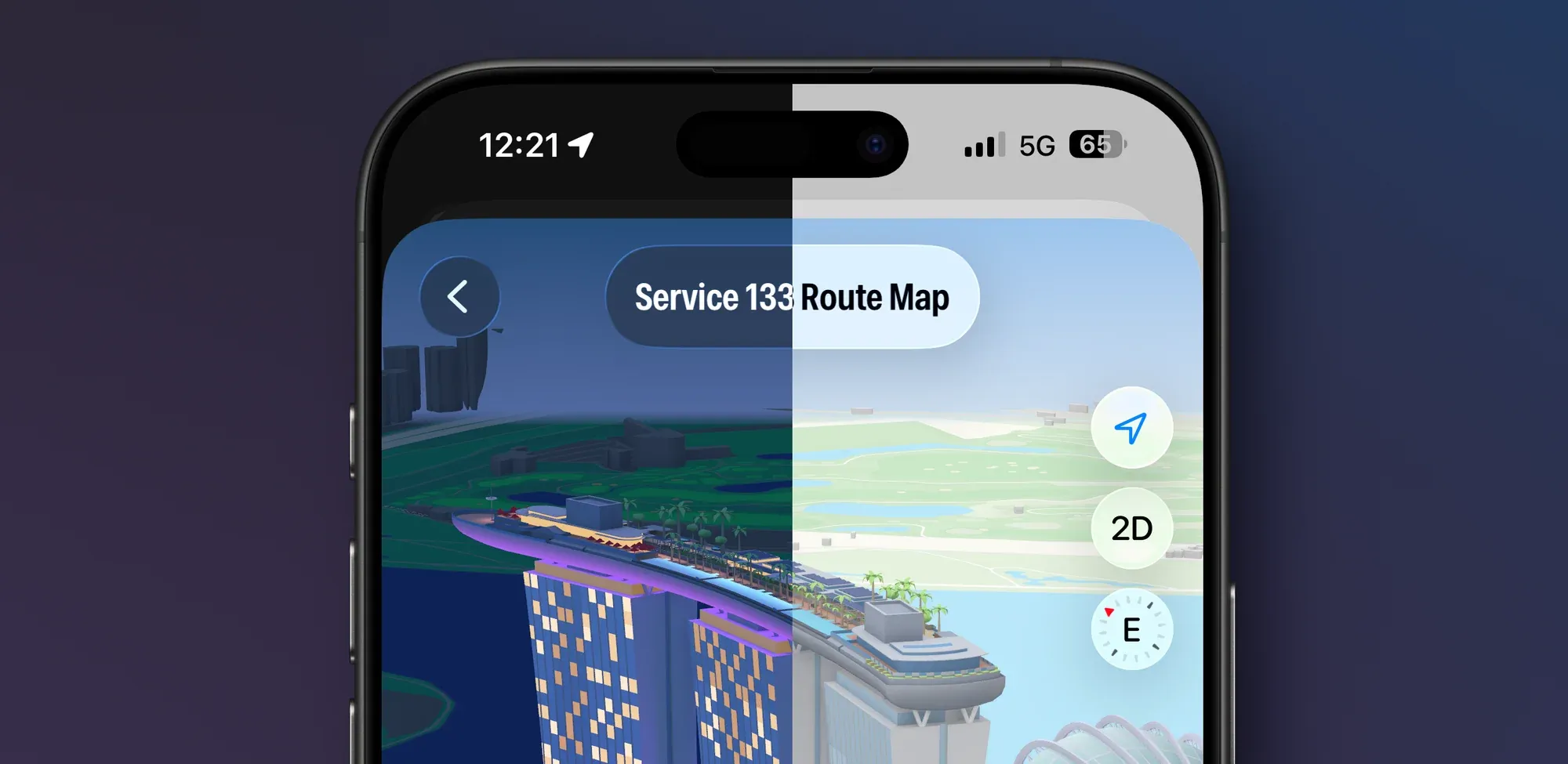
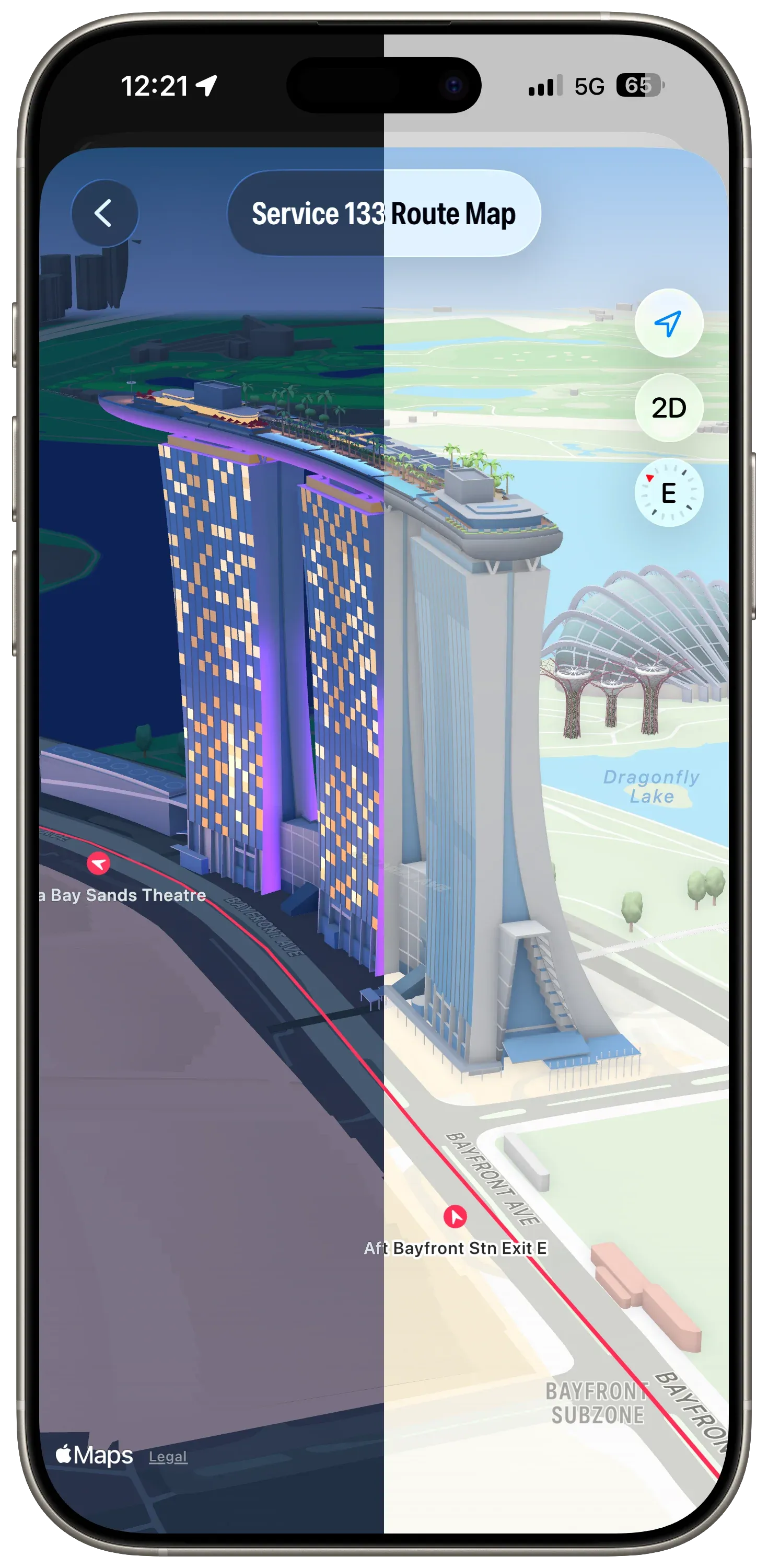
The Routes view maintains consistency with previous releases. However, the Route Map has been given some additional flexibility—ability to view in 3D, panning, rotating and zooming—so that it can take advantage of the Apple Maps ‘Detailed City Experience’. It’s also using glassified titles.

Routes at Marina Bay Sands. Dark mode, light mode.

When the map is rotated, the bus stop annotations rotate in real time so they always point to the next stop on the route.

Advertising

I was playing with different ad placement and styles just before this Mastodon post was made. In the Singapore Buses’ App Store build ads can appear in a few places—at the top of, between, or at the bottom of List sections, or at the bottom of the map.

In the Liquid Glass update, I’ve settled on ads having a consistent placement in the bottom safe area—across Arrivals, Search, and the Route Map. And, staying on brand, they’ve also been Liquid Glassed.

0:00
/0:07

Liquid Glass Advertising on top of the Map

Settings

Settings has some new features: more theme colours, a new acknowledgment view, and a new explainer view for Arrivals. However, there’s nothing new that’s specific to Liquid Glass (thankfully).

What’s Next?

As the work on this update comes to a close, my attention is now on the App Store. New App Store videos, screenshots, app description, and release notes. In addition to all the Liquid Glass changes, there’s a host of other changes that have been made as well. For example, GRDB has replaced Core Data…and the app now runs natively on the iPad. 🤯

A TestFlight build is coming soon.

The Betas 8 Are Out

The Betas 8 Are Out

Betas 8 of macOS Tahoe and iOS 26 are out now.

For the apps I am working on—Singapore Buses and NetNewsWire—I don’t have any major issues. However, I’ve come across a missing API in AppKit that is somewhat infuriating.

First, some context. Brent Simmons wrote on inessential.com:

And so I seriously dislike the experience of using a Mac with Liquid Glass. The UI has become the star, but the drunken star, blurry, illegible, and physically unstable. It makes making things way more of a struggle than it used to be.

So for NetNewsWire, the question is whether or not there is a way to make the blurry bits less blurry and to bring back some legibility. Is there way to get it off the sauce?

In the transcript for the WWDC video, Build an AppKit app with the new design, it reads like it the system applies fades and blurs at its discretion:

The new design encourages flowing your content edge-to-edge, with Liquid Glass elements floating atop. To provide separation between the glass and the content, the system applies a visual effect in the areas where these two overlap. This effect comes in two variants: a soft-edge-style, which progressively fades and blurs the content, and a hard-edge-style, which uses a more opaque backing to provide greater separation between the content and the floating elements.

Indeed, looking at the AppKit APIs made available with macOS 26, there’s no obvious way to override the system’s visual effect behaviour. The answer to the above question is *No. *

However, if NetNewsWire were a SwiftUI app, the answer to that question would be *Yes. *In SwiftUI, developers can decide to reduce the blur around vertical and horizontal bars with a simple modifier:

.scrollEdgeEffectStyle(.hard, for: .vertical)
0:00
/0:04

The effect of a hard edge scroll effect.

Hopefully, this API is made available with the next beta release (or release candidate) of Xcode 26.

PADD for NetNewsWire

PADD for NetNewsWire

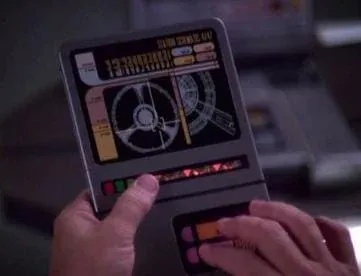
If you’re familiar with Star Trek, you’ll know that from *The Next Generation onwards all computer panels on Starfleet ships had a consistent look. In Trek *parlance, that look came from a system called *LCARS *(Library Computer Access/Retrieval System).

A PADD with LCARS

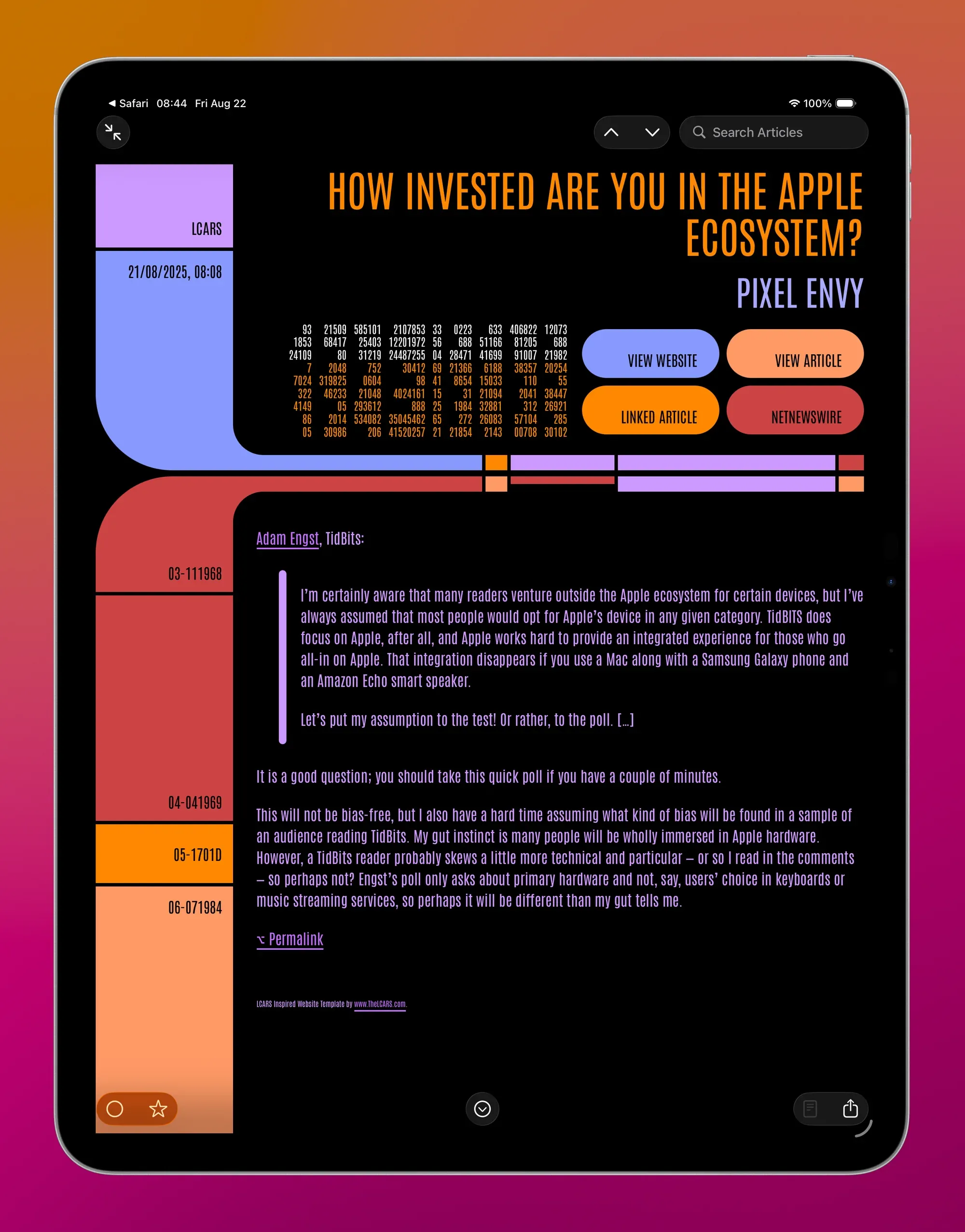
As luck would have it, there’s an amazing website—https://www.thelcars.com—that has recreated LCARS in HTML and CSS. This piqued my curiosity—could it be adapted and used as a NetNewsWire theme?

The answer is, of course, *make it so. *

This makes me smile. You can add PADD to NetNewsWire using the link at the bottom of the article.

A few notes:

  • the font is *Antonio *and it’s been Base64 encoded so it can be included with the theme,
  • unfortunately, I’ve not (yet) found a way to include the sounds that come with the full LCARS package from thelcars.com,
  • navigation buttons are *View Website, View Article, NetNewsWire, *and, if there’s a linked article, Linked Article,
  • hiding/showing *Linked Article *requires JavaScript
  • there have been a few tweaks to code, pre, ul, and ol elements to improve rendering in NetNewsWire,
  • any adaptation must follow the EULA,
  • this theme is better on a wider screen in dark mode, and,
  • it’s an absolute workout for Liquid Glass

The PADD theme is just a lot of fun. 100% credit to thelcars.com!

Add to NetNewsWire

The Betas 7 Are Out

The Betas 7 Are Out

There’s not much new in this beta.

  • For all users, *Adaptive Power Notifications *have been added
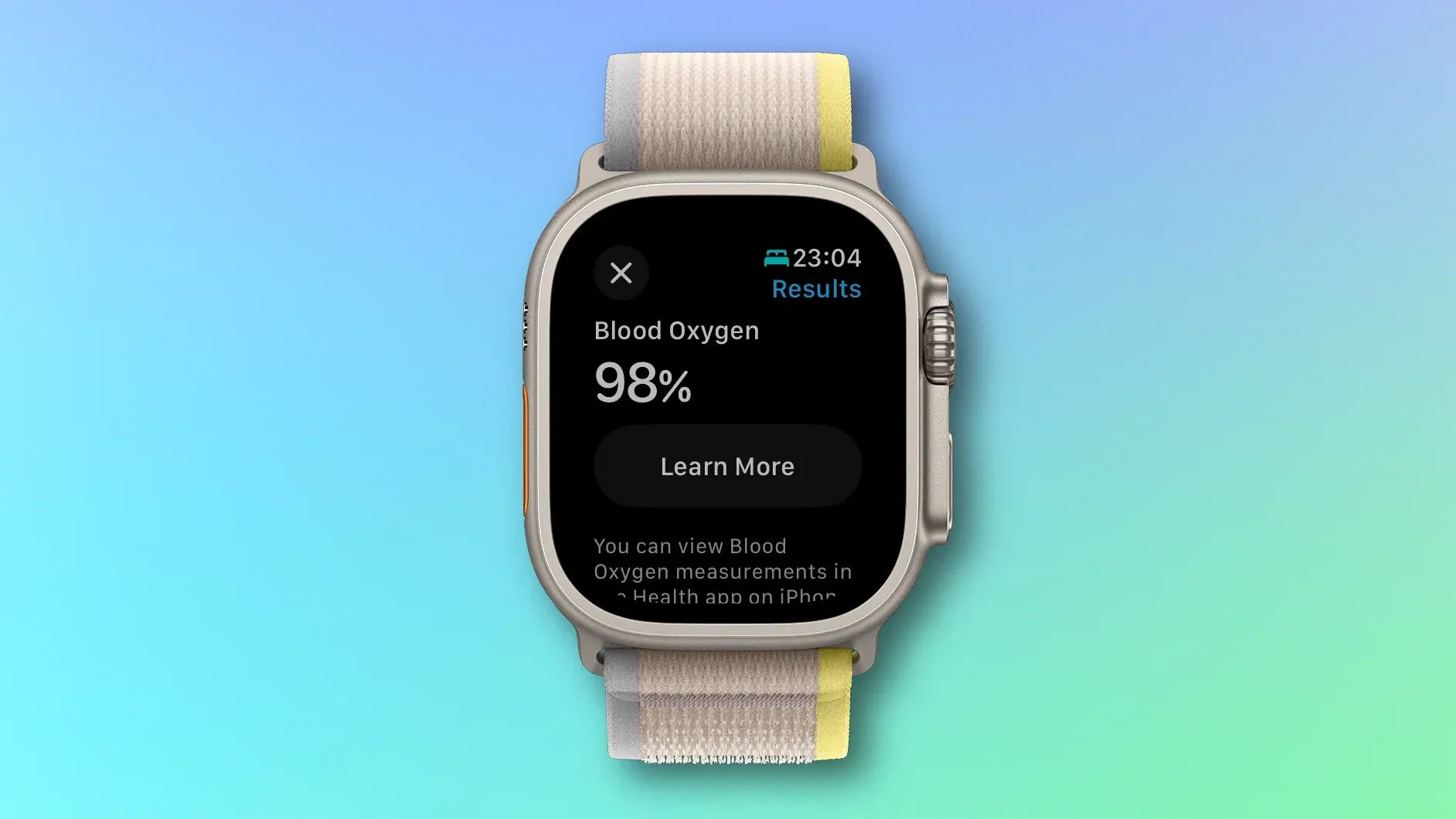
  • For U.S. users, the recently redesigned Blood Oxygen Monitoring feature has been added that first appeared in iOS 18.6.1

Alongside iOS 26 beta 7, there’s also Xcode 26 beta 6. Annoyingly, even at this late stage, this beta doesn’t allow me to perform location simulation testing with a GPX file (FB19705540).

Adopting Liquid Glass, Part IV (Singapore Buses, Revisiting the Tab Bar)

Adopting Liquid Glass, Part IV (Singapore Buses, Revisiting the Tab Bar)

In my first article in this series, Adopting Liquid Glass, Part I (Singapore Buses), I ran into a critical bug that made it problematic to adopt the new Tab Bar design:

On my Map tab I was using a tabViewBottomAccessory to show the nearest bus stop to the user—to give them an easy way to tap and show arrival information. However, the accessory was available across all tabs where it made no sense (like Settings). Trying to hide the accessory (using EmptyView) when the selected tab wasn’t the map worked, but navigating back to the map caused the map to stop extending into the safe area, resulting in a lovely white bar along the top.

Luckily, this bug has been fixed in the recent betas so I’ve revisited my original design and the outcomes are positive.

Tab Bar Bottom Accessory Visibility

From a usability perspective, it only makes sense to display the accessory when two conditions are met:

  1. The map tab is displayed; and,
  2. The user has given permission to track location

The simplified code below shows how this is achieved when tracking the tab bar selection:

sgbusesApp.swift
enum Tabs: Equatable, Hashable {
case maps
case settings
case search
}
@main
struct sgbusesApp: App {
// MARK: State
@State private var selectedTabIndex: Tabs = .maps
var body: some Scene {
WindowGroup {
TabView(selection: $selectedTabIndex) {
Tab("label.title.map", systemImage: "map", value: .maps) {
BusStopMapView()
}
Tab("label.title.settings", systemImage: "gear", value: .settings) {
SettingsView()
}
Tab("label.title.search", systemImage: "location.magnifyingglass", value: .search, role: .search) {
BusStopListView()
}
}
.tabViewBottomAccessory {
if selectedTabIndex == .maps {
HStack {
Image(systemName: "bus.fill")
.font(.body)
VStack(alignment: .leading) {
Text(verbatim: database.allStops.first!.busStopDescription)
.font(.caption)
.bold()
Text(verbatim: (database.allStops.first!.busStopCode) + " | " + (database.allStops.first!.roadName) + " | " + "Nearest Stop")
.font(.caption)
.foregroundStyle(.secondary)
}
Spacer()
}
.padding(.vertical, 4)
.padding(.horizontal)
.contentShape(Rectangle())
.onTapGesture {
// show bus arrivals
}
} else {
EmptyView()
}
}
}
}
}

Ensuring Legibility

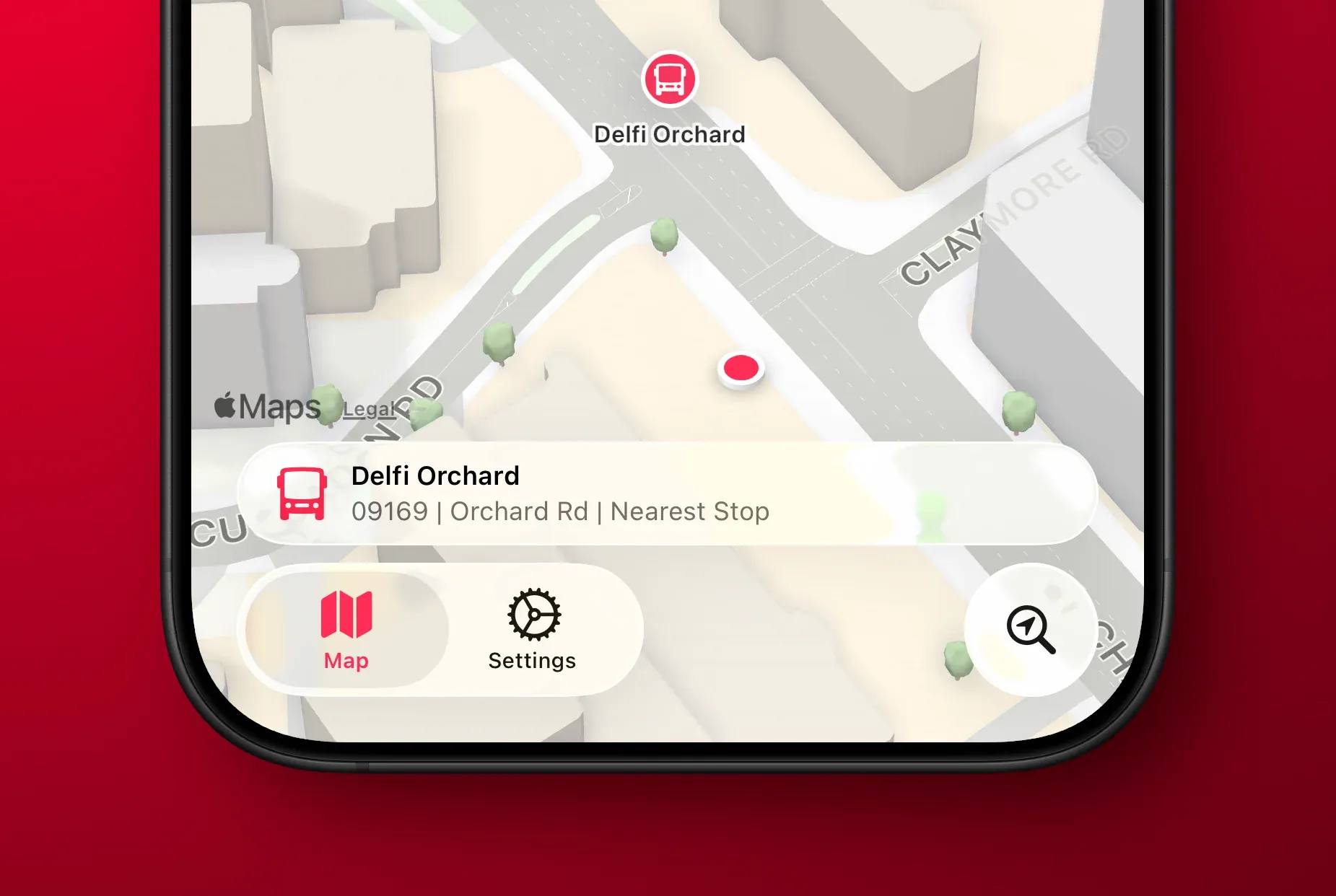
One of the main concerns with Liquid Glass is legibility. This is even more a of concern when using a tab bar bottom accessory as there is now text where there wasn’t any in my previous toolbar-based design.

To keep things legible, Singapore Buses uses a muted map style. This provides a reasonable balance: the glass effect remains fun to look at without becoming a distraction, even when the map is busy with content.

0:00
/0:08

The ‘Detailed City Experience’ is so, well, detailed!

Assuming the tab bar doesn’t undergo some wild design changes between now and the iOS 26 release candidate, my intention is to ship the next version of Singapore Buses with a tab bar.

The next (and final) article in this series will look at the remaining views: Arrivals, Routes, and Settings. I’ll post that closer to release.

eSIMs as a Profit Centre

The rumours surrounding the upcoming *iPhone Air *suggest it will not have a physical SIM tray and will rely entirely on eSIM technology. Fine. I like eSIMs. My primary line uses an eSIM and when I’m travelling outside of Southeast Asia I use Airalo to get a local eSIM for data purposes.

My problem with the eSIM-only model is the behaviour of the networks. A few of the networks in Singapore treat eSIMs as a profit centre (and I’m sure they’re not the only ones):

  • M1: *You will be able to retain your 5G eSIM number however you will need to remove your eSIM profile from the current device and re-download into the new intended device (a fee of **$5.45 *applies for the re-download).
  • Singtel: Chat with us to get another eSIM. Each replacement costs $10.90.

$10.90 for a *physical *sim is expensive, but for eSIM it is downright outrageous. If an eSIM is roughly 50 kilobytes and a new/replacement is $10.90, that’s ~22 cents per kilobyte (or, inflation adjusted, 20x more expensive per KB than initial AOL dial up). Luckily, $5.45 is exactly half the price — bargain!

Here are just a few scenarios where these fees could apply, which highlights their absurdity:

  • Buying a new phone, deleting your old eSIM, and downloading a new eSIM
  • Losing your phone, buying a new phone, deleting your old eSIM (via the network’s app), and downloading a new eSIM
  • Erasing all content and settings, deleting your old eSIM (via the network’s app), and downloading a new eSIM

In the olden days, you just moved your SIM card between devices. It was free and easy to do.

'Blood Oxygen Feature Finally Returning to Apple Watch in the US'

'Blood Oxygen Feature Finally Returning to Apple Watch in the US'

Hartley Charlton, for MacRumors:

Apple says that its blood oxygen monitoring feature has been “redesigned” for the Apple Watch Series 9, Apple Watch Series 10, and Apple Watch Ultra 2 in the United States. The new solution involves measuring sensor data from the Blood Oxygen app on the Apple Watch and sending it for calculation to a paired iPhone, with the results to be viewable in the Respiratory section of the Health app.

My SpO₂ readings only dipped below 98% when I was ill a few months ago, and returned to 98%+ once I recovered. That’s the only time I’ve really noticed the feature. As such, I doubt blood oxygen monitoring (or its absence) has had much influence on Apple Watch purchasing decisions or Apple’s bottom line.

That said, this is a clever workaround that’s been 19 months in the making, and one that’s sure to irritate Masimo. Where do they go from here?

Apple Maps ‘Detailed City Experience’ Expands to Singapore

Apple Maps ‘Detailed City Experience’ Expands to Singapore

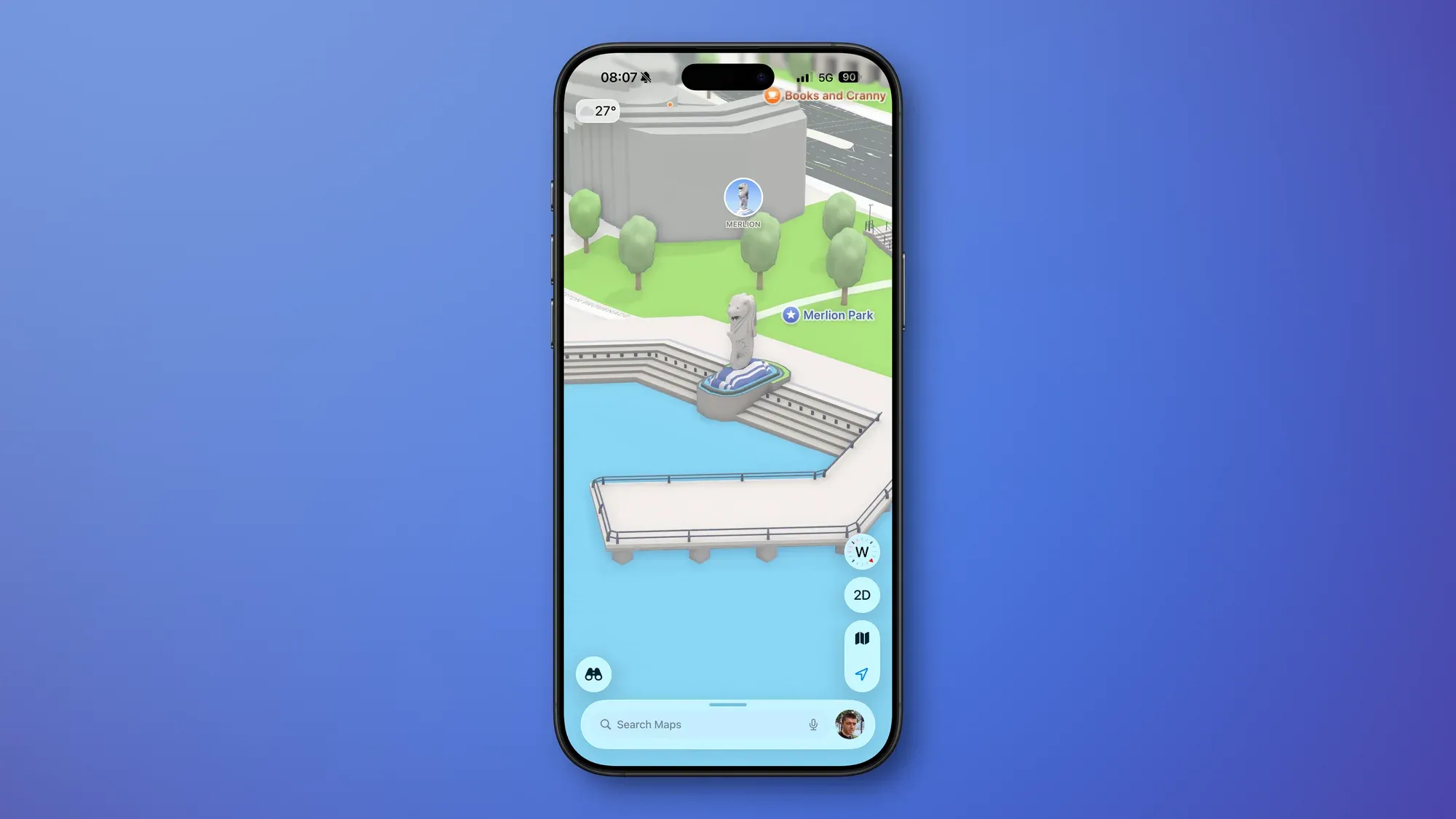
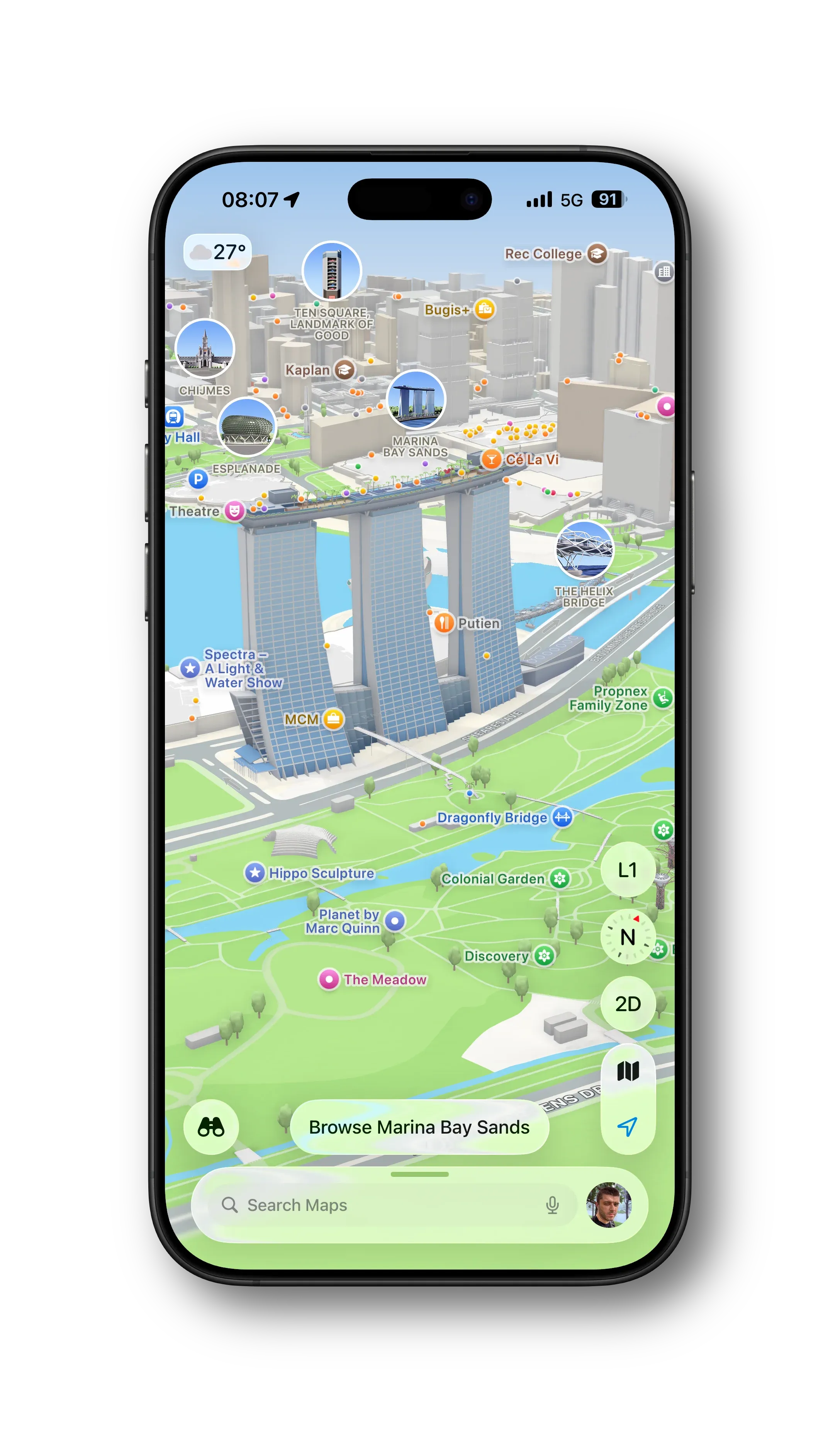
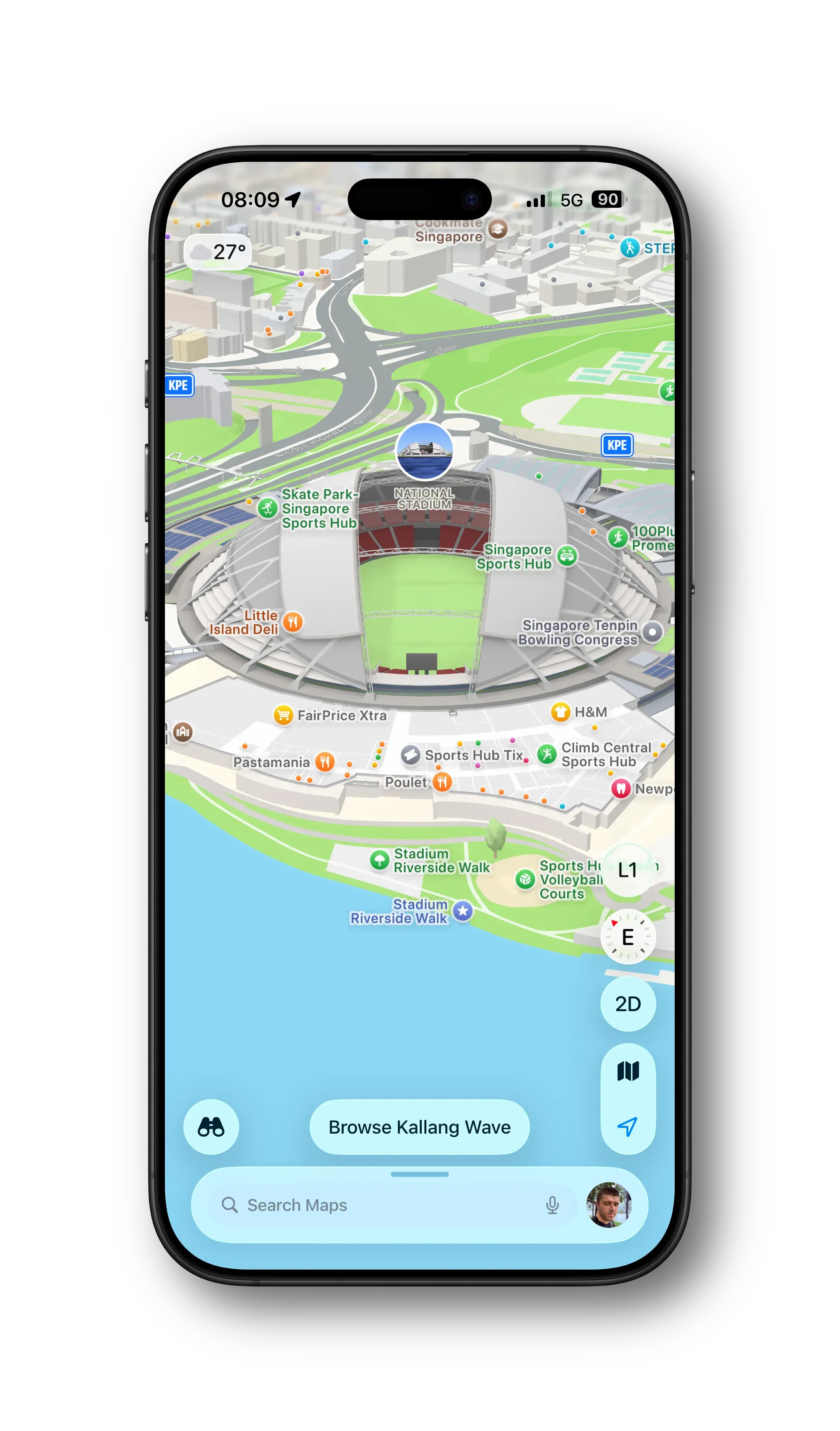
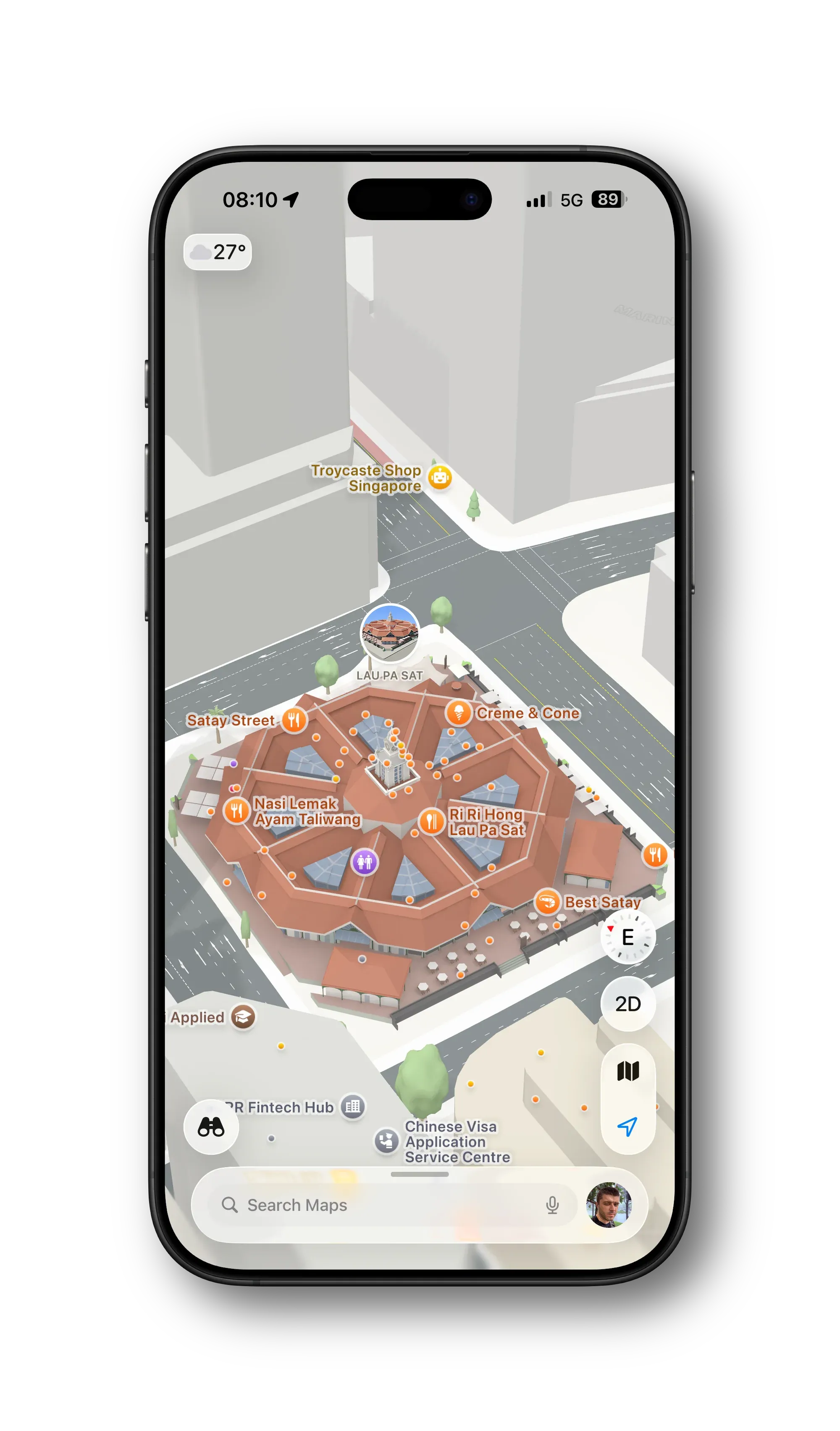
Over the last week or so, the ‘Detailed City Experience’ in Apple Maps has expanded to Singapore. The result is a more detailed map with improved road markings and highly detailed landmarks.

Marina Bay Sands (left), National Stadium (centre), Lau Pa Sat + Road markings (right)

Singapore Buses’ routes should benefit from a more detailed map!

New Digs

New Digs

It turns out that my stint on WordPress was short-lived. One month, to be exact. I’ve restarted my blog on Ghost 6 with all the bells-and-whistles of Federation, built-in membership management, and native analytics from TinyBird.

Design

I’m using a new theme, Thesis*, *from Priority Vision, which reminds very much of a particular three-column Mac app that I’ve worked on. The pièce de résistance: the little satellite icon in the sidebar (from lucide.dev) representing NetNewsWire.

Federation

The website has its own Fediverse persona/mind of its own:

Membership

You can join as a member. It’s free. You get the ability to comment and access to some member’s only content (e.g., easy theme installs for NetNewsWire). I might send you the occasional email.

Miscellaneous

Most of the redirect work is done, so WordPress-style URLs (yyyy/mm/<post_title>) should redirect to the new Ghost URL. There’s no JSON feed with Ghost, so you’ll need to resubscribe to the new RSS feed.

Adopting Liquid Glass, Part III (NetNewsWire iOS)

Adopting Liquid Glass, Part III (NetNewsWire iOS)

NetNewsWire has an experimental branch with work-in-progress Liquid Glass changes. These changes cover the Mac, iPad, and iPhone apps. This post covers changes to the iPad and iPhone app.

iPad

The Sidebar (Feeds view) has had a significant refresh.

What was previously a UITableView is now a UICollectionView. While this gives more flexibility in terms of custom layout, it was a change that was needed in order to adopt modern styling across iPad and iPhone. iPad uses the .sidebar style, and iPhone uses .insetGrouped. This is similar the behaviour you see in Mail.

Modern Sidebar (left), Classic Sidebar (right)

From top-to-bottom, the following modernising changes have been made:

  • The current *refresh *status is now located in the navigation bar as a subtitle, having previously been the footer
  • Toolbar buttons follow Liquid Glass standards
  • Like the Mac refresh, the Feeds view floats and allows Timeline content to slide underneath
  • Smart Feeds and Account headers now adopt modern secondary styling
  • Selected feeds have a modern capsule background and the text is **bold **(note: there is little consistency in Apple’s apps—Files makes text bold while Reminders doesn’t)
  • Folders have been entirely redesigned to match modern standards—they now have the same indentation as any other feed, but the enclosed feeds are indented further
  • Folders will highlight when Feeds are being dragged and dropped into them
  • Separators have been removed
  • Unread counts are larger and are no longer backed by a filled capsule
  • Unread counts for folders are only displayed when the folder is closed
  • Swipe actions reveal icons instead of named labels due to space constraints
  • Users can resize the sidebar (within reason 😃)

When side-by-side, you can see that there are less feeds on screen as the modern cells have larger vertical margins.

Timeline

Modern Timeline (left), Classic Timeline (right)

Again, from top-to-bottom:

  • Navigation bar images have been removed
  • Unread counts are now located in the navigation bar subtitle
  • The search bar has been moved to the app-wide toolbar and behaves similar to the Mac search
  • The Timeline width is user adjustable (again, within reason 😄)
  • Timeline cells have been redesigned in Interface builder and now have the rounded corner selection style
  • The Mark All as Read image (on both iPad and iPhone) has had alignment changes to make sure it sits in the middle of an englassified button

Articles

Modern Article (left), Classic Article (right)

There aren’t many changes to the Article view:

  • Articles can be read in three-pane view without hiding the Sidebar
  • The top toolbar inherits search capabilities
  • The bottom toolbar buttons have been grouped in a 2-1-2 formation with the *Next Unread *button sitting in the throne seat

iPhone

Similar to the iPad, the iPhone *Feeds view *has had a significant lick of paint.

Modern Feeds (left), Classic Feeds (right)

As mentioned above, the overall design adopts an .insetGrouped style. Comparatively:

  • Inline navigation titles are used
  • The latest refresh status has moved to the navigation bar subtitle from the bottom toolbar
  • Smart Feeds and Account headers now adopt modern styling
  • Disclosure indicators have moved from left to right
  • Similar to the iPad updates:
  • Folders will highlight when Feeds are being dragged and dropped into them
  • Unread counts are larger and are no longer backed by a filled capsule
  • Unread counts for folders are only displayed when the folder is closed
  • Swipe actions reveal icons instead of named labels due to space constraints

Timeline

Modern Timeline (left), Classic Timeline (right)

Timeline changes on the iPhone are slightly different to those of the iPad:

  • The navigation bar makes use of the subtitle to display either the current unread count or, if the unread count is zero, the latest refresh time
  • Images and capsule-backed unread counts have been removes from the navigation bar
  • The search bar has been moved to the bottom of the screen and is no longer hidden under the navigation bar
  • Cells have modern rounded corner selection style

Articles

Modern Article (left); Classic Article (right)

There are almost no changes to the iPhone’s Article view other than adopting modern bar and button styling. Phew!