Changes to tabViewBottomAccessory in iOS 26.1 are Fixed in iOS 26.2

Changes to tabViewBottomAccessory in iOS 26.1 are Fixed in iOS 26.2

[Update 09 Nov 2025: there’s new API in iOS 26.2 that allows you to hide the tabViewBottomAccessory. See the bottom of this post for more.]

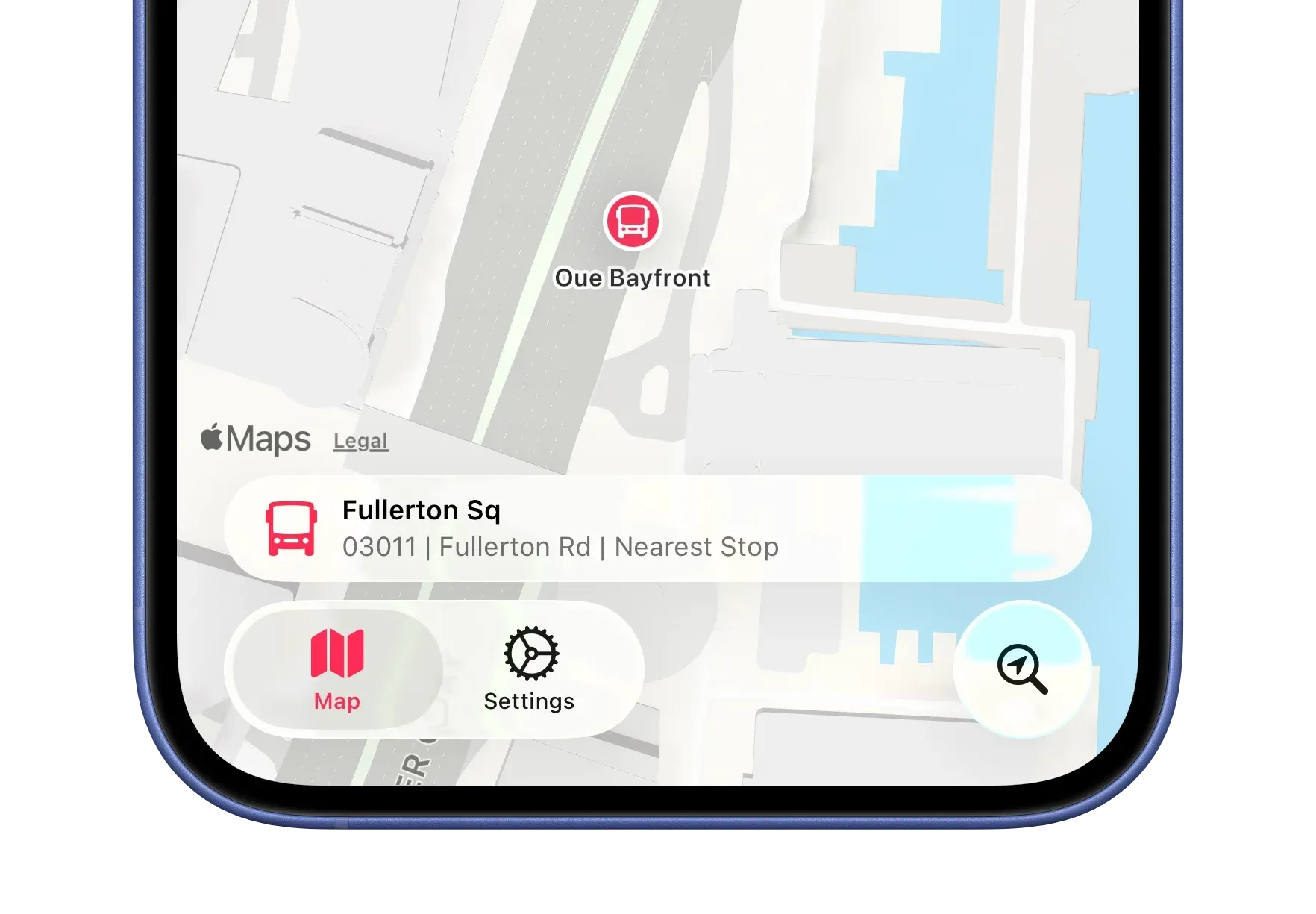
In Singapore Buses on iOS 26, I was able to hide the tabViewBottomAccessory based on various criteria—for example, if location tracking was enabled.

.tabViewBottomAccessory {
    if locationTracker.isAuthorised {
        HStack {
            // Nearby bus stop
        }
    } else {
        EmptyView()
    }
}

Now, however, it displays the accessory with no content. I haven’t found a workaround yet, so for now I’m showing the tabViewBottomAccessory across all views. This isn’t ideal—the accessory isn’t relevant on the Settings view, for instance.

If this is Apple’s intended behaviour for the accessory, it’s far from ideal.

Update 09 Nov 2025:

There’s an update to the tabViewBottomAccessory modifier API in iOS 26.2 that lets you hide the tabViewBottomAccessory when it’s not needed:

.tabViewBottomAccessory(isEnabled: $showShowBottomAccessory) {
    HStack {
        // Nearby bus stop
    }
}

Problematically, this only works with iOS 26.2. As I don’t intend to move away from iOS 26.0 as the minimum requirement for *Singapore Buses *for several months, I will apply this API using an if #unavailable(iOS 26.1) check. Users on iOS 26.0 - 26.1 will see the accessory on all views. 😞

Halo: Campaign Evolved

Halo: Campaign Evolved

I have mixed feelings about Halo: Campaign Evolved. The trailer looks and sounds excellent, the gameplay is both improved and familiar, and the nostalgia vibes are strong.

And that’s the problem: this is the third version of the Halo: Combat Evolved campaign (Halo: Combat Evolved (2000); *Halo: Combat Evolved Anniversary *(2011); and now Halo: Campaign Evolved (2026)).

I really hope *Halo: Campaign Evolved *is good. But it’s trading entirely on nostalgia.

That leaves me with some obvious questions:

  • How does Halo: Campaign Evolved move the franchise forward (excluding the fact that it’ll be on PlayStation)?
  • Can a 26-year-old game hold its own against modern FPS games or is this going to be like the Goldeneye64 remake?
  • Split-screen local co-op, online co-op, and no multiplayer…there’s more to announce, surely?

Joining the Streaming Game

Joining the Streaming Game

For years, both at home and at work, I’ve used headsets with built-in microphones that sit uncomfortably close to my mouth. They’ve always irritated me, especially when drinking coffee and the mug inevitably whacks the mic arm mid-sip.

To address this horrific shortcoming, I added a Shure MV6 microphone to my desk and now I have a new hobby — streaming games at @flywithstuart on YouTube (things are just getting started). Predominantly, the current focus is the recently released Battlefield 6, with some Microsoft Flight Simulator 2024 thrown in for good measure. I’m considering doing a NetNewsWire bug fix stream in the future (when I setup OBS on my Mac).

Please like and subscribe.

Singapore Buses v2026

Singapore Buses v2026

Singapore Buses v2026 is out now. It’s been a challenging development cycle, to say the least, and I’m glad it’s over. The Design Diaries series covers the major Liquid Glass updates. This post looks at some of the other technical changes that have been made in the v2026 update.

GRDB

Singapore Buses, has always, always, always—way back to 2018 when it was SG Transit—used Core Data. Even when SwiftUI came along, followed by SwiftData, it stuck with Core Data. Not any more. It’s now using GRDB.

Each app version is seeded with an updated SQLite database containing the latest bus stops, routes, and services. This database is created using a separate app on the Mac. Long-term, the aim is to move away from having to release new app versions with an up-to-date database and instead move to an over-the-air model that refreshes the database in the background. The move to GRDB should smooth the path.

Map Performance

The database is now loaded into memory instead of being read from disk. As a result, panning the map and determining what bus stops to show (or hide) is now instantaneous instead of requiring a small pause and the end of the pan gesture. It’s a simple call site:

.onMapCameraChange(frequency: .continuous) { context in
    model.showStops = context.camera.distance < 9500 // hide stops when above 9,500m
    Task {
        await model.updateVisibleBusStops(context.rect)
    }
}

App Clip

Singapore Buses now contains an App Clip with arrival estimate UI.

When users share estimated arrival times from the main app, text is generated with the current arrival times along with a URL: https://clips.singaporebuses.app?... That URL has the following query parameters:

Parameter Usage Example
c Bus Stop Code 08138
n Bus Stop Name Concorde Hotel S'pore
r Road Name Orchard Rd
s Service No 174
lat Latitude 1.3004785730821
lon Longitude 103.841847006076
e Expiry 1757767987
v HMAC Validation signature

The parameters c, n, and r are used to populate the UI in the App Clip, while lat and lon are used to determine if a Look Around view can be displayed. s in conjunction with c are used to query the LTA API for the latest estimates. e is the time the App Clip expires, and v is a signature that is validated to make sure the URL is genuine.

If the recipient has Singapore Buses installed, tapping the link opens the app and presents arrivals for that bus stop. Otherwise, an App Clip launches with the same bus arrival UI as the main app and updates arrival estimates every 15 seconds for 10 minutes…then invites the user to download the app from the App Store.

The **clips**.singaporebuses.app subdomain is powered by Cloudflare Workers. It serves an AASA, some basic content, and a favicon, but is otherwise is there to enable redirects to the app or the App Clip.

This is the first time I’ve implemented an App Clip. I’m interested to see how (or if) it affects download statistics.

iPad Support

Given that iPadOS is, in my opinion, the star of the *26 *series of OS updates, it only made sense to extend Singapore Buses to the iPad. It now has a native layout with some iPad specific niceties, like keyboard shortcuts and a full-screen route views.

(I’ve never seen anyone actually use an iPad at a bus stop in Singapore. With that in mind, Singapore Buses will be on Apple Watch in the future.)

LandTransportKit

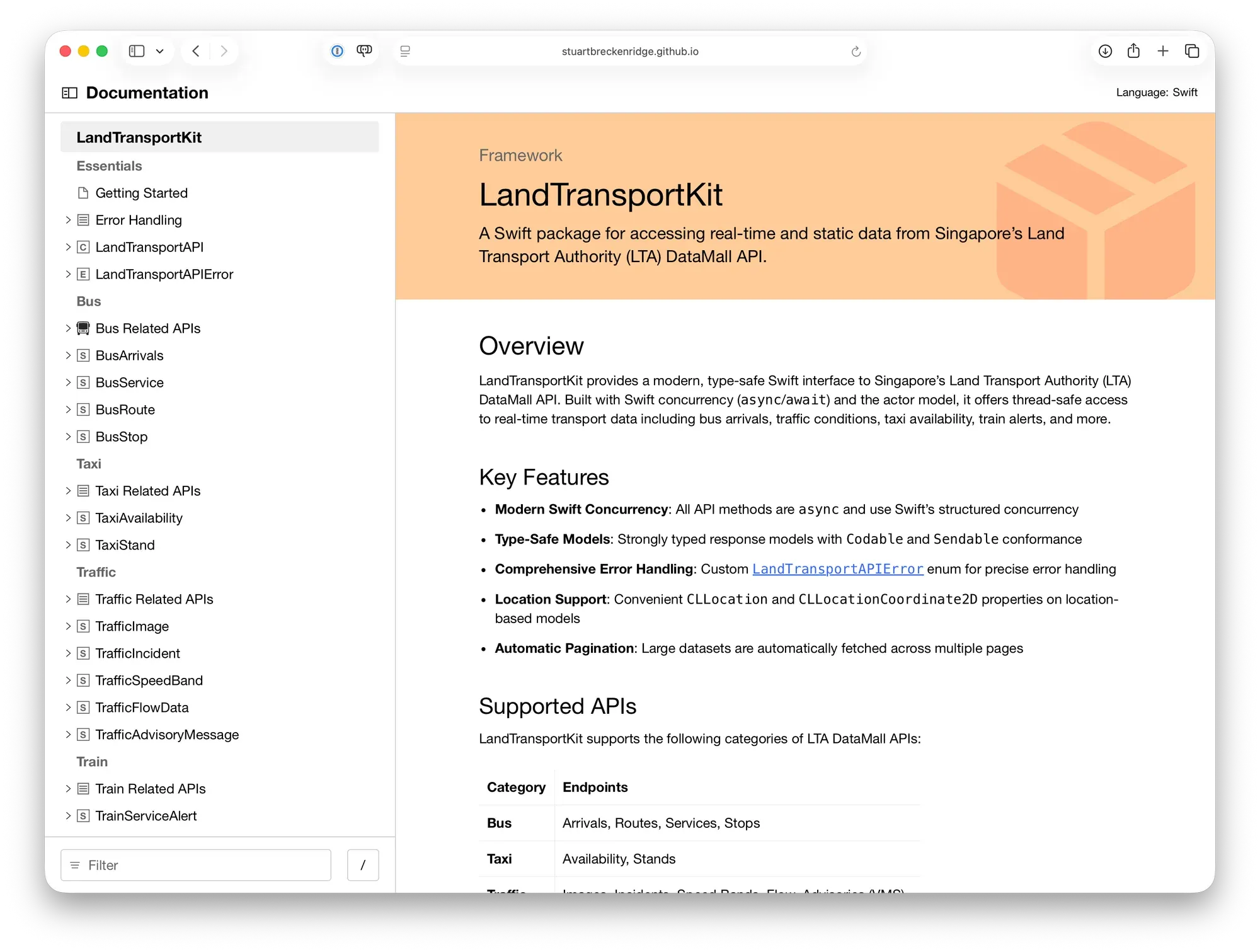
Lastly, all interaction with the Land Transport API is now handled with LandTransportKit.

I’ve open sourced this package—it’s free for anyone to use!

Singapore Buses v2026 Beta

0:00
/0:06

Singapore Buses v2026 beta is available now to website members. v2026 is a complete re-write and updates the app with Liquid Glass design niceties.

If you wish join the TestFlight, sign up and you’ll be able to access to the TestFlight link at the bottom of the article.

The remainder of this post was originally for members only.

What’s New in Singapore Buses v2026

OS Requirements

  • [New] The minimum supported iOS version is iOS 26
  • [New] Singapore Buses is now a native iPadOS app and works on Apple Vision Pro in iPad display mode

Underlying Technologies

  • [New] Database interaction is now managed by GRDB instead of Core Data
  • [New] Interaction with the Land Transport Authority API is now handled via LandTransportKit and it’s a little bit quicker
  • [Updated] Location tracking is now more accurate and updates more frequently

User Interface

  • [New] The app now uses the updated Liquid Glass tab bar navigation structure
  • [New] The nearest bus stop is presented above the tab bar on the map view
  • [New] The map view will display bus stops as you scroll instead of at the end of the scroll gesture
  • [New] All map views—bus stop and bus route—can be viewed in 3D
  • [New] Search has been updated with the search bar now positioned at the bottom of the screen
  • [New] App Icon based on 1990’s Singapore bus stop design
  • [New] TipKit used for initial onboarding
  • [Updated] There have been small changes to the bus stop layout rows
  • [Updated] There are additional theme options for Singapore Buses+ subscribers
  • [Updated] There are new support options in Settings
  • [Updated] Acknowledgements view

Join TestFlight

Adopting Liquid Glass, Part V (Singapore Buses, Finishing Touches)

Adopting Liquid Glass, Part V (Singapore Buses, Finishing Touches)

Maps, Search, toolbars and tab bars were covered in Adopting Liquid Glass, Part I (Singapore Buses) and Adopting Liquid Glass, Part IV (Singapore Buses, Revisiting the Tab Bar). Arrivals, Routes, Advertising, and Settings are the last four areas that have seen some tweaks.

Arrivals

Overall, the Arrivals view has seen very little in the way of change.

The Favourite and Arrival Notification buttons have a slightly different tinting behaviour when selected, while the Live Activity bolt button now presents a popover menu to the user. Tips, via TipKit, have also been added to explain what these buttons do when selected.

0:00
/0:02

Tips via TipKit

Routes

The Routes view maintains consistency with previous releases. However, the Route Map has been given some additional flexibility—ability to view in 3D, panning, rotating and zooming—so that it can take advantage of the Apple Maps ‘Detailed City Experience’. It’s also using glassified titles.

Routes at Marina Bay Sands. Dark mode, light mode.

When the map is rotated, the bus stop annotations rotate in real time so they always point to the next stop on the route.

Advertising

I was playing with different ad placement and styles just before this Mastodon post was made. In the Singapore Buses’ App Store build ads can appear in a few places—at the top of, between, or at the bottom of List sections, or at the bottom of the map.

In the Liquid Glass update, I’ve settled on ads having a consistent placement in the bottom safe area—across Arrivals, Search, and the Route Map. And, staying on brand, they’ve also been Liquid Glassed.

0:00
/0:07

Liquid Glass Advertising on top of the Map

Settings

Settings has some new features: more theme colours, a new acknowledgment view, and a new explainer view for Arrivals. However, there’s nothing new that’s specific to Liquid Glass (thankfully).

What’s Next?

As the work on this update comes to a close, my attention is now on the App Store. New App Store videos, screenshots, app description, and release notes. In addition to all the Liquid Glass changes, there’s a host of other changes that have been made as well. For example, GRDB has replaced Core Data…and the app now runs natively on the iPad. 🤯

A TestFlight build is coming soon.

The Betas 8 Are Out

The Betas 8 Are Out

Betas 8 of macOS Tahoe and iOS 26 are out now.

For the apps I am working on—Singapore Buses and NetNewsWire—I don’t have any major issues. However, I’ve come across a missing API in AppKit that is somewhat infuriating.

First, some context. Brent Simmons wrote on inessential.com:

And so I seriously dislike the experience of using a Mac with Liquid Glass. The UI has become the star, but the drunken star, blurry, illegible, and physically unstable. It makes making things way more of a struggle than it used to be.

So for NetNewsWire, the question is whether or not there is a way to make the blurry bits less blurry and to bring back some legibility. Is there way to get it off the sauce?

In the transcript for the WWDC video, Build an AppKit app with the new design, it reads like it the system applies fades and blurs at its discretion:

The new design encourages flowing your content edge-to-edge, with Liquid Glass elements floating atop. To provide separation between the glass and the content, the system applies a visual effect in the areas where these two overlap. This effect comes in two variants: a soft-edge-style, which progressively fades and blurs the content, and a hard-edge-style, which uses a more opaque backing to provide greater separation between the content and the floating elements.

Indeed, looking at the AppKit APIs made available with macOS 26, there’s no obvious way to override the system’s visual effect behaviour. The answer to the above question is *No. *

However, if NetNewsWire were a SwiftUI app, the answer to that question would be *Yes. *In SwiftUI, developers can decide to reduce the blur around vertical and horizontal bars with a simple modifier:

.scrollEdgeEffectStyle(.hard, for: .vertical)
0:00
/0:04

The effect of a hard edge scroll effect.

Hopefully, this API is made available with the next beta release (or release candidate) of Xcode 26.

PADD for NetNewsWire

PADD for NetNewsWire

If you’re familiar with Star Trek, you’ll know that from *The Next Generation onwards all computer panels on Starfleet ships had a consistent look. In Trek *parlance, that look came from a system called *LCARS *(Library Computer Access/Retrieval System).

A PADD with LCARS

As luck would have it, there’s an amazing website—https://www.thelcars.com—that has recreated LCARS in HTML and CSS. This piqued my curiosity—could it be adapted and used as a NetNewsWire theme?

The answer is, of course, *make it so. *

This makes me smile. You can add PADD to NetNewsWire using the link at the bottom of the article.

A few notes:

  • the font is *Antonio *and it’s been Base64 encoded so it can be included with the theme,
  • unfortunately, I’ve not (yet) found a way to include the sounds that come with the full LCARS package from thelcars.com,
  • navigation buttons are *View Website, View Article, NetNewsWire, *and, if there’s a linked article, Linked Article,
  • hiding/showing *Linked Article *requires JavaScript
  • there have been a few tweaks to code, pre, ul, and ol elements to improve rendering in NetNewsWire,
  • any adaptation must follow the EULA,
  • this theme is better on a wider screen in dark mode, and,
  • it’s an absolute workout for Liquid Glass

The PADD theme is just a lot of fun. 100% credit to thelcars.com!

Add to NetNewsWire

The Betas 7 Are Out

The Betas 7 Are Out

There’s not much new in this beta.

  • For all users, *Adaptive Power Notifications *have been added
  • For U.S. users, the recently redesigned Blood Oxygen Monitoring feature has been added that first appeared in iOS 18.6.1

Alongside iOS 26 beta 7, there’s also Xcode 26 beta 6. Annoyingly, even at this late stage, this beta doesn’t allow me to perform location simulation testing with a GPX file (FB19705540).

Adopting Liquid Glass, Part IV (Singapore Buses, Revisiting the Tab Bar)

Adopting Liquid Glass, Part IV (Singapore Buses, Revisiting the Tab Bar)

In my first article in this series, Adopting Liquid Glass, Part I (Singapore Buses), I ran into a critical bug that made it problematic to adopt the new Tab Bar design:

On my Map tab I was using a tabViewBottomAccessory to show the nearest bus stop to the user—to give them an easy way to tap and show arrival information. However, the accessory was available across all tabs where it made no sense (like Settings). Trying to hide the accessory (using EmptyView) when the selected tab wasn’t the map worked, but navigating back to the map caused the map to stop extending into the safe area, resulting in a lovely white bar along the top.

Luckily, this bug has been fixed in the recent betas so I’ve revisited my original design and the outcomes are positive.

Tab Bar Bottom Accessory Visibility

From a usability perspective, it only makes sense to display the accessory when two conditions are met:

  1. The map tab is displayed; and,
  2. The user has given permission to track location

The simplified code below shows how this is achieved when tracking the tab bar selection:

enum Tabs: Equatable, Hashable {
    case maps
    case settings
    case search
}

@main
struct sgbusesApp: App {

    // MARK: State
    @State private var selectedTabIndex: Tabs = .maps

    var body: some Scene {
        WindowGroup {
            TabView(selection: $selectedTabIndex) {
                Tab("label.title.map", systemImage: "map", value: .maps) {
                    BusStopMapView()
                }

                Tab("label.title.settings", systemImage: "gear", value: .settings) {
                    SettingsView()
                }

                Tab("label.title.search", systemImage: "location.magnifyingglass", value: .search, role: .search) {
                    BusStopListView()
                }
            }
            .tabViewBottomAccessory {
                if selectedTabIndex == .maps {
                    HStack {
                        Image(systemName: "bus.fill")
                            .font(.body)
                        VStack(alignment: .leading) {
                            Text(verbatim: database.allStops.first!.busStopDescription)
                                .font(.caption)
                                .bold()
                            Text(verbatim: (database.allStops.first!.busStopCode) + " | " + (database.allStops.first!.roadName) + " | " + "Nearest Stop")
                                .font(.caption)
                                .foregroundStyle(.secondary)
                        }
                        Spacer()
                    }
                    .padding(.vertical, 4)
                    .padding(.horizontal)
                    .contentShape(Rectangle())
                    .onTapGesture {
                        // show bus arrivals
                    }
                } else {
                    EmptyView()
                }
            }
        }
    }
}

Ensuring Legibility

One of the main concerns with Liquid Glass is legibility. This is even more a of concern when using a tab bar bottom accessory as there is now text where there wasn’t any in my previous toolbar-based design.

To keep things legible, Singapore Buses uses a muted map style. This provides a reasonable balance: the glass effect remains fun to look at without becoming a distraction, even when the map is busy with content.

0:00
/0:08

The ‘Detailed City Experience’ is so, well, detailed!

Assuming the tab bar doesn’t undergo some wild design changes between now and the iOS 26 release candidate, my intention is to ship the next version of Singapore Buses with a tab bar.

The next (and final) article in this series will look at the remaining views: Arrivals, Routes, and Settings. I’ll post that closer to release.