After five-ish years of NetNewsWire 6—and many Summer, Autumn, and Winter nights of coding through 2025 and into 2026, and a sizeable TestFlight window—The World’s Favourite Open Source RSS ReaderTM has reached version 7. (Note: we discovered and fixed a lot of bugs during TestFlight, so thanks go to the testers!)
Similar to the Mac release, NetNewsWire 7 for iPhone and iPad:
requires the OSs 26
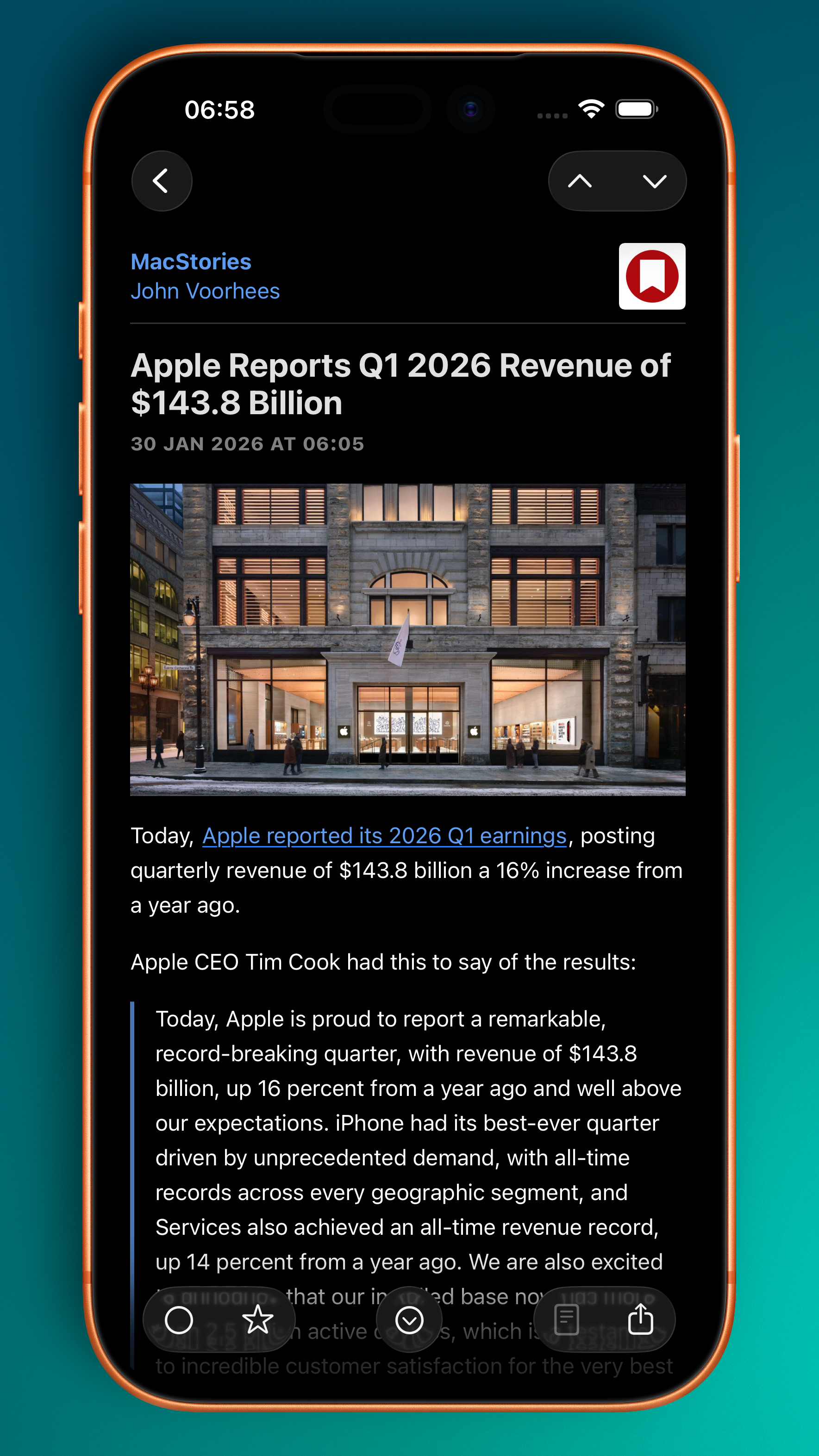
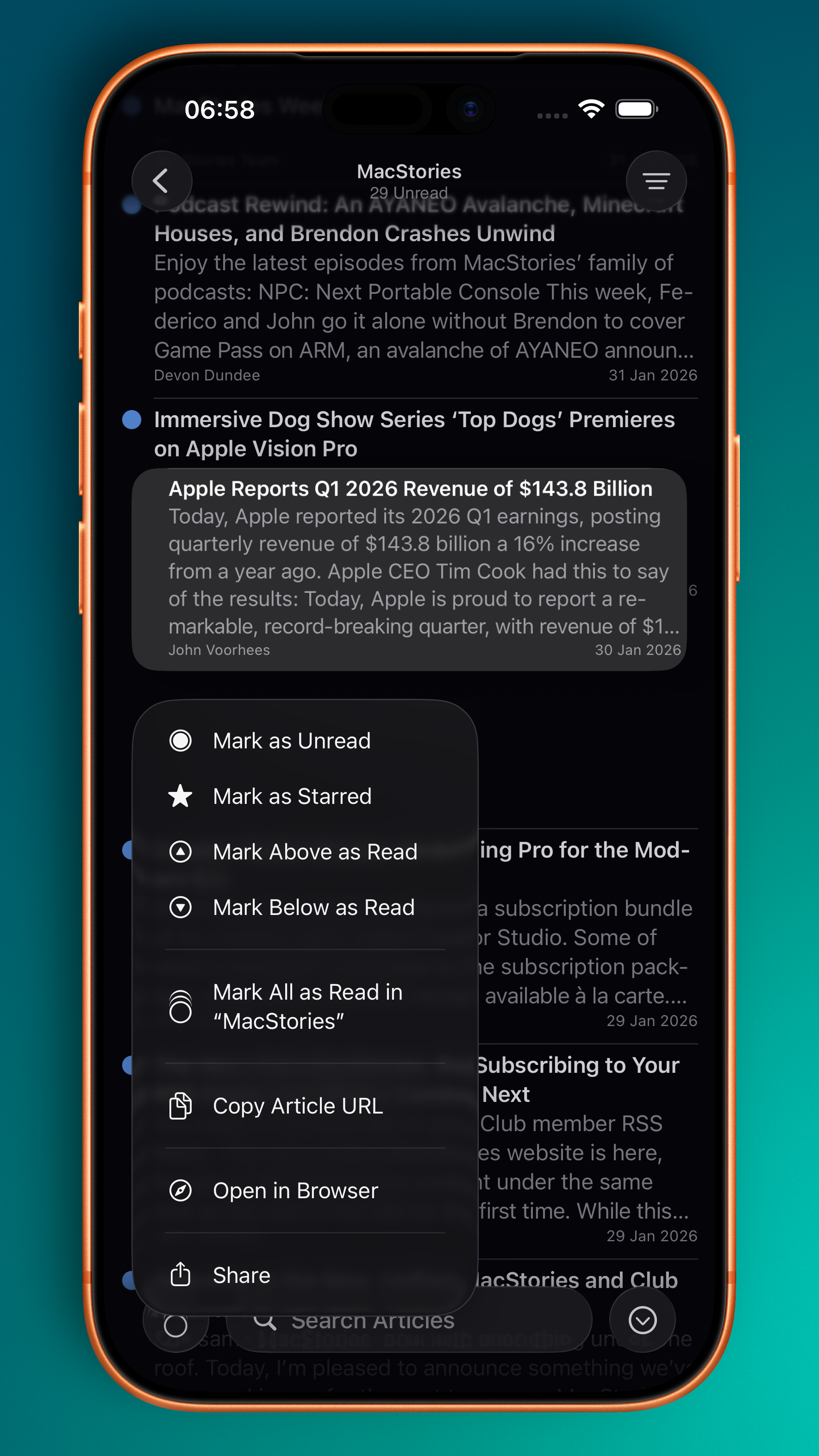
adopts Liquid Glass
is a significant under-the-hood overhaul that adopts Swift Concurrency
But, but, but...unlike the Mac release, which was quite easy, the iOS release has required a lot more work. On the latest episode of The Talk Show, Brent rightly pointed out that"iOS apps are just more complicated".
To summarise my Design Diaries and some additional items, NetNewsWire 7 makes 30 major changes:
[Sidebar] Converted from UITableView to UICollectionView. This was needed in order to adopt modern styling across iPad and iPhone. iPad uses the .sidebar style, and iPhone uses .insetGrouped. This is similar to the behaviour you see in Mail.
[Sidebar] The current Refresh status is now located in the navigation bar as a subtitle, having previously been the footer.
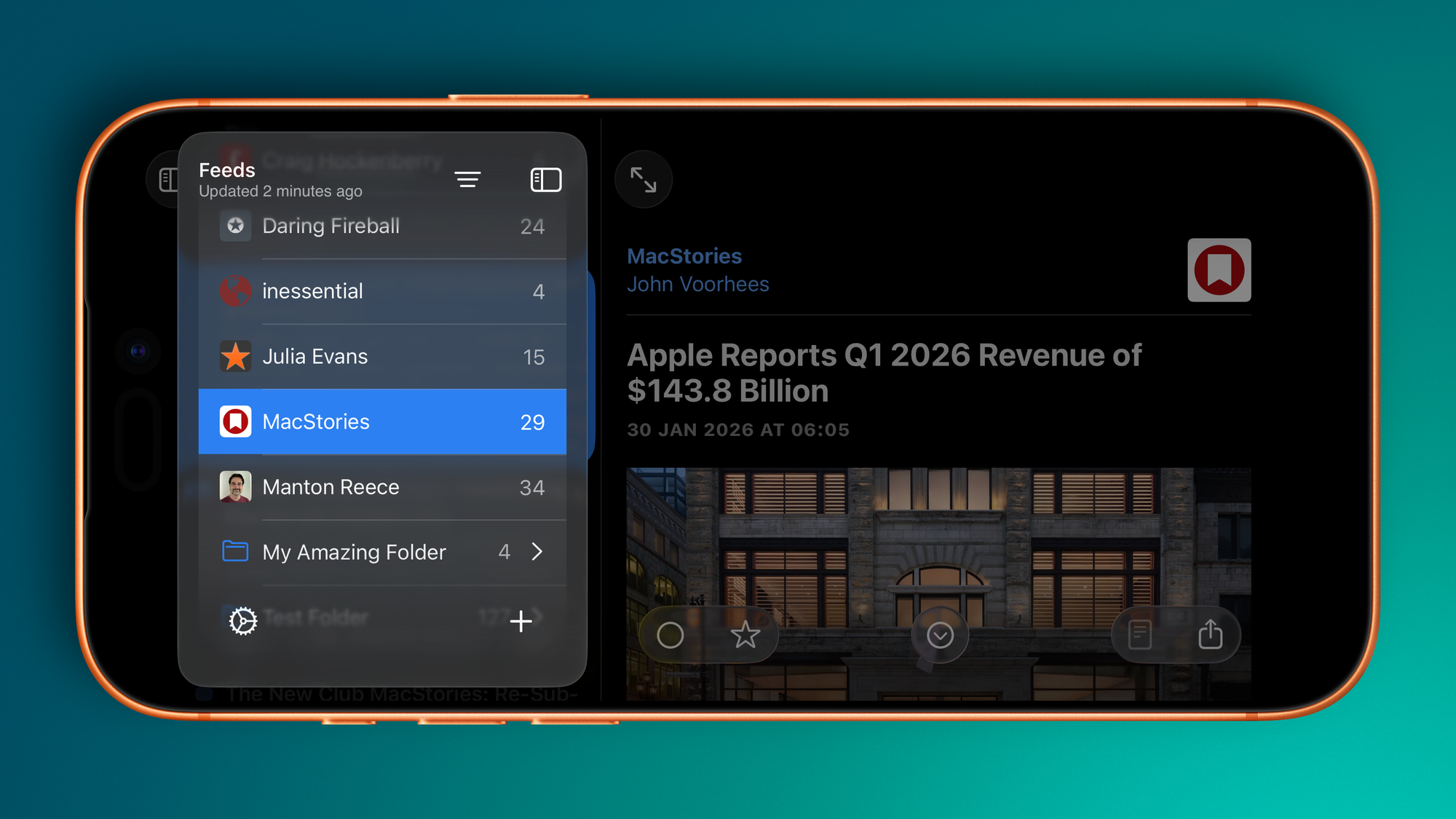
[Sidebar (iPad)] Like the Mac refresh, the Feeds view floats and allows Timeline content to slide underneath.
[Sidebar] Smart Feeds and Account headers now adopt modern secondary styling.
[Sidebar (iPad)] Selected feeds have a modern capsule background and the text is bold.
[Sidebar] Folders have been redesigned to match modern standards—they now have the same indentation as any other feed, but the enclosed feeds are indented further.
[Sidebar] Folders will highlight when Feeds are being dragged and dropped into them.
[Sidebar] Separators have been realigned.
[Sidebar] Unread counts are larger and are no longer backed by a filled capsule.
[Sidebar] Unread counts for folders are only displayed when the folder is closed.
[Sidebar] Swipe actions reveal icons.
[Sidebar (iPad)] Users can resize the sidebar (within reason).
[Timeline] Converted from UITableView to UICollectionView (during TestFlight builds!) This was needed in order to adopt modern cell styling—e.g., selected and swipe status—across iPad and iPhone.
[Timeline] Now uses UICollectionViewDiffableDataSource.
[Timeline] Navigation bar images have been removed.
[Timeline] Unread counts are now located in the navigation bar subtitle.
[Timeline] Adopts hierarchical text colours for titles and summaries.
[Timeline (iPad)] The search bar has been moved to the app-wide toolbar and behaves similar to search on the Mac.
[Timeline (iPhone)] The search bar has been moved to the bottom toolbar.
[Timeline (iPad)] The Timeline width is user adjustable (again, within reason).
[Timeline] Timeline cells have been redesigned in Interface builder and now have the rounded corner selection style in addition to hierarchical text colours for title and summary.
[Timeline] The Mark All as Read image (on both iPad and iPhone) has had alignment changes to make sure it sits in the middle of an englassified button.
[Article (iPad)] Articles can be read in three-pane view without hiding the Sidebar.
[Article (iPad)] The top toolbar inherits search capabilities.
[Article] The bottom toolbar buttons have been grouped in a 2-1-2 formation with the Next Unread button sitting in the throne seat.
[Sidebar, Timeline, Article] Visual state is restored on relaunch.
[Widgets] Home Screen widgets have been redesigned to make better use of horizontal space.
[Widgets] Added a new Lock Screen widget with Today, Unread, Starred counts.
[Settings] Timeline Customiser has been redesigned and includes both icon and non-icon previews.
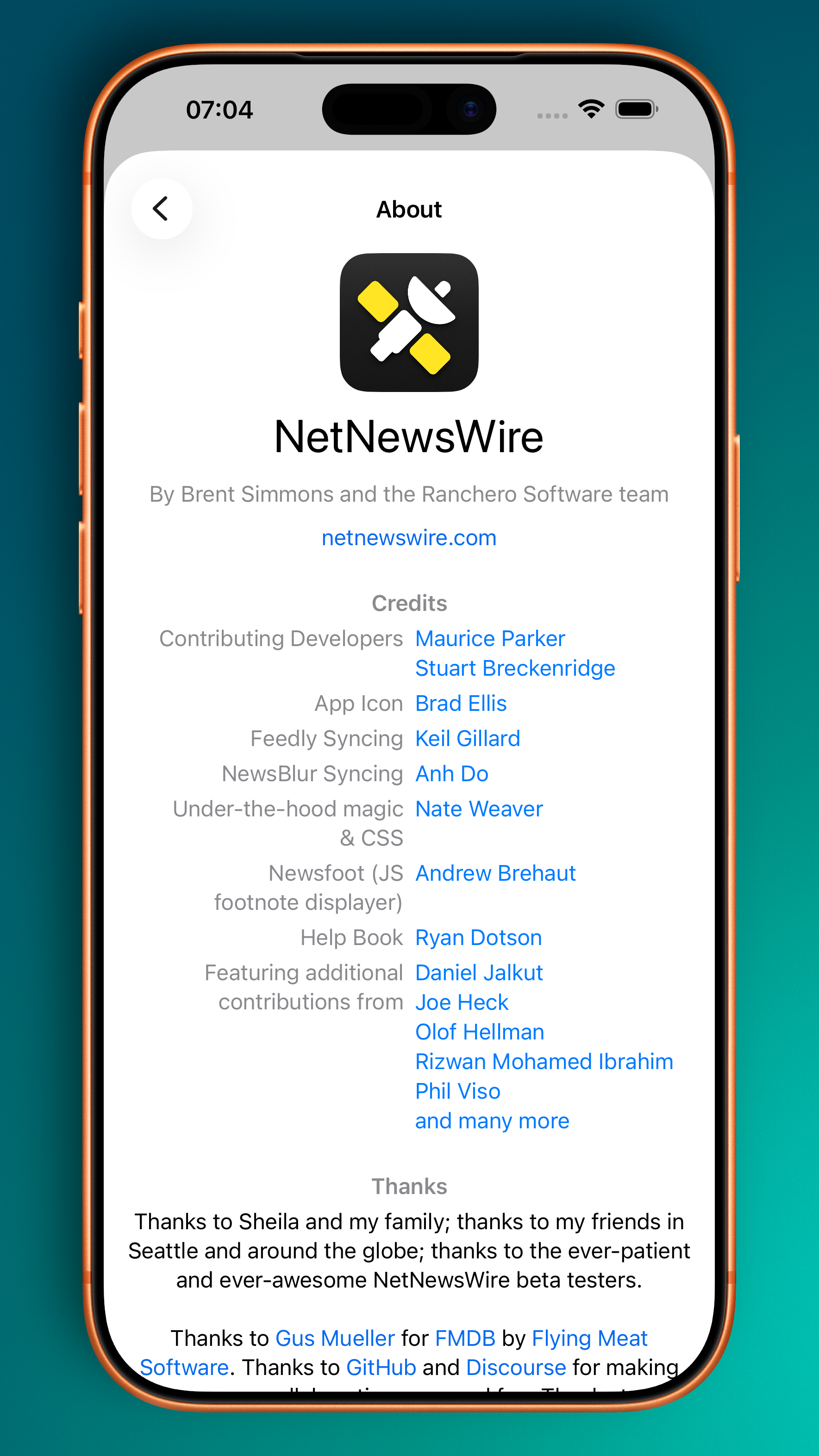
[About] Tending to the dark corner of the garden, the About view on iOS has been redesigned and inspired by the Credits from Vesper.


Discussion